We’ve all heard the expression “if all you have is a 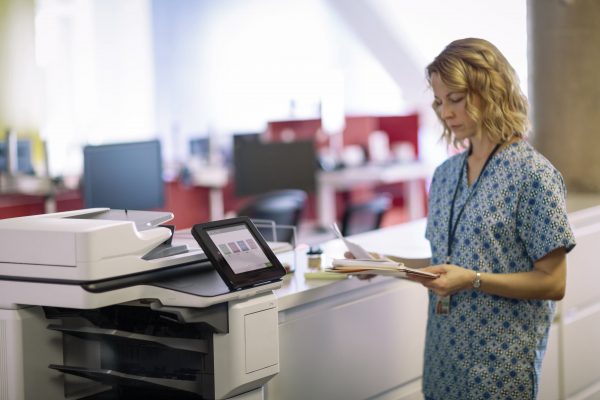 hammer, everything looks like a nail”. In many cases, traditional copier companies and healthcare buying groups approach print environment optimization with a hammer. Their intent is to drive cost savings through device consolidation, perhaps introduce a proprietary secure print tool, and maybe automate toner replenishment. But, is that an optimized print environment?
What is an optimized print environment for a hospital or ancillary healthcare organization?
The real questions are, what is an optimized print environment for a hospital or ancillary healthcare organization? There is no single cookie-cutter approach because every organization is different. However, the core principles remain the same. The key to optimization is working with a managed print services provider that understands the principles of print optimization in this unique space.
In healthcare, an optimized print environment is reliable, secure, cost-effective, and integrated. In part one of this two-part series, we’ll tackle reliability and security.
Take your typical hospital. It’s an extremely fast-paced environment. There is no time to spare, and the last thing that should be holding up patient care is a printer that keeps jamming, is having image quality issues, or needs to reboot to release a print job. A nurse can’t be expected to print a chart, wait at a printer, clear a jam, resend the print job, and hope it comes out properly the second time. The result in that scenario is a delay in patient care which could have a critical impact on the health of that patient.
IT budgets is a challenge
Allocating annual IT budgets is a challenge unto itself, and replacing printers almost never makes the cut. If the printer is still laying toner down on that page relatively effectively, there isn’t an obviously strong business case to budget for a replacement. Right? Afterall budgets are tight and there are seemingly more critical areas of the infrastructure to update. Well, how many times does the scenario noted in the previous paragraph occur in your environment? Do you have the tools and resources to track this data? The soft-cost of having that 15-year-old printer in a nursing station could be exponentially higher than that low cost per page you like so much. Even when the budget is assigned for a printer refresh, is that refresh done strategically? Or are printers being replaced on a one in, one out basis? If that’s the strategy you have, you need a new print partner!
Being PIPEDA compliant is important
Protecting data is not unique to healthcare, but the pressure to remain PIPEDA compliant is certainly magnified. Publicly funded healthcare organizations are subject to more regular and increasingly stringent security audits. One area that is almost always overlooked is the network printer. Printer security hygiene is about more than changing the password on the embedded web server that allows an administrator to change device settings.
Ensure your print infrastructure is secure
A typical network printer has over 250 settings that affect the security of that device. According to IDC, only about 2% of the world’s network printers are properly secured. Why is that important? Because hackers who used to try to find holes in firewalls are now exploiting users who use printers to gain access to the network. In a truly optimized environment, those 250 settings are managed autonomously, devices should be equipped with malware detection, a self-healing BIOS, and firmware verification tools to ensure that no part of the device is compromised. Oh, and that 15-year-old printer with that low cost per page – when was the last time a firmware update with a security patch was released?
Create a digital audit trail
Often, print devices are in common areas and shared between departments. Introducing a secure print tool will ensure no abandoned print jobs will end up in the wrong hands, and devices can’t be accessed by unauthorized individuals. Secure print tools also create a digital audit trail, improve inter-departmental workflow, and make cost allocation a breeze! But there are so many different tools out there – what is the best fit?
At SmartPrint, we typically recommend a vendor-neutral solution that will support any enterprise level device in the market, regardless of brand. Even then there are so many options out there and many factors to consider determining the best solution for your environment. Your print partner should be able to help navigate this decision with you so that you don’t have to do it all over again 5 years from now. Your partner should also be able to implement and manage the application moving forward so your team doesn’t have to learn how to use a new tool that requires focused expertise.
Are you interested in learning more about how you can optimize your healthcare print environment? If so, please reach out.