
OneHP: How HP Intelligent Workflows Are Transforming Canadian Businesses

OneHP: How HP Intelligent Workflows Are Transforming Canadian Businesses

For many Canadian organizations, document management still involves far too much paper.

A contract arrives and gets printed. Someone signs it, scans it, and emails it to another department. An employee manually enters the information into a business system. The original document gets filed away, only to become difficult to locate weeks or months later.

Every manual step takes time. Every additional touch creates an opportunity for errors. Every physical copy of a sensitive document can create security and compliance risks.

When these processes are repeated across hundreds or thousands of documents, the costs quickly add up.

This is where OneHP can make a difference.

OneHP brings together HP’s printing, scanning, security, workflow, and digital document technologies into a more connected approach to workplace productivity. Instead of treating printers and multifunction devices as standalone pieces of hardware, OneHP connects the device environment with the information and workflows that keep a business running.

For Canadian businesses, SmartPrint 360 provides the expertise to design, implement, integrate, and manage this connected environment through a single managed services approach.

What Is OneHP?

OneHP is built around a simple idea: organizations should not have to manage their print devices, document workflows, security, and related services as disconnected technologies.

Modern multifunction printers are no longer simply devices that print documents.

They can become secure points of entry into an organization’s broader digital ecosystem.

Through the OneHP approach, businesses can connect:

  • HP printers and multifunction devices
  • Document capture
  • Intelligent data extraction
  • Workflow automation
  • Document management
  • Security controls
  • Cloud and enterprise applications
  • Managed print services
  • Ongoing support and optimization

The result is a more unified technology environment where physical documents can become digital information and digital information can move efficiently through business processes.

OneHP and Intelligent Document Workflows

A major part of the OneHP value proposition is the ability to connect the physical document environment with automated digital workflows.

HP Intelligent Workflows can help organizations capture, process, classify, route, and manage information while reducing the amount of manual intervention required.

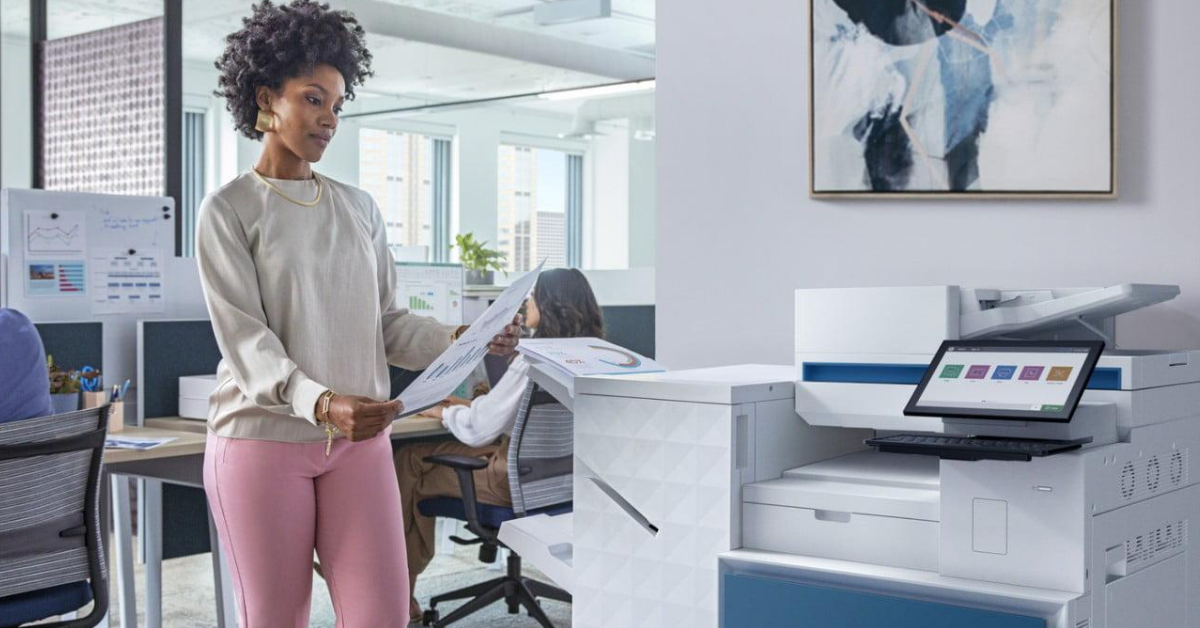
Imagine a document being scanned at an HP multifunction printer.

Instead of simply creating a PDF and leaving the employee responsible for everything that happens next, the workflow can be designed to automatically process the information.

The document can be:

  1. Captured at the device
  2. Converted into a searchable digital format
  3. Analyzed for relevant information
  4. Classified according to its content
  5. Routed to the appropriate person or system
  6. Stored securely
  7. Added to an audit trail
  8. Used to trigger the next business process

This is where OneHP moves beyond traditional managed print.

The printer becomes part of the workflow rather than the end point of it.

HP Capture & Route: Connecting the Device to the Business

HP Capture & Route is an important component of an intelligent document environment.

It allows organizations to capture documents from HP and other multifunction printers, scanners, and digital sending devices and convert them into digital formats such as PDF, Microsoft Word, TIFF, and JPG.

Users can route documents to destinations such as:

  • Email
  • Network folders
  • Cloud storage
  • Fax
  • Microsoft SharePoint
  • Document management systems
  • Enterprise applications

This eliminates many of the repetitive steps that employees perform every day.

Instead of scanning a document, saving it, renaming it, opening an email, attaching it, and manually filing it, a user can initiate a defined workflow directly from the multifunction device.

OneHP in Action

Consider an accounts payable department.

An invoice arrives as a paper document.

Under a traditional process, an employee might scan it, save the file, rename it, manually enter the invoice information, email it to an approver, and eventually file it.

With an integrated OneHP environment, the document can become the starting point for an automated process.

The invoice is captured at the device, processed, and routed according to predefined business rules.

The result is less manual handling and a more consistent process.

The same approach can be applied to contracts, purchase orders, employee forms, customer documents, delivery records, and other information-intensive processes.

HP Scan AI Enhanced: Turning Documents Into Data

Capturing a document is only the beginning.

The real value comes from being able to understand and use the information contained within that document.

HP Scan AI Enhanced uses OCR and intelligent recognition technologies to extract information from documents such as invoices, forms, contracts, and other business records.

This can reduce the need for employees to manually enter information that already exists on a document.

For example, an invoice workflow can identify information such as:

  • Invoice numbers
  • Dates
  • Vendor information
  • Purchase order numbers
  • Amounts
  • Tax information

That information can then be used within downstream business processes.

For high-volume environments, this can represent a significant productivity opportunity.

From Scanning to Automation

Traditional scanning creates a digital copy.

Intelligent processing creates usable information.

That distinction is important.

If employees still need to manually review, rename, categorize, enter, and route every document after scanning, the organization has digitized the document without fully transforming the process.

OneHP provides the opportunity to connect device-level capture with the broader technology environment.

Connecting Documents to Business Processes

The next step is workflow automation.

An invoice could automatically be routed to an approver based on its value.

A customer application could be sent to the appropriate department after required information is captured.

A contract could be identified and routed for legal review.

An employee onboarding package could trigger the next stage of an HR process once the necessary documentation has been received.

This is the difference between document digitization and business process automation.

The document is no longer simply something that needs to be stored.

It becomes information that can initiate an action.

Why OneHP Matters for Canadian Businesses

Canadian organizations have specific challenges when it comes to privacy, security, geographic distribution, and document management.

OneHP provides an opportunity to address these challenges through a more connected approach.

Security and Privacy

Organizations routinely handle sensitive customer, employee, financial, and business information.

Paper-based processes can make it difficult to control access, track documents, or determine where sensitive information has been sent.

An integrated digital environment can provide capabilities such as access controls, encryption, authentication, audit trails, and automated document processing.

For organizations operating under federal or provincial privacy requirements, these capabilities can support more consistent information management.

Technology does not automatically guarantee compliance, but it can provide the controls and visibility required to build more secure processes.

Bilingual Work Environments

Many Canadian organizations operate in both English and French environments.

This can introduce additional administrative complexity, particularly for organizations operating across multiple provinces or serving customers in both official languages.

Digital capture, classification, and routing can help standardize processes and reduce the need for separate manual workflows.

Distributed Organizations

Canada’s geography also creates unique document management challenges.

Organizations may have offices, employees, customers, and operations spread across multiple cities and provinces.

Physical documents have to be transported, stored, and manually distributed.

A connected OneHP environment allows information to be captured at one location and securely routed to the appropriate people or systems elsewhere.

This can reduce delays while improving access to business-critical information.

The Hidden Cost of Disconnected Technology

Many organizations have already invested in digital tools, yet their document processes remain surprisingly manual.

They may have cloud storage, ERP systems, document management platforms, email, printers, scanners, and other applications, but these technologies are not necessarily connected.

The result is a series of information silos.

Employees become the connection between systems.

They download documents, rename files, copy information, send emails, upload attachments, and manually update business applications.

That human effort represents a hidden operational cost.

OneHP addresses this problem by connecting the document environment more closely with the broader technology ecosystem.

SmartPrint 360: Bringing OneHP Together

Technology is only one part of a successful transformation.

The real challenge is designing a solution around the organization’s actual processes.

That is where SmartPrint 360 comes in.

SmartPrint can help organizations assess their existing document and print environment, identify opportunities for automation, and develop a OneHP strategy that aligns technology with business objectives.

Rather than managing devices, workflow software, support, and services separately, SmartPrint 360 brings these elements together under one managed services model.

Expert Workflow Design

Every organization handles information differently.

SmartPrint can map existing document processes, identify bottlenecks, and determine where automation can create the greatest impact.

The goal is to solve real business problems rather than simply deploy another piece of technology.

Seamless Integration

A successful OneHP environment needs to work with the systems an organization already uses.

That could include:

  • ERP platforms
  • Microsoft SharePoint
  • Cloud storage
  • Document management systems
  • HR platforms
  • Financial applications
  • Line-of-business software

SmartPrint can help connect the document environment to these existing systems so information can move where it needs to go.

Training and Adoption

Technology only creates value when employees use it effectively.

SmartPrint provides training and ongoing support to help organizations adopt new workflows and make the most of their OneHP environment.

Ongoing Management

Business requirements change.

Document volumes grow. Employees change roles. Applications are updated. Processes evolve. Security requirements become more complex.

SmartPrint 360 provides ongoing management and support to help keep the environment optimized as those requirements change.

OneHP Is More Than a Printer Strategy

The biggest misconception about managed print is that it is simply about controlling printer costs.

Modern managed print has evolved.

Today’s multifunction devices can serve as secure access points to digital information and automated business processes.

That means the conversation is no longer just about:

How many pages are we printing?

It is also about:

How does information enter our organization?

Where does it go?

Who needs access to it?

How much manual work is required to process it?

How securely is it handled?

Which business systems need that information?

These questions move the conversation from print management to workplace transformation.

That is the opportunity behind OneHP.

The Business Benefits of a Connected Document Environment

A well-designed OneHP environment can help organizations achieve improvements across several areas.

Greater Productivity

Automating repetitive document tasks allows employees to spend less time scanning, filing, emailing, and entering data.

Improved Accuracy

Reducing manual data entry and repetitive handling can help minimize errors.

Stronger Security

Digital authentication, access controls, encryption, and audit capabilities can provide greater visibility and control over sensitive information.

Faster Information Flow

Documents can move digitally between people and systems rather than being physically transported or manually forwarded.

Better Visibility

Automated workflows make it easier to understand where information is within a process.

Lower Operational Costs

Reducing unnecessary printing, manual processing, physical storage, and administrative work can help lower the overall cost of managing information.

Start With the Workflow

The most effective way to begin a OneHP transformation is not by starting with the printer.

Start with the process.

Look at how documents enter your organization.

Look at who touches them.

Look at where employees manually enter information.

Look at where documents get delayed.

Look at where sensitive information is stored.

Look at which processes involve the highest document volumes.

Then determine which of those steps can be automated.

This approach helps organizations identify the areas where technology can deliver the greatest measurable value.

The Bottom Line

Canadian businesses are under constant pressure to improve productivity, control costs, strengthen security, and make information easier to access.

Paper-heavy processes make each of those objectives more difficult.

HP Intelligent Workflows provide the technology to capture information, extract data, automate routing, and connect documents to business processes.

OneHP takes that capability further by connecting HP’s device, workflow, security, and managed services technologies into a more unified environment.

SmartPrint 360 provides the expertise to make that environment work in the real world.

From workflow assessment and design to implementation, integration, training, support, and ongoing management, SmartPrint can help Canadian organizations move from disconnected document processes to a more intelligent and connected workplace.

The result is not simply fewer printed pages.

It is a faster, more secure, more efficient way for information to move through the business.

If your organization is still printing, scanning, emailing, filing, and manually entering information that could be automated, it may be time to look at the bigger picture.

OneHP can help turn your print environment into a connected part of your digital workplace.

Contact SmartPrint to discuss a workflow assessment and discover where OneHP could make the biggest difference in your organization.

OneHP: The Right HP Business Devices for Canadian Businesses

OneHP: The Right HP Business Devices for Canadian Businesses

Ask most IT leaders what keeps them up at night, and you’ll hear a familiar list: cybersecurity threats, hybrid work complexity, rising costs, and the relentless pressure to do more with the same, or smaller, team.

What rarely makes the list, but probably should, is this: the HP business devices your employees use every day are either amplifying productivity or quietly getting in its way.

When a laptop is slow, unreliable, or poorly matched to the demands of the role, the impact isn’t just a frustrated employee. It’s slower decisions, longer projects, higher helpdesk volumes, and the subtle drain of a workforce that’s fighting its tools instead of using them. The 2025 HP Work Relationship Index found that only 20% of knowledge workers report a healthy relationship with work, down from 28% the year before. Technology friction is a major contributor.

As organizations embrace AI-powered workflows, choosing the right HP business devices has become a strategic business decision rather than a simple hardware purchase.

HP’s commercial PC and laptop portfolio, delivered and managed through SmartPrint 360, is designed to reverse that trend. And with the arrival of true AI-native computing in 2025 and 2026, the gap between the right device and the wrong one has never been wider.

HP Business Devices for Every Role

One of HP’s genuine strengths in the enterprise market is the breadth and intentionality of its commercial PC lineup. There isn’t one product for everyone. There’s a carefully designed family of products, each built for a specific type of worker, workload, and work environment.

One of the reasons organizations continue to invest in HP business devices is the breadth of the portfolio. From entry-level productivity laptops to AI-powered premium systems and workstation-class devices, HP offers solutions tailored to every role and workload.

HP ProBook: Reliable Performance for the Everyday Workforce

The HP ProBook series is HP’s strong-performing, value-focused lineup for mainstream business users, employees who need a dependable, capable device that handles everyday productivity without the premium price tag of the executive tier.

The latest ProBook 4 G2 targets remote workers and road warriors who need advanced AI capabilities, multilayered security, and solid performance in a form factor designed for mobility. It comes with HP Wolf Security built in, Intel and AMD processor options, and the same AI-era fundamentals as the rest of the HP commercial lineup, making it a compelling choice for organizations equipping a large general workforce without overextending the hardware budget.

For many Canadian organizations, the ProBook is the workhorse of the fleet. With SmartPrint 360 managing procurement, deployment, and lifecycle across the entire device estate, standardizing on ProBook for general roles is straightforward and cost-effective.

HP EliteBook: Premium Performance for Professionals and Leaders

The HP EliteBook series is where HP’s commercial PC expertise really shines. It’s a premium lineup built for professionals, managers, and executives who demand elite performance, enterprise-grade security, and a device that reflects the caliber of the work they do.

The 2026 lineup is the most capable EliteBook generation yet, featuring AI-powered processing, extended battery life, advanced security, and Copilot+ PC capabilities designed for modern business professionals.

HP ZBook: Workstation Power for Demanding Workloads

For engineers, architects, designers, data scientists, and AI developers who need workstation-class performance in a portable form factor, the HP ZBook series delivers power that desktop workstations once required in devices that can travel.

With powerful graphics, large memory configurations, and AI-ready processors, ZBook systems help professionals complete demanding projects faster while maintaining the flexibility of hybrid work.

HP EliteDesk and ProDesk: Desktop Power for the Office

Not every role needs a laptop. For employees anchored to a workstation, financial analysts, designers, developers, and administrative teams, HP’s EliteDesk and ProDesk desktop lines bring the same AI-era performance and Wolf Security protections to fixed workspaces in a compact, efficient form factor.

HP IQ: The Intelligence Layer That Changes Everything

Hardware is only part of the story. What makes HP’s 2026 commercial PC lineup genuinely different from a standard specification upgrade is HP IQ, a workplace intelligence layer designed to bring AI directly into everyday workflows.

HP IQ runs on a 20-billion-parameter on-device AI model, enabling local processing without sending sensitive information to the cloud. It works even when connectivity is limited or unavailable and is being rolled out across EliteBooks, ProBooks, EliteDesks, ZBooks, and HP Poly devices.

Features such as Ask IQ and NearSense help employees access contextual information, streamline collaboration, and improve productivity without adding friction to daily work.

HP Wolf Security: Enterprise-Grade Protection Built Into Every Device

Security is one of the defining advantages of modern HP business devices. With protection built into the hardware, firmware, and operating system layers, organizations gain a stronger security posture without adding complexity for end users or IT teams.

HP Wolf Security isn’t a software subscription layered on top of the operating system. It’s protection that starts at the hardware level and extends through every layer of the device stack.

Capabilities such as HP Sure Start, HP Sure Click, HP Sure Sense, HP Sure Recover, and HP TPM Guard help organizations defend against firmware attacks, ransomware, malware, and physical device compromise.

For Canadian organizations handling sensitive business data, these security innovations provide meaningful protection in an increasingly complex threat landscape.

The Lifecycle Problem: Why Hardware Is Only Half the Answer

Most organizations don’t have a PC problem. They have a PC lifecycle management problem.

Buying the right devices is only the beginning. Deployment, patch management, refresh planning, monitoring, and retirement all require significant time and resources.

Through HP’s Device as a Service model, organizations gain access to the latest hardware, proactive monitoring, lifecycle services, and predictable monthly costs. This approach helps reduce operational overhead while ensuring employees always have access to modern technology.

SmartPrint 360: Your HP PC Partner in Canada

The right device for every role, HP IQ, Wolf Security, and Device as a Service become even more valuable when delivered by a partner that understands the Canadian business landscape.

As HP’s top managed services partner in Canada, SmartPrint helps organizations assess their current device environment, align technology with employee requirements, configure systems correctly before deployment, and manage the complete lifecycle from implementation to retirement.

That means one agreement, one monthly bill, and one Canadian partner accountable for the performance and security of your entire HP technology environment.

The Right Device Changes Everything

Work no longer happens in just one place, and productivity shouldn’t be limited by location. That philosophy is reflected throughout HP’s latest portfolio of HP business devices, designed to support hybrid work, distributed teams, and the growing demands of AI-powered business operations.

Whether it’s a ProBook for a mobile sales team, an EliteBook for leadership and knowledge workers, a ZBook for engineers and creative professionals, or a desktop solution for fixed-workspace teams, HP offers a purpose-built device for every role.

For organizations looking to modernize their technology environment, investing in the right HP business devices can improve productivity, strengthen security, and prepare employees for the future of work.

With SmartPrint 360 managing the full lifecycle, IT teams can focus on strategic initiatives instead of device management.

The right device, for every person, every role, and every way Canadians work today. Contact SmartPrint today!

How HP Poly Is Transforming Collaboration for Canadian Businesses

Think about the last meeting that went sideways before it even started. Someone’s audio kept cutting in and out. The camera froze on a ceiling tile. Half the room could not hear the person working from home. Five minutes disappeared before anything productive happened.

Now multiply that across every team, every office, and every workday.

For Canadian businesses navigating hybrid work, collaboration issues are more than frustrating. Poor communication technology reduces productivity, weakens team culture, and impacts employee experience in ways that eventually affect retention, customer service, and operational efficiency.

HP Poly was built to solve these collaboration challenges. SmartPrint 360 helps Canadian organizations deploy, manage, and support the entire ecosystem through a single managed services solution.


Continue reading “How HP Poly Is Transforming Collaboration for Canadian Businesses”

Your Printer Is a Security Risk: How HP Secure Print Protects Your Business

Here’s a question worth considering: when your security team last performed a full audit of your network endpoints, did they include the printers?

If the honest answer is “probably not,” you are far from alone. Printers have historically been treated as peripheral devices, something IT installs and then forgets about. But that mindset has become increasingly risky. Modern network printers are essentially computers. They store documents, process credentials, operate inside trusted network environments, and connect directly to the internet. Unlike laptops and servers, however, they are often left unpatched for months or even years.

Cybercriminals know this. HP Secure Print is HP’s solution to the growing printer security threat, and SmartPrint helps Canadian organizations deploy and manage it effectively.

Continue reading “Your Printer Is a Security Risk: How HP Secure Print Protects Your Business”

OneHP + SmartPrint: The Unified IT Strategy for Modern IT Teams

If you’ve ever sat in a planning meeting trying to reconcile three separate vendor contracts, one for your printer fleet, one for your laptops, and one for your video conferencing gear, you already know the headache. Different support lines, different update cycles, different security policies, and perhaps most frustratingly, different invoices landing on your desk every month.

That is the problem HP and SmartPrint are trying to solve. HP does it through OneHP. SmartPrint makes it operational with SmartPrint 360.

What Is OneHP?

OneHP is HP’s unified approach to workplace technology, bringing together three core pillars under one connected framework:

    • Print services, cloud-connected printers, and document workflows
    • Personal systems including HP laptops, desktops, and workstations
    • Poly audio and video collaboration solutions

The concept may sound simple, but the execution is what makes OneHP compelling for IT leaders. Rather than bundling unrelated products under one brand, OneHP is designed to create a connected IT ecosystem with:

    • A shared management layer
    • Consistent security policies
    • Integrated workflows across devices
    • Centralized visibility for IT teams

Think of OneHP less as a product suite and more as a complete workplace technology strategy.

Continue reading “OneHP + SmartPrint: The Unified IT Strategy for Modern IT Teams”

SmartPrint Announces an Exciting New Partnership

Toronto, Canada — March 4, 2026 — SmartPrint is proud to announce a strategic partnership with Atlantic Tomorrow’s Office, a leading North American technology and managed services organization. This partnership marks an exciting new chapter for SmartPrint one that significantly expands the breadth of solutions available to clients while preserving everything that has made SmartPrint a trusted partner for nearly four decades.

SmartPrint Stays SmartPrint

As part of this partnership, SmartPrint’s name, team, leadership, and Canadian operations will remain unchanged. Clients will continue working with the same trusted professionals and receiving the same high level of service they have come to expect.

What Is Not Changing

  • SmartPrint’s team and account relationships

  • Service levels, contracts, and pricing

  • Service standards, responsiveness, and commitment to client success

SmartPrint’s foundation built over 38 years of service excellence remains firmly in place.

Expanding What’s Possible

Through this partnership, SmartPrint is laying the groundwork to bring Atlantic’s modern, full-service technology platform closer to its clients. Over time, this will include expanded capabilities across:

  • IT managed services

  • Cybersecurity

  • Data and analytics

  • AI-enabled intelligent automation

Additional details about these expanded offerings will be shared as integration plans progress.

A Partnership Built on Shared Values

SmartPrint selected Atlantic Tomorrow’s Office with great care. The two organizations share a strong cultural alignment, a commitment to innovation, and a dedication to delivering exceptional client experiences.

This partnership positions SmartPrint to continue evolving alongside its clients’ needs while maintaining the personalized service and local expertise that have defined the company since its founding.

In the coming days, members of the SmartPrint team will be reaching out personally to clients to answer questions and discuss what this partnership means for them. In the meantime, clients are encouraged to contact SmartPrint directly with any inquiries.

SmartPrint thanks its clients and partners for their continued trust and looks forward to an exciting future ahead.

Why HP Secure Print Leads the Market in Enterprise Print Security

In a world where the “things” on your network such as laptops, phones, cameras, and printers are increasingly targeted by attackers, print infrastructure deserves the same level of security attention once reserved for servers and endpoints. Documents left on output trays, unencrypted print traffic, unpatched firmware, and data stored on multifunction printer hard drives are all well documented attack vectors.

HP has responded with a layered, enterprise grade approach to print security that spans hardware, firmware, cloud services, and workflow tools. This post breaks down the secure print options HP offers, explains how they work, and shows why HP Secure Print consistently places HP at the top of enterprise print security evaluations.

Continue reading “Why HP Secure Print Leads the Market in Enterprise Print Security”

OneHP: A Unified Approach Transforming the Modern Workplace

In today’s fast-paced hybrid work environment, technology must do more than power devices. It must connect people, streamline workflows, and support seamless collaboration. HP addresses these needs with OneHP, a unified approach that brings together Print, Personal Systems, and Poly to deliver a connected, intuitive, and future-ready technology ecosystem.

Continue reading “OneHP: A Unified Approach Transforming the Modern Workplace”

Unlocking Secure and Seamless Printing with HP Authentication Suite

In today’s workplace, security and efficiency go hand in hand. Organizations must balance convenience with safeguarding sensitive information. HP Authentication Suite bridges this gap by delivering powerful, secure print authentication tools that protect documents, devices, and data while keeping workflows seamless.

Continue reading “Unlocking Secure and Seamless Printing with HP Authentication Suite”

Unlocking Secure and Efficient Document Workflows with HP Advance

In today’s fast-moving digital workplace, organizations across Ontario and beyond need solutions that not onlyprotect sensitive information but also improve efficiency. That’s where HP Advance comes in a secure, scalable, and intelligent workflow and print management platform. For businesses looking to streamline operations, reduce risk, and improve productivity SmartPrint, based in Ontario, Canada, delivers HP Advance to transform document management.

Continue reading “Unlocking Secure and Efficient Document Workflows with HP Advance”