
Let’s face it, traditional on-premises print servers have been a pain since
the beginning of managing  a print infrastructure. Updating print drivers on multiple print servers, running multiple servers, typically one for each location, also running secure print tools, scanning tools, and a service providers data collection agent often each on their own virtual server takes a significant amount of IT maintenance time, not to mention managing print driver connection errors for users, driver conflicts, as well as the expense of the software licence costs for each server related to the print infrastructure. IT management’s eyes light up when they understand that this can all be done in the cloud with virtually no maintenance.
The compelling event to move forward on this project that we have seen is a client’s plan to move their complete IT infrastructure to the cloud, along with requirements to ensure there are no on-premises servers at their office locations, including the ones related to the print infrastructure. This has left many IT teams scratching their heads. Scouring the web for solutions that often look promising, only to find out that they won’t work in the cloud and can’t run without an instance on-premises or can’t provide the full functionality for secure printing they are accustomed to. Many have done demo after demo and run proof of concept projects ending in disappointment. Our SmartPrint print infrastructure technical experts can solve this problem, and it is coming up as a project more often. The objective to get to 100% cloud for all servers in your business including print, is achievable.
Here are some of the benefits that come with moving to a cloud print infrastructure:
- Significant cost reduction with no VM or physical servers to license or manage; accomplished with cloud SaaS (Software as A Service) based solutions
- Supporting sustainability with carbon footprint reduction
- Cloud print application software automatically updates with no impact or delay for users
- Simplify with no need to worry about driver updates
- Let the print infrastructure experts with MPS knowledge manage it for you
A few months ago, one of our clients in the retail vertical reached out for help because they had a project to move their entire infrastructure to the cloud and they were stumped with what to do for the print infrastructure. They wanted cloud print tools to replace all print servers and a cloud tool to enable secure printing. They also informed us that we needed a new approach to monitoring their fleet because our data collection agent was running on one of their virtual servers, and all on-premises servers had to go. Their preference was a SaaS model. Our technical team went to work to solve the problem and were able to architect and test a light cloud-based SaaS solution with an app on the print hardware and an agent on the user’s PC, everything else happened in the cloud. We were also able to use web tools to enable monitoring equipment and we’re seeing demand for this approach continuing to grow. One of our software partners recently shared with me that a serverless print software video they put up on YouTube in 2015 was their most popular video link last quarter. Clearly, this is a popular plan.
My team helps you make the best decisions on moving your print infrastructure to the cloud, and we set it up and manage it for you. If you are in this situation we can help by quickly understanding your goals and cloud infrastructure plan, and then recommending the best tools to accomplish your goals. If you are already 100% cloud but still struggling with print we can also help.
If you want to solve the cloud print infrastructure problem, you can reach out to schedule a consultation. Also, be sure to subscribe to our blog for more related information.

Without central control of your print fleet, security settings are extremely difficult to manage, and entry points for cybercrime are more easily overlooked. It becomes even more complex supporting work from home employees and integrating equipment to workflow automation systems. Your IT team could be focused on configuration settings and authentication rather than working on other valuable IT projects or support. Encryption and authentication can be accomplished universally with an integrated automated security management tool. We’ve had great success with HP JetAdvantage Security Manager, ask one of our experts to share best practices in this area.


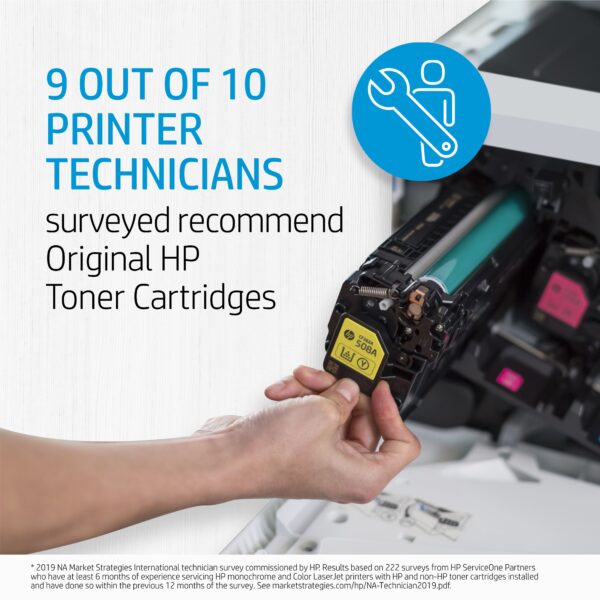 Sometimes what looks like savings can turn into a hassle. If you are running aftermarket supplies in your print devices, reach out to see how we can help to convert you to OEM. We typically find that we can help our clients make the change to OEM without impacting the total cost of ownership and the monthly operational cost to run the print environment. If you are currently running OEM supplies and are thinking about trying aftermarket supplies to try and save some money, there may be a better way to save!
  I’m always mindful of how what we do in our lives affects our planet, and although I could never have imagined that we would experience the tragedies of a global pandemic in our lifetime it’s good that there are some areas of impact that have been positive; like the effect it has had on sustainability with reduced emissions worldwide. We expect this to continue long term with so many leading companies embracing hybrid work models for their teams. I’m also intrigued that the pandemic has increased our propensity to be more sustainable. Organic food product sales have dramatically increased, people are mindful about purchasing ethically/sustainably produced products, and large companies are leading the way with changes to office space that supports hybrid work and sustainability. The transition to hybrid work is resulting in ongoing use of less fuel and energy for commuting while enabling a better work/life balance. The new focus that many have on the work/life balance has allowed our society to slow down a little. Many have found new hobbies, are spending more time outdoors and are experiencing new vacation adventures closer to home. The transition to hybrid work models is here to stay and this will have a lasting effect on reduced emissions that will positively support sustainability.