

3 Ways to Promote Sustainability in the Workplace

Sustainability practices in the workplace icons floating above a cell phone.Did you know that setting sustainability goals in your office will help improve your business? Many are starting to make active changes to promote more environmentally friendly office habits, reduce their overall footprint, and gain more customers. If you’re not sure when the right time to start is, we can tell you that it’s now!

Reports have found that customers are inclined to work with companies actively making green choices. Nearly one in three claim that they had stopped buying certain brands because of ethical or sustainability concerns (Deloitte). Another found that 57% of consumers would change their buying habits if it meant reducing their negative impact on the environment (IBM).

While many people have started adopting sustainable habits in their home lives, it’s time to start putting them to practice in the workplace! Your team can start by getting creative and thinking of ways you can reduce waste, improve current business practices, and support one another in meeting your goals.

With clients and investors both wanting more transparency and stronger green initiatives from businesses, it’s time to make changes. Here are ways team leaders can promote sustainability in the workplace. 

Switch to Energy-Saving Technology

Conserving energy is one of the best ways your business can make positive environmental changes. Switching over to more eco-friendly technology is the first step to achieving this. While it might seem like a costly venture at first, it can actually save your business money. Monthly energy bills can easily get out of control. One company assessed that the average monthly bill in the United States was about $647.61 (Constellation). This number can fluctuate depending on your business size, with smaller businesses paying a bit less and larger organizations paying much more.

By switching to energy-saving technology, you’ll have the flexibility of putting more money behind other investments. Long-term, this pays off both economically and environmentally. It’s a win-win situation all around. 

Turn Non-Essential Devices Off at Night

Your team should ensure that all non-essential devices are powered off for the night. Before everyone heads out, check to see that all computers are shut down, lights are turned off, and that your office printer is in power-off mode.

Worried that your team is too busy and might forget? When you choose energy-saving technology, you’ll get features that turn off your devices for you automatically! There are lots of printers out there, for example, that come with automatic power down settings. By doing this, you could save even more on energy bills.

Make Greener Brand Choices

Your business should consider switching to a brand that has open and honest sustainability goals. Remember that as a company, you’re also a consumer. Choosing the right brands to support is important when working on your overall eco-friendly goals.

Align yourself with companies like HP, who release reports that outline in detail what their main sustainability goals are. This will help your team make informed decisions before purchasing. Some of HP’s goals, for example, include becoming the world’s most sustainable and just technology company by 2030 (HP). They also further laid out their three main areas of focus: climate action, human rights, and digital equity. HP detailed the goals they have for each area and their hopes that they will further promote sustainability among all businesses.

Whatever your brand choices are, check that their goals align with yours. You might even come across some new ideas on how your business can make changes. Even the small things can make a big difference in the long run!

Looking for advice on sustainable business practices? Our experts are happy to help. Reach out today to learn more.
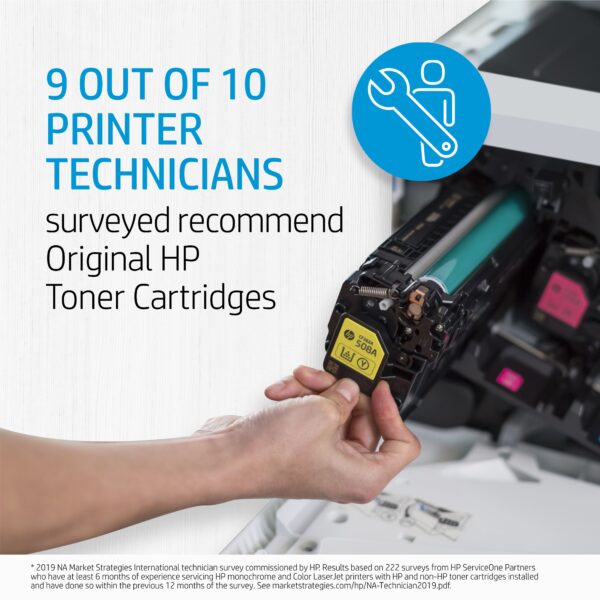
printer technicians recommend hp oem toner cartridgesSometimes what looks like savings can turn into a hassle. If you are running aftermarket supplies in your print devices, reach out to see how we can help to convert you to OEM. We typically find that we can help our clients make the change to OEM without impacting the total cost of ownership and the monthly operational cost to run the print environment. If you are currently running OEM supplies and are thinking about trying aftermarket supplies to try and save some money, there may be a better way to save! Reach out to talk to one of our MPS experts.

HP OEM supplies provide the confidence you can rely on for everyday printing. HP is committed to the environment by using recycled materials in new cartridges and offering a free recycling program from one of the 100 most sustainable companies in the world. Supplies also meet eco-label emission criteria to help maintain the air quality. Trust is also provided from the packaging to the chips to use supplies that protect your printer and your data. Lastly, peace of mind is provided in knowing that you are using HP OEM supplies.

 

Globalize Your Business with Document Processing Services

A team of co-workers using document processing services through cloud connectivity. Connecting with teams around the world has never been easier with the help of document processing services and cloud connectivity. As teams begin to expand, and more and more businesses are adopting a hybrid work model, opportunities have been presented for once local organizations to work with exceptional people around the world. This can be anything from connecting with other companies or bringing on new team members who are located in other

countries. As these teams start to blend together, they’ll begin to rely more on technology to help
them communicate more effectively.

Technology companies are now recognizing the growing need for tools that can better connect such teams. Things like workplace automation are being used for less labor-intensive tasks, freeing up time for teams to get together on Zoom meetings and work on collaborative projects. Beyond this, innovative functions are now being added to devices like printers that nurture this growing creativity in the workplace. This includes document processing services, translation tools, and better cloud connectivity features that will keep your teams collaborating wherever they may be located! 

How do Document Processing Services Work?

Since there’s now much more flexibility in the workplace for teams to work out of their own home offices, it can be a bit challenging to get important documents into the right hands. There are cybersecurity concerns, but there’s also the fact that many businesses still rely on physical documents to get jobs done. It’s not always feasible to pass documents back and forth between team members, especially if their home office is located far away from your central hub.

That’s where document processing comes in! You can convert your physical forms into digital documents. These newly converted files can even replicate the original layout of your document, making it easier for your team members who don’t have access to the physical document to maintain consistency in workflows.

By having your physical document replicated over into a digital format, your team can:

  • Reduce errors while processing documents.
  • Better review documents.
  • Improve team collaboration in a hybrid setting.

Document processing also helps to automate some of the more time-consuming tasks, improving the efficiency of your business. 

Translating Documents with Document Processing Services

One of the most important things you’ll need if you’re looking to expand your business’s reach globally is an exceptional translation tool. Along with converting your documents into a digital format, there are also many useful document translation services you can choose from through your document processing services. This gives your team a better chance to strengthen communication internally and with international clients.

Just like with the digital documents that are converted into digital files, there are also document processing services that can translate entire files for you. You also don’t have to worry about anything getting “lost in translation” or missed, since the translated files will keep the same layout and format as the original document (just like your converted files!) This means that no matter who is looking at the document, or what language they’re reading it in, everyone will be reviewing the exact same content.

Did you know: There are even functions now on some MFPs that allow you to translate text automatically as you’re copying files using your MFP. 

Grow Your Business with the Help of Managed Print Services

Digitally converting files and translating each document on your own can take time away from other important tasks. That’s where outsourcing to a team of print experts comes in! You can take the stress off your team’s shoulders without losing out on the benefits of document processing. Setting your team up for success doesn’t have to mean sacrificing time out of your day.

The SmartPrint team is happy to help you convert your files, learn more about document processing services, and ensure your team is better connected. Whether it’s file conversion, automated translation services or cloud-based managed print services that you need, we’re here to support your business and help you expand its reach.

Have questions about document processing? Contact us today to learn more!

Without central control of your print fleet, security settings are extremely difficult to manage, and entry points for cybercrime are more easily overlooked. It becomes even more complex supporting work from home employees and integrating equipment to workflow automation systems.  Your IT team could be focused on configuration settings and authentication rather than working on other valuable IT projects or support. Encryption and authentication can be accomplished universally with an integrated automated security management tool. We’ve had great success with HP JetAdvantage Security Manager, ask one of our experts to share best practices in this area.

How to Use ChatGPT in the Workplace

Person using ChatGPT to help them at work.ChatGPT is a versatile tool that can be embraced by businesses in all fields. It can help your team members complete a variety of tasks efficiently. While there may be hesitancy among your peers to use AI, it’s important to talk as a team and decide what solutions you all feel comfortable engaging with, such as ChatGPT. It could be that there’s room for improvement in your current workflows, which AI can help with.

Openly discussing the benefits and concerns of using ChatGPT with your team is essential. Here are ways that AI solutions can help improve communication and optimize your work output.

Uses for ChatGPT in Customer Service Industries

Emails are an important part of customer service for many businesses, especially those with e-commerce! In fact, one report found that 83% of respondents said they preferred using email to correspond with businesses (Send Grid). If on average it takes 2 minutes to respond to an email, but you get upwards of a hundred emails before lunch, that means that it could take 3.3 hours just to respond to all your emails. That time won’t include telephone correspondence or in-person discussions with team members.

Your team could use tools like ChatGPT to shorten the time it takes to respond to emails. Correspondences can be produced quickly, as the solution can assist you in figuring out professional wording and bettering your initial response.

Make sure your team reviews and corrects the generated text, though, to ensure you’re further personalizing your emails to maintain a strong relationship with customers.

Create Better Presentations with ChatGPT

If your team creates a lot of presentations for conferences, internal meetings, or sales pitches then using ChatGPT can help bring in new ideas to your projects. It can be easy to fall into patterns of behaviour when working creatively––there may be a word you just really like, or a turn of phrase you can’t seem to shake off. This can create stale and repetitive content for your audience.

To reinvigorate a project that you feel is overly similar to one you’ve done in the past, you can ask ChatGPT for assistance. It can help create a template that you can work off of, introducing you to new ideas and ways to word things you’ve previously discussed.

Get Creative Guidance from ChatGPT

The creative tasks are the ones that are most engaging, fun, and rewarding for your team members. It’s important not to totally disrupt this process. But one thing is universal for creative projects––sometimes they stall. We all have our good days and our bad days. On the good days, sitting down and plugging away at a creative task can be fun. On the bad days, it can be grueling and exhausting. That’s where ChatGPT and other AI solutions can help.

While they shouldn’t be used as a creative crutch, they can tease out an idea that you’ve been stuck on for a while. Projects such as blogging require a lot of research and patience. By the end of the writing process, you might feel a bit burnt out. Then comes the task of naming your blog. But you’ve used up all your creativity on the blog itself.

Luckily, ChatGPT can generate a list of helpful blog titles that you can pull from. See something there that sounds great but doesn’t work for your current blog topic? Use it as a jumping off point for creating an entirely different blog!

Reach Out for Help Implementing AI and Digital Workflow Solutions

Just like with workplace automation, harnessing the power of AI solutions will boost the productivity of your team. The potential is almost endless, with many big companies racing to better the systems already in place. Businesses are no doubt going to find innovative ways to introduce AI into their processes. Your team can start improving your workflows by digitizing and automating work processes in many of your departments and embrace the power of AI solutions with SmartPrint’s help. 

Looking to improve your business’s workflows and embrace AI? Our team of knowledgeable experts can offer you guidance. Reach out today to learn more.

What Are the Benefits of Workplace Automation?

A desktop computer sitting on a desk with a workplace automation diagram on the screen. Workplace automation has had incredible benefits for teams over the years. It’s helped to reduce workplace accidents, boost productivity levels, and save companies money. Workplace automation is a helpful tool that helps teams work more efficiently. Most important of all, it gives back time to team members so that they can focus on engaging and collaborative work.

Every time you implement a new form of workplace automation, you’re making your office a more unified and enjoyable environment for your team.

Here are some benefits of incorporating automation in your workplace. 

Reduce Costs and Regain Time

By improving the efficiency in your office through automation, you’ll be able to reduce costs. These can be costs of potential errors or the costs associated with time spent on a task. Every error can set back your team in both time and money. You’ll be forced to backtrack on tasks that could have already been completed and take away hours from more important projects. Work automation can help with menial, time-consuming tasks by completing them automatically. This can include things like:

  • Quotes
  • Lead follow-up
  • Customer service inquiries
  • HR processes
  • Accounts payable
  • And more!

By automating some of the above tasks (or all of them!) your team members will have more time in their day to focus on creative work. This will also help to reduce errors, as employees are more prone to making errors during menial work than they are during collaborative work. 

Boost Productivity and Reduce Turnover Rates

By automating simple tasks, you’ll be creating a more productive working environment. Team members are more engaged with hands-on, collaborative tasks. Repetitive tasks leave much room for error, and this can lower your productivity levels. But with those tasks now easily automatable, your team will get more time back in their day to work together.

Collaboration improves the quality of the work output and can reduce employee turnover rates. A research paper released by Deloitte found that respondents were happiest when collaborating. They were also more likely to persist longer and came up with more innovative ideas (Deloitte). And remember all that time you saved earlier by automating? Well, you’ll be saving even more time by freeing up employees to work together! Around 53% of respondents said they believed collaborating saved more time than working alone (Deloitte).

Instead of spending hours of their day focused on repetitive tasks, workplace automation allows for teams to focus on higher-value assignments. They will also have more time to focus on assisting clients directly, which can be especially helpful in government, law, and insurance sectors. 

Interested in learning more about the benefits workplace automation can have for your team or ready to put automation into action?  Reach out today and speak with one of our experts!

printer technicians recommend hp oem toner cartridgesSometimes what looks like savings can turn into a hassle. If you are running aftermarket supplies in your print devices, reach out to see how we can help to convert you to OEM. We typically find that we can help our clients make the change to OEM without impacting the total cost of ownership and the monthly operational cost to run the print environment. If you are currently running OEM supplies and are thinking about trying aftermarket supplies to try and save some money, there may be a better way to save! Reach out to talk to one of our MPS experts.

HP OEM supplies provide the confidence you can rely on for everyday printing. HP is committed to the environment by using recycled materials in new cartridges and offering a free recycling program from one of the 100 most sustainable companies in the world. Supplies also meet eco-label emission criteria to help maintain air quality. Trust is also provided from the packaging to the chips to use supplies that protect your printer and your data. Lastly, peace of mind is provided in knowing that you are using HP OEM supplies.


Keep Your Devices Safe By Securing Your Printer

A person holding a graphic representing printer security best practices at SmartPrint.  Printers are one of the most overlooked devices when it comes to cybersecurity. While people know to secure their computers––protecting them with firewalls and anti-virus software––they will overlook one of the most connected devices in their office, their printer.

With the continuous advancements in technology, printers now have a vast array of features, including connectivity to the cloud and to your mobile devices. They have become the hub for many offices, keeping remote teams connected and ensuring productivity doesn’t dip. Since all these devices are connected to your printer, not securing it could have devastating effects on your company.

Securing your printer is a necessity that shouldn’t be forgotten about. Cybercriminals know that it’s the last place you’ll look––and so it’s the first place they’re going to try to break in through. 

The Dangers of Unsecured Printers

If a cybercriminal manages to get through your printer’s security (or lack thereof) then your company could be in big trouble! A team of experts at CyberNews devised an experiment to test just how lax people are with their printers’ security. As it turns out––extremely! They were able to hack almost 28,000 printers (CyberNews, 2020). But they could have targeted even more of those printers.

There were approximately 500,000 printers available to them as targets (CyberNews, 2020). Yet even after releasing this report and trying to encourage safer printing practices, companies didn’t seem to take it seriously enough.

Companies big and small are affected by cyberattacks, with cybercriminals able to sneak in through unchecked and unlocked printers. From there, they can crawl through to other devices––like a spider weaving its web. These attacks then become super costly for companies! A report released in 2022 by Statista said that 71% of companies around the world were affected by a ransomware attack (Statista, 2022).

With ransomware on the rise year-over-year since 2021 (Verizon, 2022), it’s time to start fighting back and securing all the possible routes for a cyberattack––including your printer!  

How to Best Secure Your Printer

There are several steps you can take to ensure your printer is as secure as possible.

  1. We recommend first choosing a printer that comes with pre-installed security features: There are many options available on the market, but some stand out among the rest. Be sure to do your research and find the printer that will work best for your team that also comes with the latest in security features.


  2. Update your printer as soon as firmware patches are released: It might be tempting to put off your printer’s updates but trust us when we say it’s best to get the update out of the way. Most patches come with fixes to possible security vulnerabilities. As soon as you see an update, it is best deal with this right away. If you really don’t have time for it in that moment, be sure to set up a reminder to check back and install it, or you can work with external MPS experts like SmartPrint to manage this for you.
  3. Create a strong password: Printer passwords are often overlooked (or just not known about!) But they will offer your printer and all the devices connected to it that extra layer of protection. Try choosing a phrasal format password that includes both numbers and special characters in it.
  4. Check with experts that you’re doing everything right: Whether it’s your IT team or external experts (such as our team!), be sure that you double-check with security experts. You might think that you’ve installed everything correctly and left nothing to chance, but all it takes is one small mistake to unleash a wave of catastrophe for your team. Experts will be able to go one step further and can ensure that your printer’s security features and device configurations have all been updated and properly locked down. 

Pairing these tips with other layers of added protection (such as follow-me printing) will keep your private data safe. Be sure to include printer security measures in your future briefings about cybersecurity and teach your team how to spot the subtle red flags that something could be wrong.

Want to learn more about how your team can update their printer security and outsource the firmware updates to your printer fleet? Reach out today to speak with our print experts. We can help you protect your data and teach you how to better secure your devices.

AI Document Classification Engines Enhance Workflows and Improve Collaboration

The incredible powers of AI continue to elevate workflows to new heights. Document classification engines are the latest in innovative technology
that serve to make tasks easier. This AI driven tech can automatically classifyA person at work using the AI document classification engine from SmartPrint to sort their files automatically. documents based on your organization’s existing data needs. It helps to eliminate the tedium of manually sorting through documents one by one and will free up more time for your team to work on engaging tasks.

So how does document classification work and what are the benefits to you and your team? 

What is Document Classification?

Document classification is when you assign documents into one or more specific categories. This can make it easier for your team to locate files later, by searching them based on their class tag or by using a filter system. Documents can be sorted into things such as pictures, invoices, saved emails, scans, videos, or other categories of text documents. They can be given specific tags, sorting them by project as well as document type.

Classifying your documents can make it easier for you to sort through information. If you need to access an important text document or review past invoices, having documents properly sorted and classified will make it faster for you and your team to find them. 

Document Classification Makes Collaboration Easier

Classifying your documents is more important than you might think!

One McKinsey report estimated that workers spend almost 20% of their time tracking down internal information (McKinsey). That’s time that could be used for role specific tasks or collaborative projects, which employees find to be more engaging on average. In fact, 58% of respondents during a Deloitte study cited being happiest when collaborating (Deloitte). Collaborative tasks can decrease turnover rates and increase your employees’ overall satisfaction.

Improving your document classification system can thus give back time to employees for collaborating and create a more welcoming work environment. So how can you improve your current document classification processes? In the past, it was all done manually. But with the help of AI technology, these tasks now take less time and can be done with minimal human intervention. 

How AI Document Classification Engine Helps Teams like Yours 

With AI, the process of classifying documents is simplified. Different applications will have their own ways of classifying documents. This can be done through image classification, where specific objects on scanned documents will be identified as being like others and grouped together. AI models can also be trained by first manually selecting and inputting instructions for specific document types. Then all your team has to do is to upload your documents and let the AI do the rest.

Creating an easy-to-use searchable record system can help your team reduce the time your team is spending looking for important information. The McKinsey study found that time spent searching could be decreased by as much as 35% (McKinsey). With new AI technology, that number is projected to get better and better!

Want to learn more about how AI can simplify document searching for your team? Our team is happy to answer all of your questions. Reach out today to start improving your workflows!


Predictive Managed Print Services Can Save You Time and Money

Managing your print fleet has never been easier with the latest in predictive managed print services. With new cloud print tools, your printer fleet can be monitored from everywhere at any time. If your MPS provider has advanced predictive service capabilities these tools allow your MPS provider the ability to take a proactive approach to managing your devices. Cloud-based MPS can now predict with better accuracy when your toner is running out or when your devices need service. Not only will this alleviate stress for your team, but it will also remove interruptions to your workflow. So how does predictive managed print work? 

How Predictive Managed Print Works

Using AI, Big Date and the cloud, predictive managed print tools will learn your print fleet’s history and that of other similar models. It will then calculate and predict when you’ll need new supplies, monitor your system for any possible errors or malfunctions tapping into sensors in the equipment, and your MPS partner can deal with the issue as soon as possible to repair or update a device prior to your users experiencing downtime. This will not only save your team time but also money! 

Saving Money with Predictive Managed Print

Without managed print, your team is left to guess when they should stock up on supplies. You run the risk of buying too much ink or toner for your print needs, which could cause both excessive waste, loss of money and dollars wrapped up in supplies inventory. Not only that, but your team could wait too long before placing their order. This would set you back on deadlines and completing important tasks. With predictive managed print, your team could be reducing costs by 30% – 50%, all while optimizing your printing practices to ensure better productivity.

Predictive managed print will:

  • Efficiently alert your provider to any device errors
  • Reduce costs for supplies
  • Increase your team’s productivity
  • Effectively manage your print supplies inventory or just in time shipments
  • Eliminate print-related workplace interruptions

These cloud-based tools will enable predictive support for service and supplies increasing uptime to help your team work smarter and faster. 

Alleviate Stress for Your IT Team

IT teams are currently facing unprecedented levels of stress. These teams are having to stay up to date on all the security and functionalities of not only an entire office but now all the home networks attached to them as well. The last thing you’ll want to do is pull your IT team away from important security related tasks to manage a malfunctioning printer. Predictive managed print can keep this from happening!

If you have an MPS partner using predictive managed print tools they will help your team stay ahead of the game by using their alert systems to intervene before there is an issue whenever a device needs maintenance or supplies support. This proactive approach will keep your print flowing and your IT team free to focus on more pressing tasks.

SmartPrint uses predictive MPS tools and services to support our customers with all their print needs. Our team believes that approaching print from a predictive and proactive stance will help our clients see greater efficiency gains and lower costs. Reach out today to learn more about how managed print can benefit your team!

printer technicians recommend hp oem toner cartridgesSometimes what looks like savings can turn into a hassle. If you are running aftermarket supplies in your print devices, reach out to see how we can help to convert you to OEM. We typically find that we can help our clients make the change to OEM without impacting the total cost of ownership and the monthly operational cost to run the print environment. If you are currently running OEM supplies and are thinking about trying aftermarket supplies to try and save some money, there may be a better way to save! Reach out to talk to one of our MPS experts.

HP OEM supplies provide the confidence you can rely on for everyday printing. HP is committed to the environment by using recycled materials in new cartridges and offering a free recycling program from one of the 100 most sustainable companies in the world. Supplies also meet eco-label emission criteria to help maintain air quality. Trust is also provided from the packaging to the chips to use supplies that protect your printer and your data. Lastly, peace of mind is provided in knowing that you are using HP OEM supplies.

How Hybrid Workers Can Best Collaborate From Anywhere

hybrid workers collaborating from anywhereCreating a work strategy that will enable your hybrid team with printing, scanning, and workflows is now easier than ever before! There are several devices and software tools on the market that can ready your team to work more collaboratively, wherever they may be. The hybrid work model doesn’t mean eliminating your current work processes––rather, it means your team has the chance to review and reorganize together to meet the needs of everyone.

Did you know that paper-based processes are still just as important as ever? Almost 80% of people working from home say they’re printing the same or more (HP). This means that you’ll need to set up effective printing, scanning, and workflow processes that will keep your team connected. Combining both digital and paper-based work will give all members of your team the flexibility they need to work more productively. 

Mobile Printing and Scanning is Necessary for Hybrid Teams

Having a printer and scanner that can receive mobile print jobs and digital documents will increase the productivity and teamwork of everyone in your office. With more and more team members working remotely, it’s essential that your printer can receive mobile documents. You don’t want to be stuck waiting on a team member to bring a paper document into the office.

While having home office printers can keep your teammates on track and organized with their own day-to-day tasks, it shouldn’t be the only way documents are passed between your team. This can be a serious bottleneck for your company. Instead, choose devices that allow for cloud and mobile printing and scanning. This will make handing off documents between your team much easier and keep everyone working productively!

To better equip your workspaces with more secure, efficient, and productive print you should consider getting the support of a managed print service team. Not only will this help your team better perform their tasks, but it will also save your team money and give you detailed insights into the print needs of your hybrid team. 

Digitization Brings Hybrid Teams Together

Worried that information will get lost in the shuffle of papers? Consider automating business workflows and digitally transforming your business! One study found that 88% of organizations are already using cloud infrastructure in some form (HP). Connecting to the cloud can make the passing of documents between your hybrid team faster and more secure. Physical documents could get lost or forgotten between offices. But with scan-to-cloud apps on smartphones and advancements being made in workflow automation, digitization has become easier than ever.

Equipping your hybrid team with workflow automation will help to simplify tasks, decrease stress, and more effectively pass documents between remote work offices and your main office. Digital workflows and workflow automation take the more menial burdensome tasks off your team members’ plates and help them focus on more engaging and collaborative work.

Creating processes by which your team can better collaborate between offices is especially important! Employees will work 15% faster and work through more challenging tasks up to 64% longer when they’re collaborating (Deloitte). Digitizing and automating simpler workflows will make collaboration easier for your teams. Each of your team members will be able to access the necessary documents for a project wherever they are. All the while, workflow automation will be working in the background on more mundane tasks, freeing up your team’s time to work together. Now that’s working smarter!

Keep your hybrid team engaged in their work and collaborating by equipping them with the right print, scan, and workflow processes. Reach out today to let one of our experts optimize your business processes to better meet the needs of your hybrid team!

printer technicians recommend hp oem toner cartridgesSometimes what looks like savings can turn into a hassle. If you are running aftermarket supplies in your print devices, reach out to see how we can help to convert you to OEM. We typically find that we can help our clients make the change to OEM without impacting the total cost of ownership and the monthly operational cost to run the print environment. If you are currently running OEM supplies and are thinking about trying aftermarket supplies to try and save some money, there may be a better way to save! Reach out to talk to one of our MPS experts.

HP OEM supplies provide the confidence you can rely on for everyday printing. HP is committed to the environment by using recycled materials in new cartridges and offering a free recycling program from one of the 100 most sustainable companies in the world. Supplies also meet eco-label emission criteria to help maintain air quality. Trust is also provided from the packaging to the chips to use supplies that protect your printer and your data. Lastly, peace of mind is provided in knowing that you are using HP OEM supplies.


Consulting Managed Print Experts Saves Time, Money, and Alleviates Stress

Having a managed print expert supporting your business can help you save money A person pointing at a diagram about managed print experts at SmartPrintand decrease stress for your whole team. Your printer fleet is important for the completion of daily tasks. It’s often the central hub of an office, where all documents flow in and out. If not managed correctly, it can also be a drain on company resources. When team leaders sit down with managed print experts, they can clearly map out the exact costs of their printing. This will help you identify things such as cost-per-page and know who is printing what in your office.
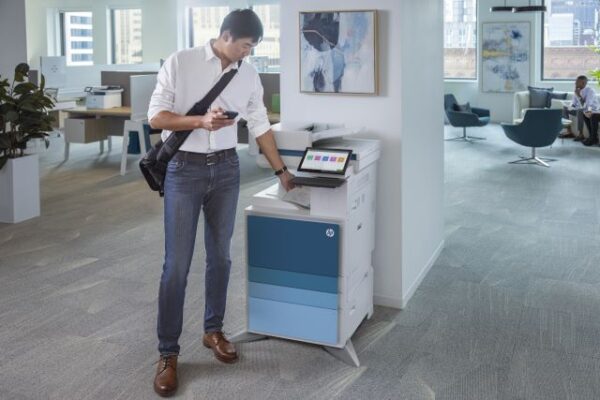
Here’s why you should consider contacting a team of managed print experts!

More Accurately Break Down Your Costs-Per-Page

With printing, there can be many hidden costs that people are unaware of. There are several things to consider when calculating the costs associated with each print. Most importantly is calculating your cost-per-page. This can be done by dividing the cost of the printer cartridge against the page yield. If not done correctly, however, you could accidentally be costing your business an excessive amount of money.

On average, office workers print approximately 8,000 pages per year (Medium). Not knowing how much each one of those pages is costing you could cause over-estimation of supplies needs resulting in excess supplies inventory and waste. Managed print service experts will properly calculate the cost-per-page number for your office and manage your supplies inventory with just-in-time delivery by monitoring your print devices. Not only that, but they can also offer advice on how to reduce these costs altogether! 

Save Money with Managed Print

The cost-per-page calculations are just one of the factors to consider when it comes to your print costs. There are also things such as paper costs, maintenance costs, and the costs of the machines themselves.

Managed print experts can help you discover more about your print fleet and give tips on how to save money on printing expenses. By streamlining your internal processes and reducing excessive waste, energy consumption, and supplies costs, and recommending the correct print equipment for your organization, managed print can reduce your operating costs by 30% (Key Digital).

Knowing and reducing these costs will help alleviate stress for you and your team. And lower costs aren’t the only way that managed print can help decrease stress levels in the office. 

Decrease Stress Levels for Your Team and IT

Print-related concerns make up 23% of all help desk calls (Key Digital), and it’s often up to IT teams to resolve the issues. But IT teams have a ton on their plate and pulling them away from crucial tasks could mean risking the security of your important data. To avoid disaster, consider consulting with managed print experts instead. They can help you work through print concerns and even give tips on how to avoid them in the future.

There are also several ways that managed print experts can automate your processes, freeing up your team from time-consuming tasks. This can include maintenance and ordering of supplies. Instead of fussing around with the printer to troubleshoot a problem or worrying about low supply levels, your team can now focus on more engaging tasks.

Managed print experts have ample experience in reducing print costs and in offering printer advice to teams both big and small. They have the know-how to keep your print flowing and boost the overall productivity of your team.

Looking to speak with a managed print expert? Reach out today to connect with one of our trained managed print professionals. 

printer technicians recommend hp oem toner cartridgesSometimes what looks like savings can turn into a hassle. If you are running aftermarket supplies in your print devices, reach out to see how we can help to convert you to OEM. We typically find that we can help our clients make the change to OEM without impacting the total cost of ownership and the monthly operational cost to run the print environment. If you are currently running OEM supplies and are thinking about trying aftermarket supplies to try and save some money, there may be a better way to save! Reach out to talk to one of our MPS experts.

HP OEM supplies provide the confidence you can rely on for everyday printing. HP is committed to the environment by using recycled materials in new cartridges and offering a free recycling program from one of the 100 most sustainable companies in the world. Supplies also meet eco-label emission criteria to help maintain air quality. Trust is also provided from the packaging to the chips to use supplies that protect your printer and your data. Lastly, peace of mind is provided in knowing that you are using HP OEM supplies.

Is It Time to Upgrade Your Office Printing Equipment?

The decision to upgrade hardware isn’t always simple. As independent managed print services experts, SmartPrint’s goal is to keep good equipment running for an organization as long as possible, if it makes sense. In some cases, we manage print equipment that is more than a dozen years old. Beyond reducing your expenses, here are some of the reasons to stay current with print hardware.

Four indicators that it may be time to upgrade your printers

         1. Print security

We can’t emphasize the importance of ensuring that you have print security covered off. If your current equipment is not up to speed with the latest security capabilities of leading manufacturers, we recommend looking into upgrading your hardware. Here are some key things to look for to make sure your business is protected.

  • Print device onboard print security software that can enable the device to protect itself from a cyber attack; for best practice around print security, mid-sized and large enterprise businesses should also implement server-based print security software
  • User authentication at the device for print release to protect your data and ensure that confidential documents are not lying around the print device or in the recycling bin
  • User authentication to access scan, copy and workflow functions to ensure the print device is physically locked down for security


         2. Intelligent workflow

With new print equipment from leading manufacturers, you can leverage your new print devices to increase efficiency across every department in the organization.

  • Automate business processes by integrating print devices to simple yet very powerful workflow software that saves your employees valuable time
  • Print from and scan to cloud applications and document management systems
  • Enable users to preview and redact information from scans in real time on the print device screen

         3. Print device downtime

If you are experiencing printer downtime that is impacting your users, it’s likely time to look at upgrading the equipment or changing service providers if the equipment is fairly new. Leading print device manufacturers are building equipment that is modular and therefore requires fewer repair intervals and maintenance than the printers of the past. Managed Print Services experts can use software to monitor print equipment and predictively manage the hardware by repairing problems before the device goes down.

  • Predictive print device management, a significant % of your print service calls should be completed remotely or completed pro-actively by the service company
  • On-site service repair calls should take 10-20 minutes, on average, for a current device
  • Your print service provider should be able to deliver a fleet uptime of 99% or higher

         4. Your equipment is underutilized

If your equipment is underutilized it’s likely time to have a print fleet assessment completed by a managed print services expert. If your equipment is outdated, is not feature-rich, or is not configured properly, your users may bypass the device close to them and use another department’s device.

  • Average monthly volume varies widely across the fleet of devices and many are underutilized
  • Footsteps are expensive, and completing an assessment to bring powerful devices close to the user groups will increase productivity
  • Standardize equipment across the organization to increase user adoption and efficiency

If it’s time to make changes in your organization to increase the productivity of your team SmartPrint can provide a no-obligation, free high-level print fleet assessment. Reach out to learn more.

Without central control of your print fleet, security settings are extremely difficult to manage, and entry points for cybercrime are more easily overlooked. It becomes even more complex supporting work-from-home employees and integrating equipment to workflow automation systems.  Your IT team could be focused on configuration settings and authentication rather than working on other valuable IT projects or support. Encryption and authentication can be accomplished universally with an integrated automated security management tool. We’ve had great success with HP Security Manager, ask one of our experts to share best practices in this area.