

Keep Your Devices Safe By Securing Your Printer

A person holding a graphic representing printer security best practices at SmartPrint.  Printers are one of the most overlooked devices when it comes to cybersecurity. While people know to secure their computers––protecting them with firewalls and anti-virus software––they will overlook one of the most connected devices in their office, their printer.

With the continuous advancements in technology, printers now have a vast array of features, including connectivity to the cloud and to your mobile devices. They have become the hub for many offices, keeping remote teams connected and ensuring productivity doesn’t dip. Since all these devices are connected to your printer, not securing it could have devastating effects on your company.

Securing your printer is a necessity that shouldn’t be forgotten about. Cybercriminals know that it’s the last place you’ll look––and so it’s the first place they’re going to try to break in through. 

The Dangers of Unsecured Printers

If a cybercriminal manages to get through your printer’s security (or lack thereof) then your company could be in big trouble! A team of experts at CyberNews devised an experiment to test just how lax people are with their printers’ security. As it turns out––extremely! They were able to hack almost 28,000 printers (CyberNews, 2020). But they could have targeted even more of those printers.

There were approximately 500,000 printers available to them as targets (CyberNews, 2020). Yet even after releasing this report and trying to encourage safer printing practices, companies didn’t seem to take it seriously enough.

Companies big and small are affected by cyberattacks, with cybercriminals able to sneak in through unchecked and unlocked printers. From there, they can crawl through to other devices––like a spider weaving its web. These attacks then become super costly for companies! A report released in 2022 by Statista said that 71% of companies around the world were affected by a ransomware attack (Statista, 2022).

With ransomware on the rise year-over-year since 2021 (Verizon, 2022), it’s time to start fighting back and securing all the possible routes for a cyberattack––including your printer!  

How to Best Secure Your Printer

There are several steps you can take to ensure your printer is as secure as possible.

  1. We recommend first choosing a printer that comes with pre-installed security features: There are many options available on the market, but some stand out among the rest. Be sure to do your research and find the printer that will work best for your team that also comes with the latest in security features.


  2. Update your printer as soon as firmware patches are released: It might be tempting to put off your printer’s updates but trust us when we say it’s best to get the update out of the way. Most patches come with fixes to possible security vulnerabilities. As soon as you see an update, it is best deal with this right away. If you really don’t have time for it in that moment, be sure to set up a reminder to check back and install it, or you can work with external MPS experts like SmartPrint to manage this for you.
  3. Create a strong password: Printer passwords are often overlooked (or just not known about!) But they will offer your printer and all the devices connected to it that extra layer of protection. Try choosing a phrasal format password that includes both numbers and special characters in it.
  4. Check with experts that you’re doing everything right: Whether it’s your IT team or external experts (such as our team!), be sure that you double-check with security experts. You might think that you’ve installed everything correctly and left nothing to chance, but all it takes is one small mistake to unleash a wave of catastrophe for your team. Experts will be able to go one step further and can ensure that your printer’s security features and device configurations have all been updated and properly locked down. 

Pairing these tips with other layers of added protection (such as follow-me printing) will keep your private data safe. Be sure to include printer security measures in your future briefings about cybersecurity and teach your team how to spot the subtle red flags that something could be wrong.

Want to learn more about how your team can update their printer security and outsource the firmware updates to your printer fleet? Reach out today to speak with our print experts. We can help you protect your data and teach you how to better secure your devices.

AI Document Classification Engines Enhance Workflows and Improve Collaboration

The incredible powers of AI continue to elevate workflows to new heights. Document classification engines are the latest in innovative technology
that serve to make tasks easier. This AI driven tech can automatically classifyA person at work using the AI document classification engine from SmartPrint to sort their files automatically. documents based on your organization’s existing data needs. It helps to eliminate the tedium of manually sorting through documents one by one and will free up more time for your team to work on engaging tasks.

So how does document classification work and what are the benefits to you and your team? 

What is Document Classification?

Document classification is when you assign documents into one or more specific categories. This can make it easier for your team to locate files later, by searching them based on their class tag or by using a filter system. Documents can be sorted into things such as pictures, invoices, saved emails, scans, videos, or other categories of text documents. They can be given specific tags, sorting them by project as well as document type.

Classifying your documents can make it easier for you to sort through information. If you need to access an important text document or review past invoices, having documents properly sorted and classified will make it faster for you and your team to find them. 

Document Classification Makes Collaboration Easier

Classifying your documents is more important than you might think!

One McKinsey report estimated that workers spend almost 20% of their time tracking down internal information (McKinsey). That’s time that could be used for role specific tasks or collaborative projects, which employees find to be more engaging on average. In fact, 58% of respondents during a Deloitte study cited being happiest when collaborating (Deloitte). Collaborative tasks can decrease turnover rates and increase your employees’ overall satisfaction.

Improving your document classification system can thus give back time to employees for collaborating and create a more welcoming work environment. So how can you improve your current document classification processes? In the past, it was all done manually. But with the help of AI technology, these tasks now take less time and can be done with minimal human intervention. 

How AI Document Classification Engine Helps Teams like Yours 

With AI, the process of classifying documents is simplified. Different applications will have their own ways of classifying documents. This can be done through image classification, where specific objects on scanned documents will be identified as being like others and grouped together. AI models can also be trained by first manually selecting and inputting instructions for specific document types. Then all your team has to do is to upload your documents and let the AI do the rest.

Creating an easy-to-use searchable record system can help your team reduce the time your team is spending looking for important information. The McKinsey study found that time spent searching could be decreased by as much as 35% (McKinsey). With new AI technology, that number is projected to get better and better!

Want to learn more about how AI can simplify document searching for your team? Our team is happy to answer all of your questions. Reach out today to start improving your workflows!


Predictive Managed Print Services Can Save You Time and Money

Managing your print fleet has never been easier with the latest in predictive managed print services. With new cloud print tools, your printer fleet can be monitored from everywhere at any time. If your MPS provider has advanced predictive service capabilities these tools allow your MPS provider the ability to take a proactive approach to managing your devices. Cloud-based MPS can now predict with better accuracy when your toner is running out or when your devices need service. Not only will this alleviate stress for your team, but it will also remove interruptions to your workflow. So how does predictive managed print work? 
How Predictive Managed Print Works

Using AI, Big Date and the cloud, predictive managed print tools will learn your print fleet’s history and that of other similar models. It will then calculate and predict when you’ll need new supplies, monitor your system for any possible errors or malfunctions tapping into sensors in the equipment, and your MPS partner can deal with the issue as soon as possible to repair or update a device prior to your users experiencing downtime. This will not only save your team time but also money! 

Saving Money with Predictive Managed Print

Without managed print, your team is left to guess when they should stock up on supplies. You run the risk of buying too much ink or toner for your print needs, which could cause both excessive waste, loss of money and dollars wrapped up in supplies inventory. Not only that, but your team could wait too long before placing their order. This would set you back on deadlines and completing important tasks. With predictive managed print, your team could be reducing costs by 30% – 50%, all while optimizing your printing practices to ensure better productivity.

Predictive managed print will:

  • Efficiently alert your provider to any device errors
  • Reduce costs for supplies
  • Increase your team’s productivity
  • Effectively manage your print supplies inventory or just in time shipments
  • Eliminate print-related workplace interruptions

These cloud-based tools will enable predictive support for service and supplies increasing uptime to help your team work smarter and faster. 

Alleviate Stress for Your IT Team

IT teams are currently facing unprecedented levels of stress. These teams are having to stay up to date on all the security and functionalities of not only an entire office but now all the home networks attached to them as well. The last thing you’ll want to do is pull your IT team away from important security related tasks to manage a malfunctioning printer. Predictive managed print can keep this from happening!

If you have an MPS partner using predictive managed print tools they will help your team stay ahead of the game by using their alert systems to intervene before there is an issue whenever a device needs maintenance or supplies support. This proactive approach will keep your print flowing and your IT team free to focus on more pressing tasks.

SmartPrint uses predictive MPS tools and services to support our customers with all their print needs. Our team believes that approaching print from a predictive and proactive stance will help our clients see greater efficiency gains and lower costs. Reach out today to learn more about how managed print can benefit your team!

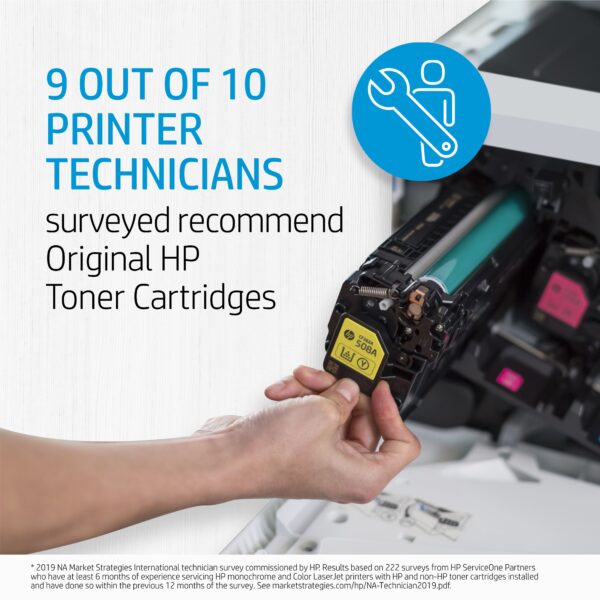
printer technicians recommend hp oem toner cartridgesSometimes what looks like savings can turn into a hassle. If you are running aftermarket supplies in your print devices, reach out to see how we can help to convert you to OEM. We typically find that we can help our clients make the change to OEM without impacting the total cost of ownership and the monthly operational cost to run the print environment. If you are currently running OEM supplies and are thinking about trying aftermarket supplies to try and save some money, there may be a better way to save! Reach out to talk to one of our MPS experts.

HP OEM supplies provide the confidence you can rely on for everyday printing. HP is committed to the environment by using recycled materials in new cartridges and offering a free recycling program from one of the 100 most sustainable companies in the world. Supplies also meet eco-label emission criteria to help maintain air quality. Trust is also provided from the packaging to the chips to use supplies that protect your printer and your data. Lastly, peace of mind is provided in knowing that you are using HP OEM supplies.

How Hybrid Workers Can Best Collaborate From Anywhere

hybrid workers collaborating from anywhereCreating a work strategy that will enable your hybrid team with printing, scanning, and workflows is now easier than ever before! There are several devices and software tools on the market that can ready your team to work more collaboratively, wherever they may be. The hybrid work model doesn’t mean eliminating your current work processes––rather, it means your team has the chance to review and reorganize together to meet the needs of everyone.

Did you know that paper-based processes are still just as important as ever? Almost 80% of people working from home say they’re printing the same or more (HP). This means that you’ll need to set up effective printing, scanning, and workflow processes that will keep your team connected. Combining both digital and paper-based work will give all members of your team the flexibility they need to work more productively. 

Mobile Printing and Scanning is Necessary for Hybrid Teams

Having a printer and scanner that can receive mobile print jobs and digital documents will increase the productivity and teamwork of everyone in your office. With more and more team members working remotely, it’s essential that your printer can receive mobile documents. You don’t want to be stuck waiting on a team member to bring a paper document into the office.

While having home office printers can keep your teammates on track and organized with their own day-to-day tasks, it shouldn’t be the only way documents are passed between your team. This can be a serious bottleneck for your company. Instead, choose devices that allow for cloud and mobile printing and scanning. This will make handing off documents between your team much easier and keep everyone working productively!

To better equip your workspaces with more secure, efficient, and productive print you should consider getting the support of a managed print service team. Not only will this help your team better perform their tasks, but it will also save your team money and give you detailed insights into the print needs of your hybrid team. 

Digitization Brings Hybrid Teams Together

Worried that information will get lost in the shuffle of papers? Consider automating business workflows and digitally transforming your business! One study found that 88% of organizations are already using cloud infrastructure in some form (HP). Connecting to the cloud can make the passing of documents between your hybrid team faster and more secure. Physical documents could get lost or forgotten between offices. But with scan-to-cloud apps on smartphones and advancements being made in workflow automation, digitization has become easier than ever.

Equipping your hybrid team with workflow automation will help to simplify tasks, decrease stress, and more effectively pass documents between remote work offices and your main office. Digital workflows and workflow automation take the more menial burdensome tasks off your team members’ plates and help them focus on more engaging and collaborative work.

Creating processes by which your team can better collaborate between offices is especially important! Employees will work 15% faster and work through more challenging tasks up to 64% longer when they’re collaborating (Deloitte). Digitizing and automating simpler workflows will make collaboration easier for your teams. Each of your team members will be able to access the necessary documents for a project wherever they are. All the while, workflow automation will be working in the background on more mundane tasks, freeing up your team’s time to work together. Now that’s working smarter!

Keep your hybrid team engaged in their work and collaborating by equipping them with the right print, scan, and workflow processes. Reach out today to let one of our experts optimize your business processes to better meet the needs of your hybrid team!

printer technicians recommend hp oem toner cartridgesSometimes what looks like savings can turn into a hassle. If you are running aftermarket supplies in your print devices, reach out to see how we can help to convert you to OEM. We typically find that we can help our clients make the change to OEM without impacting the total cost of ownership and the monthly operational cost to run the print environment. If you are currently running OEM supplies and are thinking about trying aftermarket supplies to try and save some money, there may be a better way to save! Reach out to talk to one of our MPS experts.

HP OEM supplies provide the confidence you can rely on for everyday printing. HP is committed to the environment by using recycled materials in new cartridges and offering a free recycling program from one of the 100 most sustainable companies in the world. Supplies also meet eco-label emission criteria to help maintain air quality. Trust is also provided from the packaging to the chips to use supplies that protect your printer and your data. Lastly, peace of mind is provided in knowing that you are using HP OEM supplies.


Consulting Managed Print Experts Saves Time, Money, and Alleviates Stress

Having a managed print expert supporting your business can help you save money A person pointing at a diagram about managed print experts at SmartPrintand decrease stress for your whole team. Your printer fleet is important for the completion of daily tasks. It’s often the central hub of an office, where all documents flow in and out. If not managed correctly, it can also be a drain on company resources. When team leaders sit down with managed print experts, they can clearly map out the exact costs of their printing. This will help you identify things such as cost-per-page and know who is printing what in your office.

Here’s why you should consider contacting a team of managed print experts!

More Accurately Break Down Your Costs-Per-Page

With printing, there can be many hidden costs that people are unaware of. There are several things to consider when calculating the costs associated with each print. Most importantly is calculating your cost-per-page. This can be done by dividing the cost of the printer cartridge against the page yield. If not done correctly, however, you could accidentally be costing your business an excessive amount of money.

On average, office workers print approximately 8,000 pages per year (Medium). Not knowing how much each one of those pages is costing you could cause over-estimation of supplies needs resulting in excess supplies inventory and waste. Managed print service experts will properly calculate the cost-per-page number for your office and manage your supplies inventory with just-in-time delivery by monitoring your print devices. Not only that, but they can also offer advice on how to reduce these costs altogether! 

Save Money with Managed Print

The cost-per-page calculations are just one of the factors to consider when it comes to your print costs. There are also things such as paper costs, maintenance costs, and the costs of the machines themselves.

Managed print experts can help you discover more about your print fleet and give tips on how to save money on printing expenses. By streamlining your internal processes and reducing excessive waste, energy consumption, and supplies costs, and recommending the correct print equipment for your organization, managed print can reduce your operating costs by 30% (Key Digital).

Knowing and reducing these costs will help alleviate stress for you and your team. And lower costs aren’t the only way that managed print can help decrease stress levels in the office. 

Decrease Stress Levels for Your Team and IT

Print-related concerns make up 23% of all help desk calls (Key Digital), and it’s often up to IT teams to resolve the issues. But IT teams have a ton on their plate and pulling them away from crucial tasks could mean risking the security of your important data. To avoid disaster, consider consulting with managed print experts instead. They can help you work through print concerns and even give tips on how to avoid them in the future.

There are also several ways that managed print experts can automate your processes, freeing up your team from time-consuming tasks. This can include maintenance and ordering of supplies. Instead of fussing around with the printer to troubleshoot a problem or worrying about low supply levels, your team can now focus on more engaging tasks.

Managed print experts have ample experience in reducing print costs and in offering printer advice to teams both big and small. They have the know-how to keep your print flowing and boost the overall productivity of your team.

Looking to speak with a managed print expert? Reach out today to connect with one of our trained managed print professionals. 

printer technicians recommend hp oem toner cartridgesSometimes what looks like savings can turn into a hassle. If you are running aftermarket supplies in your print devices, reach out to see how we can help to convert you to OEM. We typically find that we can help our clients make the change to OEM without impacting the total cost of ownership and the monthly operational cost to run the print environment. If you are currently running OEM supplies and are thinking about trying aftermarket supplies to try and save some money, there may be a better way to save! Reach out to talk to one of our MPS experts.

HP OEM supplies provide the confidence you can rely on for everyday printing. HP is committed to the environment by using recycled materials in new cartridges and offering a free recycling program from one of the 100 most sustainable companies in the world. Supplies also meet eco-label emission criteria to help maintain air quality. Trust is also provided from the packaging to the chips to use supplies that protect your printer and your data. Lastly, peace of mind is provided in knowing that you are using HP OEM supplies.