Implementing a hybrid working model is the new trend for businesses everywhere. Not only do hybrid working solutions serve to boost morale, but they can also save leaders money and office space. The shift to a “work from anywhere” setup has left some things up in the air though. Take your office equipment for example. When you have your full team working in-office full time, it makes sense to have lots of devices available for their use—particularly printers. But with less people around there’s now an excess of tech in the office.
SmartPrint has seen a rise in business leaders looking to consolidate their devices, but not knowing how to go about doing so. Then there are the people who don’t know what the benefits of device consolidation even are. To help you make those important decisions, we’ve put together this list of three key reasons you should consolidate.
1: Improving Your Network Security
The more devices you have under your network the more your IT team will have to monitor. While it might be nice to have some “backup” devices around in case something goes wrong, having an excess is sure to drag down your security efforts. You’re leaving open doors and windows for cybercriminals to sneak in through unnoticed. You might be thinking, “Well isn’t the IT team watching out for that?” In truth, there’s only so much your IT team can do when you consider all their circumstances.
Surveys recently have found that there’s an increase in device usage with a decrease in monitoring endpoint security blind spots (Help Net Security, 2023). This trend can be connected with teams spreading out to more offices (creating a belief among business leaders that more devices are needed) and an increase in IT employee burnout. To better manage this, two proactive steps can be taken: consolidating your print devices to decrease the risks and having your IT team collaborating with a managed services provider.
With consolidation, you can also take time during your print restructure to implement more secure practices. This includes things like follow-me-printing, a print method that can drastically decrease security risks. FollowMe is a document output management solution that helps teams lower their printing costs while improving their security measures. FollowMe gives your team the ability to send a document to the print queue but keeps the document safe as they make their way to the device. Only once the designated employee has reached the printer and released the print job from the queue will it print. Implementing these practices will reduce the number of print devices deployed in addition to decreasing the number of documents left uncollected, helping to save money on supplies while improving your security measures.
2: Bettering Collaboration for Your Team
The latest print devices have functionalities that foster more collaborative workflows. This is hugely beneficial for hybrid teams. As employees are now working more often from home than they are together in an office, it’s important to set up a solid foundation for collaboration between team members. Your technology—from the apps you use to the devices your office is equipped with—are essential for improving this.
Consolidating your printers is a step in the right direction for boosting collaboration. When in-office, people are more inclined to work together one-on-one and are more likely to need to print for individual tasks rather than collaborative ones. Remote work takes that structure and flips it on its head. Now people are more likely to use features like on-screen editing and mobile/cloud printing options, and to rely more on their printers for collaboration.
Too many devices in the main office can cause issues. If your remote worker is trying to send something back to an office printer, they’ll have to first pass the gauntlet of selecting the right device. Excessive devices in the office means a longer list to choose from—and more room for error! Sending a document to the wrong printer can break down the lines of communication for your team. You also run the security risk of having papers left in print trays because they were sent to the wrong device. That’s where consolidating can once again help. With fewer devices to choose from, the potential for errors will decrease.
3: Laying the Groundwork for Automation
By consolidating your office equipment, such as your printers and copiers, you’re alleviating some of your IT team’s workload. Doing this leaves more room for you to lay down the groundwork for automation. With less stress on your tech team’s shoulders, they can now focus on improving current work practices alongside team leaders. One great way to do this is through automation.
Automating can benefit your team in many ways, but one of the most helpful functions of it is to decrease the overall workload for your employees. Repetitive tasks, such as data input, can now be handled by software and reviewed by team members. This will speed up your processes and reduce the risk of human error.
Overall, consolidating your devices serves to improve work for your whole team. From the overworked IT crew down to the remote employee, when you choose to consolidate, you’re actively putting your team’s needs first.
Want to learn more about your consolidation options? Our team of tech experts are here to help. Reach out today to learn more!
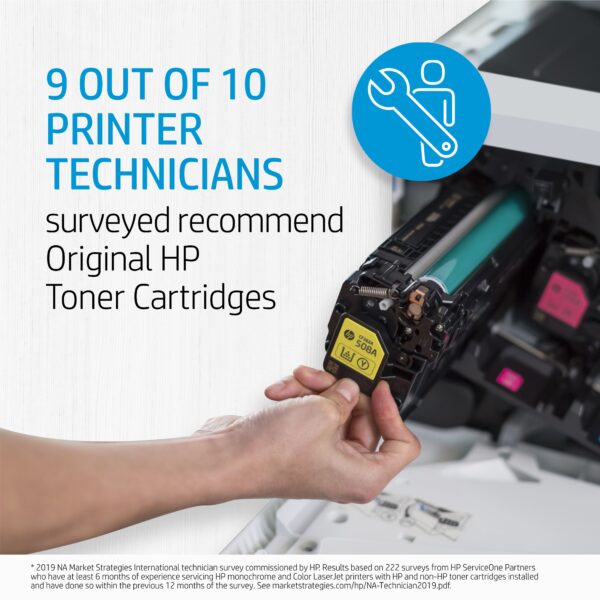 Sometimes what looks like savings can turn into a hassle. If you are running aftermarket supplies in your print devices, reach out to see how we can help to convert you to OEM. We typically find that we can help our clients make the change to OEM without impacting the total cost of ownership and the monthly operational cost to run the print environment. If you are currently running OEM supplies and are thinking about trying aftermarket supplies to try and save some money, there may be a better way to save! Reach out to talk to one of our MPS experts.
 HP OEM supplies provide the confidence you can rely on for everyday printing. HP is committed to the environment by using recycled materials in new cartridges and offering a free recycling program from one of the 100 most sustainable companies in the world. Supplies also meet eco-label emission criteria to help maintain the air quality. Trust is also provided from the packaging to the chips to use supplies that protect your printer and your data. Lastly, peace of mind is provided in knowing that you are using HP OEM supplies.