SmartPrint Celebrates Earth Day by Participating in a Corporate 20-Minute Makeover Spring Cleanup

[TORONTO, ON] – [April 25, 2024] On Monday April 22nd, SmartPrint team members gathered to participate in a Corporate 20-Minute Makeover, SmartPrint Celebrates Earth Day by Participating in a Corporate 20-Minute Makeover Spring Cleanupwhich was a cleanup run in conjunction with the Green Guardians campaign, part of the City of Vaughan’s environmental sustainability program aimed at creating environmental awareness and involved cleaning up a space in need such as a laneway, ravine, sidewalk, or parkette. The idea was to see how much cleaning could be done in 20 minutes.  This was the 4th time SmartPrint has participated in this event.

“As part of SmartPrint’s continued commitment to sustainability, diversity and giving back to the community, this event provides an ideal opportunity to gather the team and celebrate the core principles that guide us every day.” Said Tim Lomax, President of SmartPrint.

Events such as these, are key components of SmartPrint’s sustainability journey through our commitment in the #HPAmplifyImpact Program.  As a 5-Star Changemaker, we’re driven by sustainable business opportunities and their short- and long-term impacts on our planet.

On a sunny but brisk day, our team of 20 walked over from our offices to the Milton Fierheller Park where we spread out and went to work.  At the end of the 20 minutes, 10 bags of garbage, and 2 recycling bags were collected. Everyone was thrilled at what was accomplished in such a short amount of time. The bags were then loaded into our van, brought back to our office, and were properly disposed of. 

Careful consideration was given as to the best place to do the clean up and Milton Fierheller Park in Markham was the chosen area based on the proximity to our office and the collective enjoyment we get from lunchtime walks there during the summer months.

Thanks to our Earth Day Committee for registering us for the event, creating posters to help promote the cleanup, coordinating and designing custom T-Shirts, signage, garbage bags, recycling bags, nitrile gloves, photos, and a pizza lunch to celebrate our collective efforts.

It was a great opportunity to get everyone together and to have been able to give back to our community.  We look forward to participating in a Corporate 20-Minute Makeover again next year and contributing to other social responsibility causes throughout the year.


Old Printers: A Hidden Security Risk on Your Network

In today’s interconnected world, where cyber threats lurk around every corner, businesses must remain vigilant about their cybersecurity measures. While much attention is rightly placed on securing digital assets like servers and endpoints, there’s one often-overlooked area that can pose a significant risk: old printers. Yes, those seemingly innocuous devices sitting in the corner of your office could be a gateway for cyberattacks if not properly secured.

The Vulnerabilities of Old Printers

Old printers, especially those that have not received firmware updates or security patches in a long time, are prime targets for hackers. Here are some vulnerabilities commonly found in outdated printers:

1.    Lack of Security Updates: Manufacturers regularly release firmware updates and security patches to address vulnerabilities and improve overall security. However, older printers may no longer receive these updates, leaving them susceptible to known exploits.

2.    Default Settings: Many old printers come with default settings that are less secure, such as weak passwords or open network ports. Hackers can exploit these defaults to gain unauthorized access to the printer and, potentially, the entire network.

3.    Weak Authentication: Older printers may lack robust authentication mechanisms, making it easier for unauthorized users to send print jobs or access sensitive documents.

4.    Data Storage: Printers often have built-in storage for print jobs and configuration settings. If not properly secured or wiped, this data could be accessed by malicious actors, leading to data breaches or leaks.

The Risks to Your Network

The presence of old, unsecured printers on your network can lead to several risks:

1.    Data Breaches: Hackers can exploit vulnerabilities in old printers to access sensitive documents stored in print queues or printer memory. This can result in data breaches and compromise the confidentiality of critical information.

2.    Malware Injection: Malicious actors can use old printers as entry points to inject malware into your network. Once inside, this malware can spread to other devices and cause widespread damage.

3.    Unauthorized Access: If hackers gain control of a printer, they may use it as a foothold to launch further attacks, such as accessing other networked devices or intercepting print jobs containing sensitive information.

4.    Resource Abuse: Insecure printers can be hijacked to conduct denial-of-service (DoS) attacks or consume excessive network resources, leading to performance issues for legitimate users.

Securing Your Print Environment

To mitigate the security risks posed by old printers, consider the following best practices:

1.    Update Firmware: Regularly update the firmware and software of your printers to ensure they have the latest security patches and features.

2.    Strong Authentication: Implement strong authentication measures, such as secure passwords, biometric authentication, or access control lists, to prevent unauthorized access to printers.

3.    Network Segmentation: Segment your network to isolate printers from critical systems and sensitive data, reducing the impact of a printer-related security breach.

4.    Data Encryption: Enable encryption for print jobs and data stored on printers to protect sensitive information from interception or unauthorized access.

5.    Monitoring and Auditing: Monitor printer activity, log events, and conduct regular security audits to detect and respond to potential threats promptly.

6.    Dispose of Old Printers Securely: When retiring old printers, ensure they are securely wiped of data and properly disposed of to prevent data leakage or unauthorized access.

Old printers may seem like innocuous devices, but they can pose significant security risks if not adequately secured. By updating firmware, implementing strong authentication, and following best practices for print security, businesses can mitigate these risks and protect their networks from potential cyber threats originating from outdated print infrastructure. Stay vigilant, stay secure.

Want to learn more about how to mitigate the security threats from old print technology? Our team of tech experts are here to help. Reach out today to learn more! 

Work with ease and confidence, knowing all your end points are secure by HP Secure Managed Print Services –leader in print security.

HP Builds AI into Printers: Revolutionizing Printing Technology

In today’s rapidly evolving technological landscape, artificial intelligence (AI) is no longer just a buzzword; it’s a transformative force driving innovation across industries. One such industry that has embraced AI with remarkable strides is printing, and leading this charge is none other than HP, a pioneer in printing technology. HP’s integration of AI into its printers marks a significant leap forward, revolutionizing how we perceive and interact with printing devices.

The AI Revolution in Printing

Gone are the days when printers were mere output devices that passively executed print commands. With AI, printers have evolved into intelligent systems capable of making autonomous decisions, optimizing workflows, and delivering unparalleled efficiency and productivity. HP’s commitment to AI-driven printing solutions is evident in its groundbreaking initiatives and product offerings.

Intelligent Print Management

AI-powered printers from HP go beyond basic printing tasks. They are equipped with intelligent print management capabilities that streamline processes, enhance security, and reduce costs. These printers can analyze printing patterns, identify potential issues, and proactively suggest optimizations, thereby minimizing downtime and improving overall print performance.

Enhanced User Experience

User experience is at the forefront of HP’s AI integration. Through advanced machine learning algorithms, HP printers can personalize user interactions, anticipate user preferences, and adapt to changing requirements. Whether it’s adjusting print settings based on historical usage data or providing intuitive troubleshooting guidance, AI-enabled printers from HP ensure a seamless and user-centric printing experience.

Sustainable Printing Practices

HP’s commitment to sustainability extends to its AI-infused printers. By leveraging AI algorithms for resource optimization, these printers promote eco-friendly practices such as reducing paper wastage, optimizing ink usage, and minimizing energy consumption. This eco-conscious approach not only benefits the environment but also aligns with HP’s broader sustainability goals. 

Smart Device Services: Redefining Printing Maintenance

A key aspect of HP’s AI-infused printers is their integration with smart device services, which revolutionize printing maintenance and support. These services leverage AI algorithms to proactively monitor printer health, predict maintenance needs, and optimize performance, ensuring uninterrupted workflow and maximum uptime.

Proactive Maintenance

Smart device services enable HP printers to conduct proactive maintenance tasks based on real-time data analysis. By continuously monitoring key metrics such as ink levels, component wear, and connectivity status, these printers can anticipate potential issues before they escalate. This proactive approach minimizes downtime, reduces repair costs, and enhances overall reliability.

Remote Diagnostics and Support

AI-powered printers equipped with smart device services offer remote diagnostics and support capabilities. Through cloud-based connectivity and AI-driven troubleshooting tools, SmartPrint technicians can diagnose and resolve common issues remotely. This remote support not only saves time and resources but also provides users with quick and efficient solutions, enhancing their overall printing experience.

Predictive Analytics for Optimization

Smart device services harness the power of predictive analytics to optimize printer performance. By analyzing usage patterns, print job complexity, and environmental factors, AI algorithms can recommend optimal print settings, paper types, and ink formulations. This data-driven approach not only improves print quality but also reduces waste and operational costs.

Continuous Improvement through Feedback Loops

HP’s smart device services create feedback loops that facilitate continuous improvement and innovation. User feedback, performance metrics, and AI-generated insights are looped back into the system to fine-tune algorithms, enhance predictive capabilities, and introduce new features. This iterative process ensures that HP printers evolve with user needs and technological advancements.

Seamless Integration with IoT Ecosystem

Furthermore, HP’s smart device services seamlessly integrate with the broader Internet of Things (IoT) ecosystem. This integration enables interconnected workflows, automated tasks, and data-driven decision-making across devices and platforms. Whether it’s coordinating print jobs with other smart office devices or leveraging IoT data for predictive maintenance, HP’s AI-powered printers are at the forefront of intelligent, connected printing solutions.

SmartPrint’s service team leveraging HP’s smart device services and coupled with AI integration, redefine the landscape of printing maintenance and support. By proactively addressing maintenance needs, offering remote diagnostics, optimizing performance through predictive analytics, and integrating with the IoT ecosystem, HP printers equipped with smart device services deliver a holistic and future-ready printing experience. As AI continues to advance, these smart services will play a crucial role in ensuring that HP printers remain at the cutting edge of innovation and user satisfaction.

Want to learn more about how Smart Device Services (SDS) improves uptime and reliability? Our team of tech experts are here to help. Reach out today to learn more! 

Be one step ahead of online threats. Learn the simple ways you can ensure a secure hybrid work environment with HP.


HP’s Commitment to Sustainability: Utilizing Recycled Materials in Their Products

In today’s world, sustainability has become a key focus for businesses across industries. One company that has been making significant strides in this area is HP. Known for their innovative technology solutions, HP has also been at the forefront of incorporating sustainability into their product design and manufacturing processes. One of the primary ways they have demonstrated this commitment is through the use of recycled materials in their products.


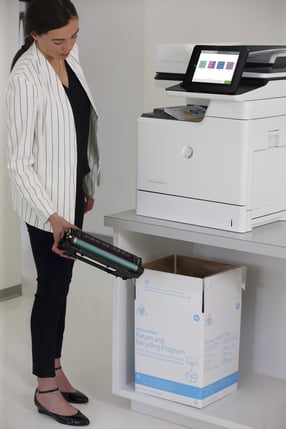
The Drive for SustainabilityPerson-toner-hp-printer

HP recognizes the environmental challenges facing the planet,
including resource depletion and waste accumulation. To address these issues, the company has set ambitious sustainability goals aimed at reducing their environmental impact and promoting a circular economy. Central to this strategy is the integration of recycled materials into their product lines.

Utilizing Recycled Plastics

One of HP’s notable initiatives is the use of recycled plastics in their hardware products. For example, they have developed printers and laptops with components made from recycled plastic, such as ink cartridges and casings. By incorporating recycled materials, HP not only reduces the demand for new plastics but also diverts waste from landfills.

Sustainable Packaging Solutions

In addition to product design, HP has also revamped its packaging practices to minimize waste. They have introduced eco-friendly packaging materials, including recycled cardboard and paper-based packaging, reducing the environmental footprint of their products from manufacturing to delivery.

Collaborative Partnerships

HP’s sustainability efforts extend beyond their internal operations. They collaborate with suppliers and partners to ensure the responsible sourcing of materials and promote sustainable practices throughout the supply chain. These partnerships strengthen their commitment to sustainability and drive positive change across the industry.

Impact and Future Goals

The impact of HP’s sustainability initiatives is significant. By 2025, the company aims to use 30% post-consumer recycled content plastics across their personal systems and print product portfolios. This commitment not only reduces waste but also contributes to the conservation of natural resources and the preservation of ecosystems.

Looking ahead, HP continues to innovate in sustainability, exploring new materials and technologies to further reduce their environmental impact. They are actively engaging with stakeholders, including customers and advocacy groups, to drive awareness and promote sustainable consumption practices.

Keypoint_Intelligence_Most_Energy_Efficient_A3_Brand_B-minSmartPrint is extremely proud to have partnered with HP
over 26 years. HP’s commitment to sustainability through the utilization of recycled materials in their products is a testament to their dedication to environmental stewardship. By incorporating recycled plastics, adopting sustainable packaging solutions, and fostering collaborative partnerships, HP is leading the way towards a more sustainable future in the technology industry. As consumers increasingly prioritize eco-conscious choices, HP’s initiatives set a positive example for businesses striving to make a difference in sustainability.

HPs Commitment to Sustainability IMAGE-minWant to learn more about HP’s commitment to Sustainability and SmartPrint’s role as an HP Amplify Impact Changemaker? Our team of tech experts are here to help. Reach out today to learn more! 

Once the second largest forest in the world, Brazil’s Atlantic Forest now stands at a mere 12% of its original size due to unsustainable practices. Learn how HP’s partnership with WWF is helping to restore this biodiverse haven and uplift local communities.


Rethinking Office Layouts for Hybrid Work: A New Era of Flexibility

As the world embraces hybrid work models, the traditional office layout is undergoing a significant transformation. Hybrid work, a blend of remote and in-office work, has become the new norm for many organizations. This shift is not just about where work is done but also about reimagining the physical workspace and the technology to support it to meet the evolving needs of employees and businesses alike.

The Rise of Hybrid Work

Hybrid work has gained popularity due to its flexibility and the ability to accommodate diverse work styles. Employees increasingly have the freedom to choose where they work, whether it’s from home, a coworking space, or the office. This shift has challenged the conventional office setup, prompting companies to rethink their office layouts to better support this new way of working.

Key Considerations for Rethinking Office Layouts

1.    Flexibility: Flexibility is paramount in hybrid work environments. Offices need to be adaptable to accommodate varying numbers of employees on any given day. This may involve modular furniture, flexible seating arrangements, and multipurpose spaces that can easily be reconfigured.

2.    Collaboration Zones: While remote work offers autonomy, it can sometimes hinder spontaneous collaboration. Office layouts should include designated collaboration zones equipped with technology for seamless virtual meetings and brainstorming sessions. These spaces foster creativity and teamwork, bridging the gap between remote and in-office employees.

3.    Wellness and Comfort: With employees spending more time in the office when they do come in, prioritizing wellness and comfort is crucial. This includes ergonomic furniture, natural lighting, greenery, and amenities like quiet rooms or relaxation areas. A comfortable and inviting environment enhances productivity and employee satisfaction.

4.    Technology Integration: Technology plays a pivotal role in enabling hybrid work. Offices must be equipped with advanced communication tools, high-speed internet, and smart devices to facilitate seamless collaboration between remote and in-office teams. Integrating AI-driven solutions can further streamline workflows and enhance productivity.

5.    Digitization and Document Workflows: Sharing information amongst various team members becomes more challenging with hybrid work.  Information, either in a digital format or in hardcopy documents needs to be shared seamlessly and simultaneously between co-workers in various locations.  Scanning, storing, printing and securing digital documents are all key considerations of hybrid work. 

Benefits of Rethinking Office Layouts for Hybrid Work

•    Improved Collaboration: Enhanced spaces for collaboration foster creativity and innovation.
•    Increased Productivity: Comfortable and well-equipped environments boost employee productivity.
•    Enhanced Employee Experience: A thoughtfully designed office contributes to a positive employee experience, leading to higher retention rates and talent attraction.
•    Adaptability: Agile office layouts can easily adapt to changing work dynamics and future needs.

The shift to hybrid work necessitates a re-evaluation of office layouts to create dynamic, inclusive, and productive work environments. By embracing flexibility, fostering collaboration, prioritizing wellness, integrating technology, and sharing digital information, organizations can optimize their office spaces for the hybrid work era. This evolution not only supports the changing nature of work but also contributes to a thriving and engaged workforce.

Want to learn more about optimizing your office for your office for Hybrid Work? Our team of tech experts are here to help. Reach out today to learn more!

In a world where cubicles are replaced by coffee shops and couches, it’s critical to have technology that doesn’t just keep up but sets you ahead. HP’s world-class technologies, rigorously tested for hybrid work, blend high-end security with an ecosystem engineered for peak workforce performance and collaboration without boundaries.

3 Reasons Your Hybrid Work Technology Should Be Consolidated

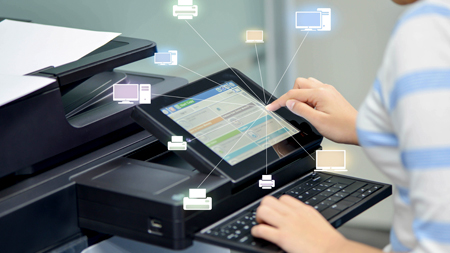
A person using a printer connected to a network of devices within an organization's hybrid workplace technology fleet.

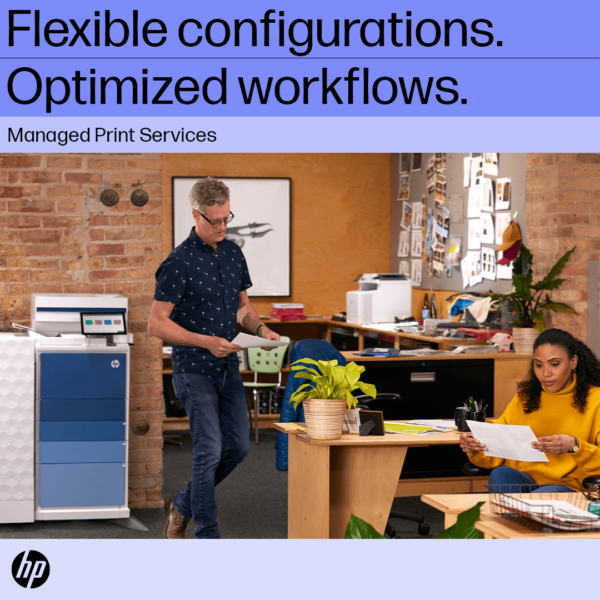
Implementing a hybrid working model is the new trend for businesses everywhere. Not only do hybrid working solutions serve to boost morale, but they can also save leaders money and office space. The shift to a “work from anywhere” setup has left some things up in the air though. Take your office equipment for example. When you have your full team working in-office full time, it makes sense to have lots of devices available for their use—particularly printers. But with less people around there’s now an excess of tech in the office.

SmartPrint has seen a rise in business leaders looking to consolidate their devices, but not knowing how to go about doing so. Then there are the people who don’t know what the benefits of device consolidation even are. To help you make those important decisions, we’ve put together this list of three key reasons you should consolidate. 

1: Improving Your Network Security

The more devices you have under your network the more your IT team will have to monitor. While it might be nice to have some “backup” devices around in case something goes wrong, having an excess is sure to drag down your security efforts. You’re leaving open doors and windows for cybercriminals to sneak in through unnoticed. You might be thinking, “Well isn’t the IT team watching out for that?” In truth, there’s only so much your IT team can do when you consider all their circumstances.

Surveys recently have found that there’s an increase in device usage with a decrease in monitoring endpoint security blind spots (Help Net Security, 2023). This trend can be connected with teams spreading out to more offices (creating a belief among business leaders that more devices are needed) and an increase in IT employee burnout. To better manage this, two proactive steps can be taken: consolidating your print devices to decrease the risks and having your IT team collaborating with a managed services provider.

With consolidation, you can also take time during your print restructure to implement more secure practices. This includes things like follow-me-printing, a print method that can drastically decrease security risks. FollowMe is a document output management solution that helps teams lower their printing costs while improving their security measures. FollowMe gives your team the ability to send a document to the print queue but keeps the document safe as they make their way to the device. Only once the designated employee has reached the printer and released the print job from the queue will it print. Implementing these practices will reduce the number of print devices deployed in addition to decreasing the number of documents left uncollected, helping to save money on supplies while improving your security measures. 

2: Bettering Collaboration for Your Team

The latest print devices have functionalities that foster more collaborative workflows. This is hugely beneficial for hybrid teams. As employees are now working more often from home than they are together in an office, it’s important to set up a solid foundation for collaboration between team members. Your technology—from the apps you use to the devices your office is equipped with—are essential for improving this.

Consolidating your printers is a step in the right direction for boosting collaboration. When in-office, people are more inclined to work together one-on-one and are more likely to need to print for individual tasks rather than collaborative ones. Remote work takes that structure and flips it on its head. Now people are more likely to use features like on-screen editing and mobile/cloud printing options, and to rely more on their printers for collaboration.

Too many devices in the main office can cause issues. If your remote worker is trying to send something back to an office printer, they’ll have to first pass the gauntlet of selecting the right device. Excessive devices in the office means a longer list to choose from—and more room for error! Sending a document to the wrong printer can break down the lines of communication for your team. You also run the security risk of having papers left in print trays because they were sent to the wrong device. That’s where consolidating can once again help. With fewer devices to choose from, the potential for errors will decrease. 

3: Laying the Groundwork for Automation

By consolidating your office equipment, such as your printers and copiers, you’re alleviating some of your IT team’s workload. Doing this leaves more room for you to lay down the groundwork for automation. With less stress on your tech team’s shoulders, they can now focus on improving current work practices alongside team leaders. One great way to do this is through automation.

Automating can benefit your team in many ways, but one of the most helpful functions of it is to decrease the overall workload for your employees. Repetitive tasks, such as data input, can now be handled by software and reviewed by team members. This will speed up your processes and reduce the risk of human error.

Overall, consolidating your devices serves to improve work for your whole team. From the overworked IT crew down to the remote employee, when you choose to consolidate, you’re actively putting your team’s needs first.

Want to learn more about your consolidation options? Our team of tech experts are here to help. Reach out today to learn more! 

printer technicians recommend hp oem toner cartridgesSometimes what looks like savings can turn into a hassle. If you are running aftermarket supplies in your print devices, reach out to see how we can help to convert you to OEM. We typically find that we can help our clients make the change to OEM without impacting the total cost of ownership and the monthly operational cost to run the print environment. If you are currently running OEM supplies and are thinking about trying aftermarket supplies to try and save some money, there may be a better way to save! Reach out to talk to one of our MPS experts.

HP OEM supplies provide the confidence you can rely on for everyday printing. HP is committed to the environment by using recycled materials in new cartridges and offering a free recycling program from one of the 100 most sustainable companies in the world. Supplies also meet eco-label emission criteria to help maintain the air quality. Trust is also provided from the packaging to the chips to use supplies that protect your printer and your data. Lastly, peace of mind is provided in knowing that you are using HP OEM supplies.


5 Reasons Enterprises Need Managed Print Services

Coworkers in an office using managed print services for enterprises

When it comes to managed print services, enterprises need specific solutions that will help them better connect with their customers and the public. As a member of an enterprise, you work directly with consumers. You’ll know well that because of this, enterprises have unique needs compared to government or healthcare institutions.

The goal of an enterprise is to engage with their consumers and create memorable products and marketing campaigns that will improve the lives of their customers. At any given time, team members working for an enterprise are likely juggling several different tasks at once. From quality control to public relations, your team is no doubt busy with their day-to-day tasks. Outsourcing some services, such as the management of your print fleet, can really help take some of the load off your team members’ shoulders.

Large, enterprise organizations need tools that will simplify processes while also improving the output of their products and marketing. Luckily, managed print services can help with that. To assist business leaders and teams better understand how managed print services can help them, we’ve put together this list of the top five benefits of managed print services for an enterprise! 

1: Consistent Consulting for Print Device Optimization

New print devices are released every year, and with your team’s busy schedule it’s likely hard to keep up with what features have been upgraded. That’s where managed print service consultants come in. They can work with your team’s decision makers to choose the best printers for your enterprise’s needs.

Managed print experts, such as those found at SmartPrint, will assess, manage, and optimize your print environment. As your printers are indispensable for the completion of tasks and connection with customers, it’s imperative that you equip your team with the right devices.

Not only will the device you need depend on the paper output of your company, but also on the needs of your team depending on where they’re stationed. Take your head office building, for example. A consultant can select the best device on the market that has quicker paper output and superior scanning capabilities to support your corporate team’s efforts.

Consultants will also know that your team members working directly with customers could benefit from improved cloud and mobile print options.

Whatever the needs of your team, having consultants well-versed in the print industry there to support you is an essential asset!

2: Steady Flow of Supplies

With the busyness of daily tasks, pressing deadlines, and attending to the needs of your customers, your team won’t have much time in their day to check on the supplies levels of your printers. This can result in two things: your team running out of ink or paper at a crucial time or them overstocking on supplies that will go to waste.

To keep this from happening, managed print service experts will assess your print needs and monitor your supply levels. They can receive alerts when it’s time to order new supplies and acquire the inks, toners, and paper that you need at a more opportune time for your business.

3: Create a More Sustainable Workplace

On average, it was shown in the past that each office worker printed 10,000 pages every year (United States Environmental Protection Agency, 2013). Over the last decade, those numbers have been on the decline, with businesses everywhere taking a more sustainable approach to their practices. To help them fight back against excess paper waste (and the wasted supplies we mentioned earlier!) enterprises have begun to seek out the services of managed print experts.

Managed print services will include a complete review of your print environment, which means taking a closer look at how many pages your team is printing and ways this can be reduced. Not only that, but by routing print jobs to the optimal printer for the task, you’ll also be eliminating excessive power usage and shrinking your carbon footprint. 

4: Supporting the Productivity of Your Team

There are many benefits of working with a managed print expert for every organization, but for enterprises specifically the support that managed print offers can translate directly into more sales. This means more money for your business and a quantifiable return on your investment.

Matching your team with the right tools to get the job done is essential. As we mentioned before, by working with a group of managed print service experts, you can better guarantee finding the perfect device. But did you know that a managed print expert can also perform some of the tasks your team would otherwise have to do?

Things like restocking your print supplies, reviewing your print environment for areas of improvement, and ensuring that device software is properly upgraded are all usually the responsibility of your direct team members. When you work with a managed print services provider, they can handle these responsibilities for you!

Knowledgeable print experts will be there to complete these tasks so that your enterprise can focus on customer relations and marketing efforts. This will help improve the overall productivity of your team and optimize your workflows, as there will be fewer tasks demanding their attention. 

5: Opportunities for Automated Processes

Speaking of optimizing your workflows, by teaming up with managed print experts, you’ll also be gaining insight into how your current processes can be improved with automation. With upgraded technology and superior supplies management, your team will be in a better position to consider other methods of streamlining your services. One such way is to integrate automation into your existing processes. Through managed print, you’ll gain access to new tools that can be incorporated into your current print practices to make them better.

With SmartPrint, we offer our SmartPrint 360 bundle which incorporates all the benefits of managed print under one single monthly bill. This includes finding ways to automate and integrate your business’s workflows.

At the top of the print automation list is cybersecurity. With our services, we offer 24/7 monitoring with automated reports and alerts that will notify you of any potential risks and suspicious activity. For enterprises, this means protecting valuable customer data and creating a more reputable business that your community can trust.

Learn more about these five benefits and more by speaking with one of our print experts today!
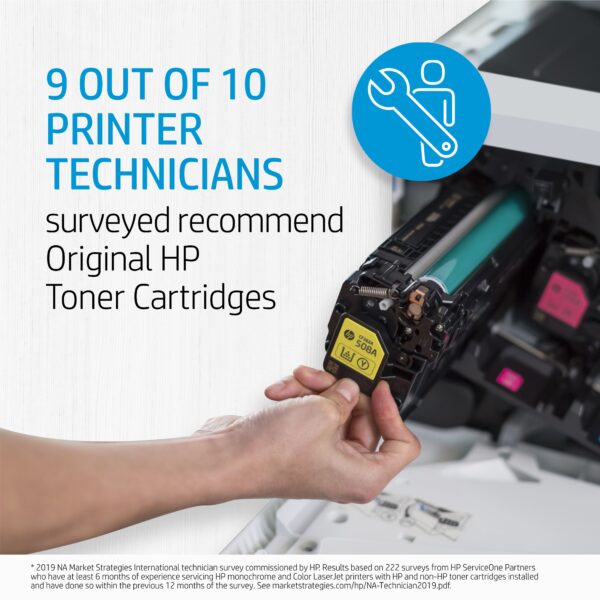
printer technicians recommend hp oem toner cartridgesSometimes what looks like savings can turn into a hassle. If you are running aftermarket supplies in your print devices, reach out to see how we can help to convert you to OEM. We typically find that we can help our clients make the change to OEM without impacting the total cost of ownership and the monthly operational cost to run the print environment. If you are currently running OEM supplies and are thinking about trying aftermarket supplies to try and save some money, there may be a better way to save! Reach out to talk to one of our MPS experts.

HP OEM supplies provide the confidence you can rely on for everyday printing. HP is committed to the environment by using recycled materials in new cartridges and offering a free recycling program from one of the 100 most sustainable companies in the world. Supplies also meet eco-label emission criteria to help maintain the air quality. Trust is also provided from the packaging to the chips to use supplies that protect your printer and your data. Lastly, peace of mind is provided in knowing that you are using HP OEM supplies.




Is the Paperless Office Merely a Myth?

paperless officeThe Paperless Office concept was first introduced by IBM in 1975 as part of a vision of the future where computers would have a dramatic impact on the way people worked. Forty years later, paper documents still proliferate the offices of all types of businesses around the world. So, is the Paperless Office just a marketing slogan or is it really attainable?

After almost thirty years in the office printing business, I’ve seen great progress being made towards the Paperless Office, but don’t foresee us becoming absolutely paperless any time soon. What I do see however, is an accelerated shift towards the Less-Paper Office. There are multiple factors that impact people’s efforts to go paperless, resulting in a gradual transition versus the sudden elimination of paper.

Why go Paperless?

Here are the three primary motivators for going paperless:

Cost Savings

Paper documents cost money. Not just the actual cost of printing, but the processing, filing, finding, refiling and ultimate destruction (shredding) at the end of their useful life. Some industry experts estimate that 1-3% of a company’s annual revenue is spent on managing documents throughout their lifecycle. That’s a lot of money.

Environmental

Business owners, and their employees and clients are all keenly aware of the environmental impacts of paper production and printing, from trees, water usage, electricity and ink/toner to all the space required for storage. There are big motivators for implementing green initiatives and being seen as a good corporate citizen playing their role in saving the planet.

Efficiency

This highly competitive global marketplace is moving faster and faster every day. All businesses are looking for ways to improve efficiencies, respond faster, be more competitive and stay relevant.

So why are we printing more?

There are a few reasons we’re printing more than ever:

Explosion of Data

The amount of information available on the internet grows exponentially on a daily basis. More data naturally leads to more printing.

Email

This instantaneous business communication is so easy, people create, send and receive documents at a far higher rate than ever before. Even if just a small fraction of this is printed, the result is still more paper-based documents scattered throughout your office.

Ease of Printing

Today’s lower printer costs (especially colour), wireless connections and ability to print from almost any device, mean it’s easier than ever to hit print, reach over and grab your printout.

It’s What We Do

Like most things, old habits die hard. Going paperless requires changing the way we do things, learning new processes and getting everyone on board. Despite all our good intentions, change is hard.

What’s Helping us go Paperless?

Just as access to information and technology advances have increased printing, they’ve also given us the ability to exchange information without paper.

Mobility

Using smartphones, tablets and notebooks to access the internet to email, search Google and access information anytime, anywhere allows us to easily go paperless. You can do more on your phone today than you could on your computer (if you had one) back in 1975.

Cloud Storage

Similar to mobility, the ease and relatively low cost of storing documents in the cloud, allows us to find, access and share them faster and cheaper than their paper-based cousins, which makes us all more efficient.

Security

The security features built into today’s smartphones, computers and cloud services, give us the confidence to file, find and share most documents electronically and securely, instead of using the old filing cabinet. However, for those documents that still need to be printed, implementing a secure-print-release solution not only improves security it can also reduce print by as much as 30%.

Managed Print Services (MPS)

As businesses look to migrate from hardcopy to digital content, having a plan developed by a consultant who specializes in MPS will greatly improve the likelihood of being able to successfully deploy a Paperless Office.

With all of these factors impacting how we access, exchange and save information, is the Paperless Office just a myth or can it really be achieved? For those determined few, the technology and tools exist today to make going paperless a reality. However, for most of us the steady transition to the Less-Paper Office is more realistic. Like most things in life, it’s all about finding the balance between multiple factors; cost, efficiency, the environment, workflow and technology advancements. There are lots of easy to implement, small initiatives that can get you started in the right direction, such as:

  • Automatic two-sided printing
  • Dual monitors
  • Digital signing software
  • Rules-based print tracking

The biggest impact of all will likely come from your coworkers. With Millennials now making up over 50% of the workforce and quickly moving into management positions, these are people who grew up in a digital world and going paperless isn’t just an initiative, it’s simply the way they work.

If you’re ready to start moving towards a Less-Paper environment or have any questions,  get in touch with us.