
[TORONTO, ON] – [April 25, 2024] On Monday April 22nd, SmartPrint team members gathered to participate in a Corporate 20-Minute Makeover,  which was a cleanup run in conjunction with the Green Guardians campaign, part of the City of Vaughan’s environmental sustainability program aimed at creating environmental awareness and involved cleaning up a space in need such as a laneway, ravine, sidewalk, or parkette. The idea was to see how much cleaning could be done in 20 minutes. This was the 4th time SmartPrint has participated in this event.
“As part of SmartPrint’s continued commitment to sustainability, diversity and giving back to the community, this event provides an ideal opportunity to gather the team and celebrate the core principles that guide us every day.” Said Tim Lomax, President of SmartPrint.
Events such as these, are key components of SmartPrint’s sustainability journey through our commitment in the #HPAmplifyImpact Program. As a 5-Star Changemaker, we’re driven by sustainable business opportunities and their short- and long-term impacts on our planet.
On a sunny but brisk day, our team of 20 walked over from our offices to the Milton Fierheller Park where we spread out and went to work. At the end of the 20 minutes, 10 bags of garbage, and 2 recycling bags were collected. Everyone was thrilled at what was accomplished in such a short amount of time. The bags were then loaded into our van, brought back to our office, and were properly disposed of.
Careful consideration was given as to the best place to do the clean up and Milton Fierheller Park in Markham was the chosen area based on the proximity to our office and the collective enjoyment we get from lunchtime walks there during the summer months.
Thanks to our Earth Day Committee for registering us for the event, creating posters to help promote the cleanup, coordinating and designing custom T-Shirts, signage, garbage bags, recycling bags, nitrile gloves, photos, and a pizza lunch to celebrate our collective efforts.
It was a great opportunity to get everyone together and to have been able to give back to our community. We look forward to participating in a Corporate 20-Minute Makeover again next year and contributing to other social responsibility causes throughout the year.
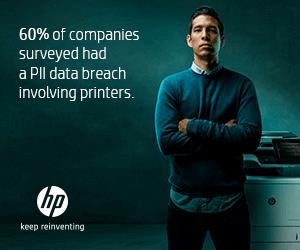
 In today’s interconnected world, where cyber threats lurk around every corner, businesses must remain vigilant about their cybersecurity measures. While much attention is rightly placed on securing digital assets like servers and endpoints, there’s one often-overlooked area that can pose a significant risk: old printers. Yes, those seemingly innocuous devices sitting in the corner of your office could be a gateway for cyberattacks if not properly secured.
 The Risks to Your Network
 Old printers may seem like innocuous devices, but they can pose significant security risks if not adequately secured. By updating firmware, implementing strong authentication, and following best practices for print security, businesses can mitigate these risks and protect their networks from potential cyber threats originating from outdated print infrastructure. Stay vigilant, stay secure.