
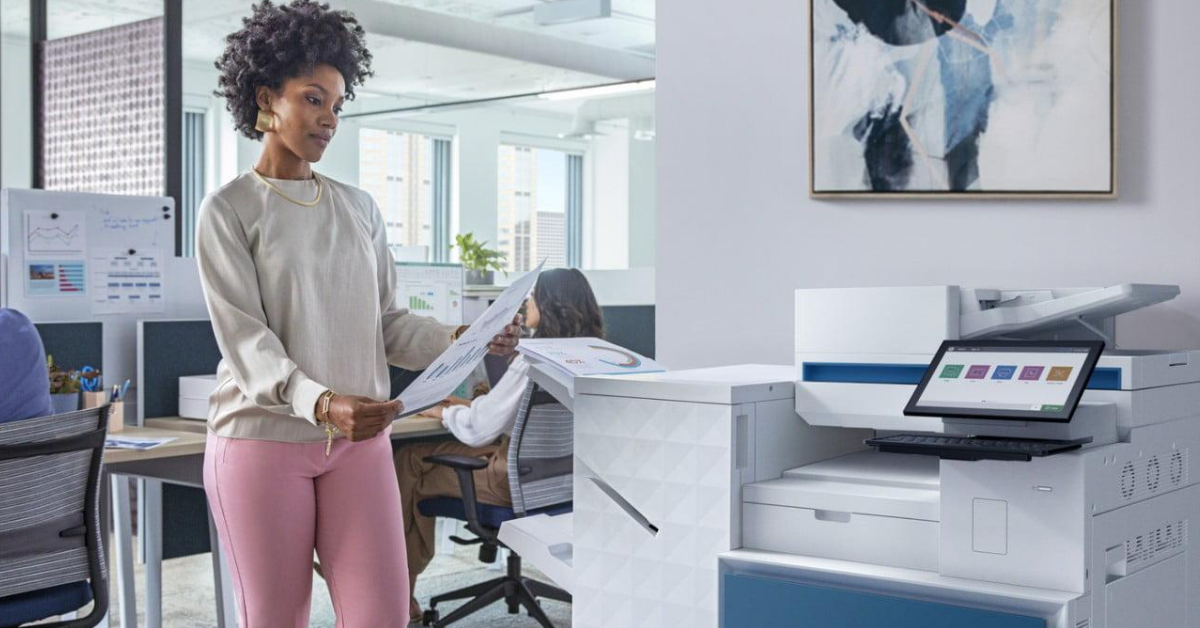
For many Canadian organizations, document management still involves far too much paper.
A contract arrives and gets printed. Someone signs it, scans it, and emails it to another department. An employee manually enters the information into a business system. The original document gets filed away, only to become difficult to locate weeks or months later.
Every manual step takes time. Every additional touch creates an opportunity for errors. Every physical copy of a sensitive document can create security and compliance risks.
When these processes are repeated across hundreds or thousands of documents, the costs quickly add up.
This is where OneHP can make a difference.
OneHP brings together HP’s printing, scanning, security, workflow, and digital document technologies into a more connected approach to workplace productivity. Instead of treating printers and multifunction devices as standalone pieces of hardware, OneHP connects the device environment with the information and workflows that keep a business running.
For Canadian businesses, SmartPrint 360 provides the expertise to design, implement, integrate, and manage this connected environment through a single managed services approach.
What Is OneHP?
OneHP is built around a simple idea: organizations should not have to manage their print devices, document workflows, security, and related services as disconnected technologies.
Modern multifunction printers are no longer simply devices that print documents.
They can become secure points of entry into an organization’s broader digital ecosystem.
Through the OneHP approach, businesses can connect:
- HP printers and multifunction devices
- Document capture
- Intelligent data extraction
- Workflow automation
- Document management
- Security controls
- Cloud and enterprise applications
- Managed print services
- Ongoing support and optimization
The result is a more unified technology environment where physical documents can become digital information and digital information can move efficiently through business processes.
OneHP and Intelligent Document Workflows
A major part of the OneHP value proposition is the ability to connect the physical document environment with automated digital workflows.
HP Intelligent Workflows can help organizations capture, process, classify, route, and manage information while reducing the amount of manual intervention required.
Imagine a document being scanned at an HP multifunction printer.
Instead of simply creating a PDF and leaving the employee responsible for everything that happens next, the workflow can be designed to automatically process the information.
The document can be:
- Captured at the device
- Converted into a searchable digital format
- Analyzed for relevant information
- Classified according to its content
- Routed to the appropriate person or system
- Stored securely
- Added to an audit trail
- Used to trigger the next business process
This is where OneHP moves beyond traditional managed print.
The printer becomes part of the workflow rather than the end point of it.
HP Capture & Route: Connecting the Device to the Business
HP Capture & Route is an important component of an intelligent document environment.
It allows organizations to capture documents from HP and other multifunction printers, scanners, and digital sending devices and convert them into digital formats such as PDF, Microsoft Word, TIFF, and JPG.
Users can route documents to destinations such as:
- Network folders
- Cloud storage
- Fax
- Microsoft SharePoint
- Document management systems
- Enterprise applications
This eliminates many of the repetitive steps that employees perform every day.
Instead of scanning a document, saving it, renaming it, opening an email, attaching it, and manually filing it, a user can initiate a defined workflow directly from the multifunction device.
OneHP in Action
Consider an accounts payable department.
An invoice arrives as a paper document.
Under a traditional process, an employee might scan it, save the file, rename it, manually enter the invoice information, email it to an approver, and eventually file it.
With an integrated OneHP environment, the document can become the starting point for an automated process.
The invoice is captured at the device, processed, and routed according to predefined business rules.
The result is less manual handling and a more consistent process.
The same approach can be applied to contracts, purchase orders, employee forms, customer documents, delivery records, and other information-intensive processes.
HP Scan AI Enhanced: Turning Documents Into Data
Capturing a document is only the beginning.
The real value comes from being able to understand and use the information contained within that document.
HP Scan AI Enhanced uses OCR and intelligent recognition technologies to extract information from documents such as invoices, forms, contracts, and other business records.
This can reduce the need for employees to manually enter information that already exists on a document.
For example, an invoice workflow can identify information such as:
- Invoice numbers
- Dates
- Vendor information
- Purchase order numbers
- Amounts
- Tax information
That information can then be used within downstream business processes.
For high-volume environments, this can represent a significant productivity opportunity.
From Scanning to Automation
Traditional scanning creates a digital copy.
Intelligent processing creates usable information.
That distinction is important.
If employees still need to manually review, rename, categorize, enter, and route every document after scanning, the organization has digitized the document without fully transforming the process.
OneHP provides the opportunity to connect device-level capture with the broader technology environment.
Connecting Documents to Business Processes
The next step is workflow automation.
An invoice could automatically be routed to an approver based on its value.
A customer application could be sent to the appropriate department after required information is captured.
A contract could be identified and routed for legal review.
An employee onboarding package could trigger the next stage of an HR process once the necessary documentation has been received.
This is the difference between document digitization and business process automation.
The document is no longer simply something that needs to be stored.
It becomes information that can initiate an action.
Why OneHP Matters for Canadian Businesses
Canadian organizations have specific challenges when it comes to privacy, security, geographic distribution, and document management.
OneHP provides an opportunity to address these challenges through a more connected approach.
Security and Privacy
Organizations routinely handle sensitive customer, employee, financial, and business information.
Paper-based processes can make it difficult to control access, track documents, or determine where sensitive information has been sent.
An integrated digital environment can provide capabilities such as access controls, encryption, authentication, audit trails, and automated document processing.
For organizations operating under federal or provincial privacy requirements, these capabilities can support more consistent information management.
Technology does not automatically guarantee compliance, but it can provide the controls and visibility required to build more secure processes.
Bilingual Work Environments
Many Canadian organizations operate in both English and French environments.
This can introduce additional administrative complexity, particularly for organizations operating across multiple provinces or serving customers in both official languages.
Digital capture, classification, and routing can help standardize processes and reduce the need for separate manual workflows.
Distributed Organizations
Canada’s geography also creates unique document management challenges.
Organizations may have offices, employees, customers, and operations spread across multiple cities and provinces.
Physical documents have to be transported, stored, and manually distributed.
A connected OneHP environment allows information to be captured at one location and securely routed to the appropriate people or systems elsewhere.
This can reduce delays while improving access to business-critical information.
The Hidden Cost of Disconnected Technology
Many organizations have already invested in digital tools, yet their document processes remain surprisingly manual.
They may have cloud storage, ERP systems, document management platforms, email, printers, scanners, and other applications, but these technologies are not necessarily connected.
The result is a series of information silos.
Employees become the connection between systems.
They download documents, rename files, copy information, send emails, upload attachments, and manually update business applications.
That human effort represents a hidden operational cost.
OneHP addresses this problem by connecting the document environment more closely with the broader technology ecosystem.
SmartPrint 360: Bringing OneHP Together
Technology is only one part of a successful transformation.
The real challenge is designing a solution around the organization’s actual processes.
That is where SmartPrint 360 comes in.
SmartPrint can help organizations assess their existing document and print environment, identify opportunities for automation, and develop a OneHP strategy that aligns technology with business objectives.
Rather than managing devices, workflow software, support, and services separately, SmartPrint 360 brings these elements together under one managed services model.
Expert Workflow Design
Every organization handles information differently.
SmartPrint can map existing document processes, identify bottlenecks, and determine where automation can create the greatest impact.
The goal is to solve real business problems rather than simply deploy another piece of technology.
Seamless Integration
A successful OneHP environment needs to work with the systems an organization already uses.
That could include:
- ERP platforms
- Microsoft SharePoint
- Cloud storage
- Document management systems
- HR platforms
- Financial applications
- Line-of-business software
SmartPrint can help connect the document environment to these existing systems so information can move where it needs to go.
Training and Adoption
Technology only creates value when employees use it effectively.
SmartPrint provides training and ongoing support to help organizations adopt new workflows and make the most of their OneHP environment.
Ongoing Management
Business requirements change.
Document volumes grow. Employees change roles. Applications are updated. Processes evolve. Security requirements become more complex.
SmartPrint 360 provides ongoing management and support to help keep the environment optimized as those requirements change.
OneHP Is More Than a Printer Strategy
The biggest misconception about managed print is that it is simply about controlling printer costs.
Modern managed print has evolved.
Today’s multifunction devices can serve as secure access points to digital information and automated business processes.
That means the conversation is no longer just about:
How many pages are we printing?
It is also about:
How does information enter our organization?
Where does it go?
Who needs access to it?
How much manual work is required to process it?
How securely is it handled?
Which business systems need that information?
These questions move the conversation from print management to workplace transformation.
That is the opportunity behind OneHP.
The Business Benefits of a Connected Document Environment
A well-designed OneHP environment can help organizations achieve improvements across several areas.
Greater Productivity
Automating repetitive document tasks allows employees to spend less time scanning, filing, emailing, and entering data.
Improved Accuracy
Reducing manual data entry and repetitive handling can help minimize errors.
Stronger Security
Digital authentication, access controls, encryption, and audit capabilities can provide greater visibility and control over sensitive information.
Faster Information Flow
Documents can move digitally between people and systems rather than being physically transported or manually forwarded.
Better Visibility
Automated workflows make it easier to understand where information is within a process.
Lower Operational Costs
Reducing unnecessary printing, manual processing, physical storage, and administrative work can help lower the overall cost of managing information.
Start With the Workflow
The most effective way to begin a OneHP transformation is not by starting with the printer.
Start with the process.
Look at how documents enter your organization.
Look at who touches them.
Look at where employees manually enter information.
Look at where documents get delayed.
Look at where sensitive information is stored.
Look at which processes involve the highest document volumes.
Then determine which of those steps can be automated.
This approach helps organizations identify the areas where technology can deliver the greatest measurable value.
The Bottom Line
Canadian businesses are under constant pressure to improve productivity, control costs, strengthen security, and make information easier to access.
Paper-heavy processes make each of those objectives more difficult.
HP Intelligent Workflows provide the technology to capture information, extract data, automate routing, and connect documents to business processes.
OneHP takes that capability further by connecting HP’s device, workflow, security, and managed services technologies into a more unified environment.
SmartPrint 360 provides the expertise to make that environment work in the real world.
From workflow assessment and design to implementation, integration, training, support, and ongoing management, SmartPrint can help Canadian organizations move from disconnected document processes to a more intelligent and connected workplace.
The result is not simply fewer printed pages.
It is a faster, more secure, more efficient way for information to move through the business.
If your organization is still printing, scanning, emailing, filing, and manually entering information that could be automated, it may be time to look at the bigger picture.
OneHP can help turn your print environment into a connected part of your digital workplace.