OEM (Original Equipment Manufacturer) Supplies

Does it make sense to sacrifice user uptime, deal with user frustration and degrade your office print quality to save a few bucks?

There is a large difference between OEM and
non-OEM 
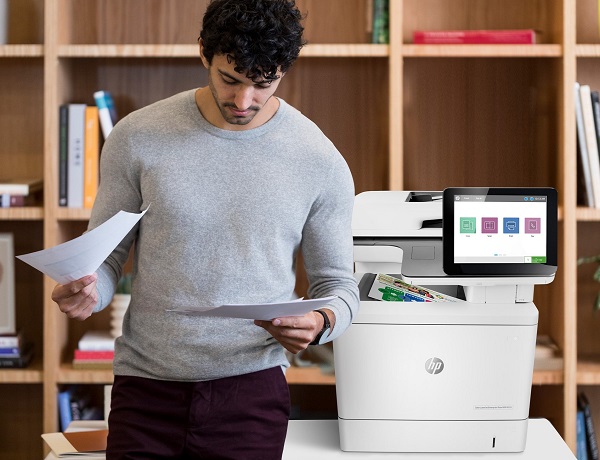
man standing next to a hp color laserjet enterprise flow mfp m578ctoner cartridges from a quality perspective. 
What’s important to know
is that for most printers and MFPs, about 70% of the printing process and technology resides within the toner cartridge itself.  So, when you replace the toner cartridge you are actually replacing about 70% of the printer.  That’s quite the overhaul. It has been a while since we have created a blog post regarding supplies, but with the Covid-19 pandemic, some organizations are making decisions strictly around cost, but they may not have all of the insight that is relevant to the decision of switching.

As MPS (managed print services) experts with over 33 years in business, we have had a significant amount of experience in truly understanding the difference between OEM and non-OEM (remanufactured or illegally cloned) toner supplies for laser printers.  

Why most companies prefer OEM when they have had experience with both OEM and non-OEM:

  1. Less downtime – based on industry data of 10 MPS companies across North America, office print devices running OEM toner supplies require as high as 45% less service calls (the average in the sample was 40%). With OEM toner, users experience less downtime as compared with the same device that is not using OEM supplies.
  2. Print quality – Supplies that are not OEM are not made to the same specification as OEM because they use aftermarket parts and aftermarket toner. This can cause reduced print quality and toner residue left inside the printer (dirty print engine).  About 40% of non-OEM toner results in greenish blacks,  faded colour output, or other print quality issues.
  3. Supply failure – a high percentage of non-OEM supplies fail before all of the toner is used, which impacts the cost for page in a negative way. If you don’t get to use all of the toner, you are paying too much per page.
  4. Achieving cartridge yield – OEM supplies are held to stringent regulations and standards that allow the manufacturer to accurately advertise how many pages a user can typically get out of a cartridge.  When using non-OEM toner, you never really know how many pages you’ll be getting.  Based on data SmartPrint has collected, non-OEM cartridges only achieve 70-85% of the original yield.
  5. Device longevity – here’s a simple analogy; if you run low grade 87 octane gasoline in a performance car engine that requires 91 octane gasoline, your engine will run rough, have more problems, and will not last as long as the same vehicle that runs the proper fuel. It is the same as a print device that is not running OEM supplies. The trade-off of running the cheaper incorrect fuel, or toner supplies, is more costly repairs, frustrating performance issues, and a shorter life span for the car, or hardware you invested in.
  6. Sustainability – there’s a misconception that non-OEM cartridges can be better for the environment.  The reality is that OEMs, like HP, have free cartridge return programs that allow used cartridges to be responsibly recycled and diverted from the landfill.  Industry statistics estimate that about 90% of non-OEM cartridges end up in the landfill after a single-use.

Sometimes what looks like savings can turn into a hassle. If you are running aftermarket supplies in your print devices, reach out to see how we can help to convert you to OEM. We typically find that we can help our clients make the change to OEM without impacting the total cost of ownership and the monthly operational cost to run the print environment. If you are currently running OEM supplies and are thinking about trying aftermarket supplies to try and save some money, there may be a better way to save! Reach out to talk to one of our MPS experts.
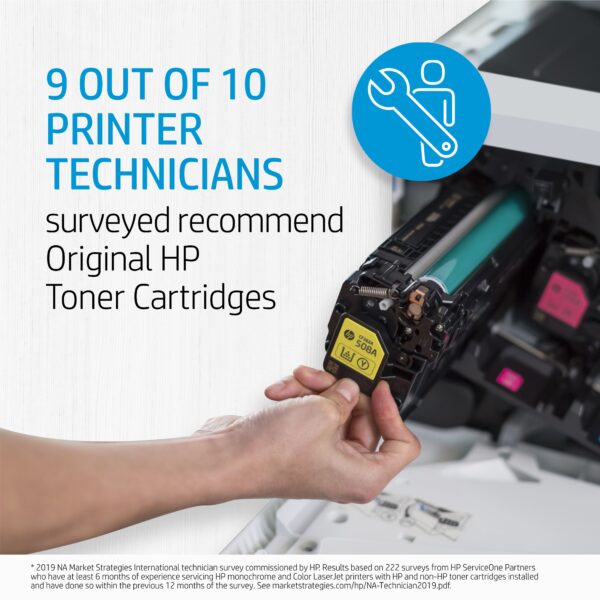
printer technicians recommend hp oem toner cartridges

HP OEM supplies provide the confidence you can rely on for everyday printing. HP is committed to the environment by using recycled materials in new cartridges and offering a free recycling programs from one of the 100 most sustainable companies in the world. Supplies also meet eco-label emission criteria to help maintain the air quality. Trust is also provided from the packaging to the chips to use supplies that protect your printer and your data. Lastly, peace of mind is provided in knowing that you are using HP OEM supplies.
SmartPrint Inc. Named “HP Inc. Partner of the Year” for 2019

Partner Awards Program Recognizes Achievements in Growth and Innovation


Toronto, July 31, 2020 — Today, SmartPrint was named a 2019 “HP Inc. Partner of the Year” for its work in fiscal year 2019. The company’s annual Partner of the Year Awards honor top-performing partners for exemplary achievements in growth and innovation. SmartPrint was lauded in the sub-category of HP Canada Supplies Partner of the Year.

HP’s 2019 Canada partner award winners were selected based on a variety of criteria including strategic growth
and innovation, and were given in the categories of Personal Systems, Print Hardware and Supplies across distributors,
national solution providers and resellers.

“Channel partners are the lifeblood of our business, and it’s a pleasure to recognize the achievements of this year’s
partner award winners, each of whom have demonstrated exceptional growth through innovation and a true commitment to our mutual customers,” said John Cammalleri, vice president, Commercial Channel Sales, Canada, HP Inc. “We congratulate SmartPrint on this well-deserved recognition, and thank them for their continued partnership with HP.”

“When we work together, great things happen. This is evident in the success and accomplishments that SmartPrint has achieved in the last year,” said Mary Ann Yule, President and CEO, HP Canada. “Thank you for your continued collaboration, and congratulations!”

We’re delighted to be recognized as “Partner of the Year for 2019” by HP Canada for the 3rd time.  “Pairing SmartPrint’s unique proactive fleet management with HP’s unparalleled print technology delivers a client experience unmatched in the Canadian marketplace,” said Tim Lomax, President, SmartPrint.

About SmartPrint:

SmartPrint is the leading Managed Print Services (MPS) firm in Canada working with large corporate clients with 100+ employees to enable them to outsource the management of their office printing and imaging devices. The goal of our managed print services program is to drive down cost, maximize efficiency and secure the print infrastructure within our clients’ organizations. Our vertically focused expertise provides custom tailored solutions to each of our client’s unique challenges.

During these challenging times resulting from the Covid pandemic, Canadian businesses are prioritizing the need for Digital Transformation.  SmartPrint’s years of experience enabling Intelligent Workflow Solutions provides our clients with complete workflow automation for Virtual Teams.  Business will never be the same again, so SmartPrint’s Changing the way we work.

To find out more about SmartPrint, please explore our website: www.smartprint.com.

For Press or Analyst inquiries please contact:
Rob Farrell
rob.farrell[@]smartprint.com
905.475.6177 x234

Intelligent Workflow for HR – Win the War on Talent With Digital Transformation for Your HR (Human Resources) Department

Intelligent-Workflow-for-HRHR teams spend hours each day searching for documents, creating employee content, and working with the company’s departments to support and manage all of the HR functions. Staying on top of the process of onboarding new employees is extremely challenging. There are many important steps that require organization and processing of documents as well as multiple approvals and signatures. The continuous follow-up and chasing that is required to stay on top of new employee onboarding can be highly stressful. Many HR professionals share that they just cannot keep up with the workload.

Some of the biggest challenges we hear about are:

  • Challenges with effectively onboarding new employees
  • Organization issues and effective collaboration with so many things on the go
  • Communication chaos – chasing people to keep HR processes moving
  • Recruitment processes that are badly managed by hiring managers
  • Finding suitable candidates
  • Constantly searching for documents
  • Regulatory compliance
  • Confidentiality of sensitive employee documents

Why should an organization invest in digitally transforming their  HR department? 

Companies that focus and invest in digital transformation to improve the wide-ranging HR processes will create a competitive advantage and win the war on talent in their sector. Intelligent workflow solutions that can move all things HR to digitally automated processes will completely simplify the internal and external interactions delivering a seamless, quick, and positive experience for the top talent you attract. 

Here are some of the HR functions and processes you can expect to improve and automate with intelligent workflow solutions:

  • New employee onboarding process – manage the process with a system with standardized documentation
  • Hiring process – HR and hiring teams can route, interview and approve new hires within one integrated system
  • Employee termination process – making sure all components of the process are handled correctly and security measures are taken to disable employee access with precise timelines
  • Compliance employee record management – ensure security measures are in place to protect information. Benefits, pension, employee data, work forms, company information, etc.
  • No more chasing – an intelligent workflow system for HR can integrate to your existing HR system and enable the HR Professional to manage the HR processes with visibility to where the workflow has bottlenecks, pinpointing the barriers to efficiency

Even if you have taken steps towards digital transformation and setup an HR module from your company’s financial software package, intelligent workflow solutions can complement and integrate with no code or scripting. Digitally transforming your HR department will enable your team to use their skills, knowledge, and training effectively rather than spending time on the mundane repetitive tasks of chasing people and searching for documents.  Another significant benefit is enabling the HR executive to have real-time visibility and reporting to understand where the challenges and bottlenecks are in all of the processes, which will support continuous improvement efforts.

The best strategy for organizations that want to move to digital transformation in HR, is to select an independent expert partner to work with and start with a high priority HR process that will have a big impact on the team’s efficiency. With a successful first project, you can continue to tackle the automation of more HR processes to build a world-class, efficient department that can win the war on talent. 

This is much easier and less expensive than it may sound! There are no capital dollars to invest with cloud workflow software and ROI is significant with a payback period in a few months. It is time to ready your business for the future. If you are interested in staying with your competition, or potentially getting ahead and creating competitive advantage, reach out for a brief conversation and perhaps a demo to see if we can help.

Digital Transformation for AP (Accounts Payable) – Accuracy and Efficiency Gains With Massive ROI

Digital-Transformation-for-APCompanies that focus and invest in digital transformation will create a competitive advantage for their businesses. Most departments in your business can have significant increases in productivity by implementing intelligent workflow solutions that automate manual repetitive tasks and seamlessly incorporate and improve existing business processes to accomplish digital transformation. 

Your AP department is a great place to start. Here’s what you can expect as a project outcome.

  • Efficiency gains of more than  50%
  • Quick ROI with payback on your investment in less than 3 months
  • Increased accuracy, no errors moving forward
  • Rapid deployment of an intuitive, simple system requiring minimal training (typically a 1 to 2 week project)
  • Visibility through reporting and analysis
  • Audits can be completed in minutes instead of weeks

Even if you have taken steps towards digital transformation and setup an AP module from your financial software package, intelligent workflow solutions can complement and integrate with no code or scripting. You can dramatically increase your AP team’s productivity with machine learning software that can automate the time consuming, error-prone tasks of data entry, and processing that an AP clerk performs. The efficiency gains come from freeing up the AP clerk’s time to focus on exceptions, analysis, and managing the related processes. It puts the clerk in a position to use their knowledge rather than spending time on the mundane repetitive task of data entry. We have implemented solutions that are successfully automating the AP process for 95% of an organization’s invoices while speeding the processing and accuracy of the other 5%.

One step at a time for a digital transformation move

The best strategy for organizations that want to move to digital transformation, is to select an independent expert partner to work with and start with one department that can realize a significant ROI and successful project. Step one of our approach is to solve a high priority business problem successfully and expand across all departments in a step by step, win by win process. A full solution for AP should include fully automated ingestion and data entry from any form of invoice (email attachment, hardcopy scan, web form upload, etc.) as well as an integrated, automated workflow for the approval process that connects the silos in your business.

Here are some details of Accounts Payable solution components and connections.

  1. A machine learning solution to automate the ingestion of invoices integrated into the existing financial purchase order and invoice system. We have worked with home-grown legacy systems, off the shelf financial packages, or sophisticated Enterprise Resource Planning software.
  2. An intelligent workflow system that can integrate into the ingestion system as well as act as a repository and analysis tool while integrating to your company email and other systems to support and automate the approval and exception processes.
  3. Other connections often supported are flowing invoices or links to the invoices to your financial system; connecting to CRM systems to enable future invoice and PO lookups for finance, customer service, sales, and other departments; connecting to existing document management systems that may be used as the repository of final documents. There are many other opportunities to connect and make your workflow intelligent and automated.
  4. Here’s the bonus:  the above solutions we implement can be used for digital transformation and automation of workflow across all other departments. The solutions we use are best in breed and can basically integrate with anything while acting as the workflow overlay and connector to all of your systems. 

This is much easier than it sounds! It is time to ready your business for the future. If you are interested in catching up to your competition, or potentially getting ahead and creating a competitive advantage by supporting your clients and supply chain more efficiently and effectively, reach out for a brief conversation and perhaps a demo to see if we can help.

Print Volumes Are Shrinking – Are Managed Print Services Still Relevant?

Yes, office print volumes are shrinking; however, the value of Managed Print Services (MPS) is alive and well. With the right plan, hard cost and IT time savings are always delivered.

Most organizations have had to transition to virtual home office teams to support the workplace restrictions protecting the community during the COVID-19 pandemic. A nimble independent MPS partner can help you support print and scan home office user requirements while saving money for your business by leveraging your overall MPS spend and pricing programs with hardware manufacturers and by recommending the right equipment.

I am ecstatic to see that our team is active with new clients helping them to transition to a right-sized fleet of equipment in their offices, that incorporate plans for supporting home office workers while providing a lot of savings. Typically 30%-50% saving over their previous spend, and we can upgrade equipment where it is required with no capital outlay. Although people are printing less over time, there is significant value in consolidating vendors to an independent expert in MPS.

5 misconceptions of Managed Print Services

  • Some organizations  think they don’t print very much, they need fewer print devices and MPS is not necessary
  • The  MPS service must be more expensive than self-supporting
  • They  will be forced to prematurely upgrade hardware that is working fine
  • They are already getting MPS from a copier dealer or a device manufacturer
  • An MPS company will not help them print less

I have news for you, 99.9% of the time we can reduce costs, give time back to the IT department so they can focus on important projects or support, keep your quality equipment longer and help you print less through implementing solutions to support digital transformation for the future. For all companies, hard cost savings is key right now and with SmartPrint’s ability to provide rapid, virtual, expert fleet recommendations we can make your organization more efficient and support all user requirements, even with complete equipment upgrades and still save money for you in the first month of the program. 

We have had great success implementing a balance of best in breed HP large copier and smaller printer MFP units to reduce the total cost of ownership and decrease security risk.


With dramatic change happening in the office and home office environments it is a great time to reach out for a rapid assessment to see if we can help.

Workflow for Virtual Workers: How to Keep Business Workflows Moving in the New Normal

In this blog, we discuss how organizations can overcome the workflow challenges with virtual worker using business workflows to adjust to the new normalremote workers and the future of business workflow in the new normal.

With the recent Covid-19 crisis, it appears that the new normal for many organizations will be to have a large percentage of their team working from home offices. Many organizations are struggling with disconnects in business processes given that remote teams are not able to gain access to stored paper documents and cannot complete business processes that are not online or have not yet been digitally enabled or transformed.

In a recent article in The Globe and Mail   “…Shopify said most of its 5,000-plus staff would continue to work from home while it also adjusts its workflow and office-space needs.” It can be seen that technology companies are leading the charge, but even high-tech firms need to change their workflow to support efficient processes for remote workers.

Adjusting to the new normal

It can become very complicated for each department to figure out how to get work done when they are not together in one place in this new normal. In the past, a customer service person could go to a filing cabinet and access a proof of delivery document to help a client with an inventory inquiry; or, a manager could approve the purchase of IT equipment for an employee in a live conversation or by email. In the new normal you need audit trails and digital access for approvals. Most requests to simplify departmental workflow have fallen on the IT department to find a solution. Often IT ends up trying to extend modules of existing software applications and potentially writing code for integration to try and patch together workflow with multiple systems. It can be much easier, much less expensive, and take a lot less time.

The future of business workflow

A simple purpose-built system that leverages your existing core business software acts as an overlay to connect all the dots to enable digital, automated workflow. This is the future of business workflow. We have many clients that are ahead of the curve because they worked with us to digitally transform workflow in their departments like finance, customer service, HR, operations, sales, and more. In many cases, they wanted to simply make their business more efficient and improve their customer experience. Now is the time to move forward with digital transformation so that your organization can thrive in the future. It is time to change the way we work.

5 Key reasons why implementing intelligent workflow solutions to achieve digital transformation is easier than you think.

  1. Low code, or no code – cloud-based software can be implemented with little to no coding or scripting and can connect to your existing systems (ERP, HR, CRM, Supply Chain, Document Management or cloud storage, etc.)
  2. Rapid deployment – from the assessment phase to fully implemented in as little as 2 weeks
  3. No capital investment with an  immediate ROI 
  4. Workflow solution access, anywhere, anytime and from any device
  5. Limited involvement from your IT team – implementation of automated workflow systems requires access and collaboration with IT, but we do 95% of the work

HP Capture and Route is a great example of a digital management tool that can automate the ingestion of content from multiple inputs and flow the content right into automated workflows built in an intelligent workflow software solution. We have had a lot of success with this tool as the front end of a fully integrated business workflow system. With our intelligent workflow solutions, we have multiple options of best in breed platforms and we ensure that all of the applications are agnostic so if there are changes in your environment your workflows are intact for the future.

For more information, please contact us.

SmartPrint ranked as one of Canada’s Top 100 Solution Providers

TORONTO – SmartPrint was named one of Canada’s Top 100 Solution Providers during a CDN logo to show SmartPrint ranked as one of Canada’s Top 100 Solution Providers
special virtual ceremony held April 30, 2020.

The annual ranking is produced by Channel Daily News (CDN) with verification provided by IT business intelligence and analysis leader IDC Canada. The rankings are based on 2019 revenue submitted by Canada’s leading channel players.

SmartPrint climbed 10 places to #59 in the Channel Daily News (CDN) Top 100 Solution Providers List. 2019 was another excellent year of growth for SmartPrint’s managed print services and software solutions business.

“2019 was another year of consistent growth. Our SmartPrint 360 managed print services offering continues to deliver value for our clients that are looking to simplify with a true office print as a service. Our bench strength around selling, implementing and supporting software solutions involving print infrastructure, security and intelligent workflow automation, complement and differentiate our end to end managed print practice.” said Rob Farrell, Vice President of Sales & Marketing.

“The impact of the COVID-19 shutdown has hit the channel hard, but with the cumulative 2019 revenue from the 100 highest-ranking players topping $10 billion for the first time, it shows there was strength in the sector going into the storm,” said ITWC President and ranking champion Fawn Annan.

The 2020 gala was the first-ever virtual event. Using the CDN-TV platform, attendees were able to not only watch live and prerecorded gala segments but also meet with peers and event sponsors in virtual meeting rooms.

This year’s Top 100 gala was sponsored by Ingram Micro, Dell Technologies, HP, Jabra, Samsung, and VMware.


About SmartPrint:

SmartPrint is the leading Managed Print Services (MPS) firm in Canada working with large corporate clients with 100+ employees to enable them to outsource the management of their office printing and imaging devices. The goal of our managed print services program is to drive down cost, maximize efficiency and secure the print infrastructure within our clients’ organizations. Our vertically focused expertise provides custom-tailored solutions to each of our client’s unique challenges.

To find out more about SmartPrint, please explore our website: www.smartprint.com

For Press or Analyst inquiries please contact:

Rob Farrell

rob.farrell[@]smartprint.com

905.475.6177 x234

Supporting You at the Office and Home

We can’t ignore the elephant in the room. The coronavirus pandemic has already affected our  lives in more ways than any of us could have imagined—but we’re not leaving your side.

We’re open for business! SmartPrint remains as committed as ever to delivering an incredible, uninterrupted, and stress-free managed print service even while implementing multiple critical health and safety measures. 

Also, with so many people suddenly working from home, I wanted to make sure you knew about our additional services. With both printer and non-printer related support available, SmartPrint is here to help your newly-remote team get everything up, running, and working in no time.

Some of these specialized services include:

  • Implementing solutions: Remote IT Support and Services
    We can help with rapid deployment of mailroom digitization and distribution software, secure cloud document management and workflow software, and deploying cloud fax software so users can access and transmit everything from home. We can deploy in 48 hrs or less.
  • Emergency Toner for Your Printers (office, or home office)
    Though we don’t anticipate any supply chain issues, if you’d like to order backup printer supplies, we’ll happily help. 
  • Home Office Printers, Installation, and Free Virtual Support
    Do your employees need printers for their home offices? We’ll work with you to find the perfect devices and help you through the entire installation process. Already have home office printers? We’ll support your users virtually if they have problems.

Think you might be interested in any of these services? Feel free to contact us anytime so we can talk more in-depth about your needs.

And remember—the SmartPrint team is always here for you. Please don’t hesitate to reach out with any questions or concerns.

Thanks for your continued loyalty and stay safe.

How to Navigate the Shift in MPS

Despite what you’ve been told, Managed Print Services (MPS) aren’t about hardware, supplies, and service. Not anymore. Today, it’s all about digital transformation. If you missed our blog back in September, here’s the short: companies need to stop focusing on the cost of producing a document and start thinking about the cost of finding it.   

Market leaders are already ahead of this shift. Here’s what you need to know:

  1. Paper workflows are now digital
  2. Document management is automated
  3. Solutions address specific needs and requirements
  4. Security is top-of-mind

Too many companies are taking too long to get things done. Why? Because paper-based workflows rely heavily on administrative time. Processes that should take days, take weeks. They’re paying more in employee time, paper, and supplies for a less productive system. They don’t know any better, but now, you do.


HP Capture and Route is a great example of a digital management tool that can automate workflows. With the press of a button, documents are scanned, indexed, categorized, and automatically linked to existing records. They are easier to find, distribute, and track than paper filing systems. And, the paper to digital workflow can transition to fully digital using the same tools in the future. 

But are digital records secure?

That depends—not all software is created equal. At a minimum, you need encryption while your files are in transit and at rest. The above example can be taken one step further by integrating with a monitoring tool like HP Access Control. This app lets you see what users are scanning AND manage their permissions. 

Your digital records are as secure as the solutions you choose. 

Managed Print Services should be more than just hardware, supplies, and service in 2020. We can help. If your company is ready to bring efficiency to your business and work toward a digital workflow, contact us today.

Why Cheap Printers are Expensive to Buy

two people discussing why cheap printers are expensive to buyIt’s 2020 and your IT team can buy a printer for $49, $69, or $99. The expensive part comes when you understand the model: expensive toner with little capacity. Don’t be fooled by the brand. These resellers don’t challenge your product choice because they know you’ll be back to buy supplies, and soon. 

This is why you need to speak print IT. 

Speaking print IT will lead you to the right products. Not speaking print IT will lead you to the cheap ones that aren’t actually cheap. Here are 3 words you should know: 

  1. Drivers
  2. Uptime
  3. Firmware

Drivers allow your printer and employees to communicate. All printers require software to function properly, so an outdated driver is a problem. The process of updating it will depend both on your device manufacturer and on your operating system. Up-to-date drivers resolve technical problems, add new features, and increase security. 

Uptime is one of our favourite words because it means everything is working as it should. The key to this is proactive management, especially in the form of software that encompasses continuous monitoring and remote diagnostics like HP’s Smart Device Services (SDS). Uptime can also refer to supply fulfillment. Software can help to automate your processes here too.  


Firmware is a big one because security is top-of-mind for many Canadian companies right now. Much like print drivers, firmware needs to stay up-to-date in order to not only function, but also, to be secure. It is important you know how to connect and then reconfigure your devices after updating firmware or completing a reset.

Of course you can do all of this yourself. Your IT team can buy what seems like low cost printers that save you a bundle, but ultimately end up costing you in:

  • Employee time
  • Expensive supplies
  • Functional limitations
  • Top-notch security

Our service MPS Consultants are fluent in print IT and happy to help you find a balance between cost and return—contact us today to learn more.