
 The decision to upgrade hardware isn’t always simple. As independent managed print services experts, SmartPrint’s goal is to keep good equipment running for an organization as long as possible, if it makes sense. In some cases, we manage print equipment that is more than a dozen years old. Beyond reducing your expenses, here are some of the reasons to stay current with print hardware.
Four indicators that it may be time to upgrade your printers
1. Print security
We can’t emphasize the importance of ensuring that you have print security covered off. If your current equipment is not up to speed with the latest security capabilities of leading manufacturers, we recommend looking into upgrading your hardware. Here are some key things to look for to make sure your business is protected.
- Print device onboard print security software that can enable the device to protect itself from a cyber attack; for best practice around print security, mid-sized and large enterprise businesses should also implement server-based print security software
- User authentication at the device for print release to protect your data and ensure that confidential documents are not lying around the print device or in the recycling bin
- User authentication to access scan, copy and workflow functions to ensure the print device is physically locked down for security
2. Intelligent workflow
With new print equipment from leading manufacturers, you can leverage your new print devices to increase efficiency across every department in the organization.
- Automate business processes by integrating print devices to simple yet very powerful workflow software that saves your employees valuable time
- Print from and scan to cloud applications and document management systems
- Enable users to preview and redact information from scans in real time on the print device screen
3. Print device downtime
If you are experiencing printer downtime that is impacting your users, it’s likely time to look at upgrading the equipment or changing service providers if the equipment is fairly new. Leading print device manufacturers are building equipment that is modular and therefore requires fewer repair intervals and maintenance than the printers of the past. Managed Print Services experts can use software to monitor print equipment and predictively manage the hardware by repairing problems before the device goes down.
- Predictive print device management, a significant % of your print service calls should be completed remotely or completed pro-actively by the service company
- On-site service repair calls should take 10-20 minutes, on average, for a current device
- Your print service provider should be able to deliver a fleet uptime of 99% or higher
4. Your equipment is underutilized
If your equipment is underutilized it’s likely time to have a print fleet assessment completed by a managed print services expert. If your equipment is outdated, is not feature-rich, or is not configured properly, your users may bypass the device close to them and use another department’s device.
- Average monthly volume varies widely across the fleet of devices and many are underutilized
- Footsteps are expensive, and completing an assessment to bring powerful devices close to the user groups will increase productivity
- Standardize equipment across the organization to increase user adoption and efficiency
If it’s time to make changes in your organization to increase the productivity of your team SmartPrint can provide a no-obligation, free high-level print fleet assessment. Reach out to learn more.
 Without central control of your print fleet, security settings are extremely difficult to manage, and entry points for cybercrime are more easily overlooked. It becomes even more complex supporting work-from-home employees and integrating equipment to workflow automation systems. Your IT team could be focused on configuration settings and authentication rather than working on other valuable IT projects or support. Encryption and authentication can be accomplished universally with an integrated automated security management tool. We’ve had great success with HP Security Manager, ask one of our experts to share best practices in this area.
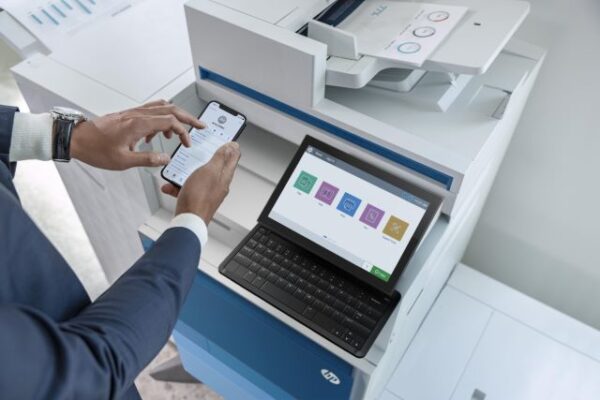 When SmartPrint engages in an MPS assessment with a prospective client our team has a thorough approach to assess the current state and build a future state that incorporates best practices in several different areas. One of the areas that can make a significant impact but doesn’t always get enough attention is our recommendations for print infrastructure best practices. Many organizations want to tackle print infrastructure changes in future project phases, but we believe it is important to tackle them as part of a full MPS implementation, or MPS partner change. I’ve put together the top 4 print infrastructure changes that are easy to accomplish, but also provide improvements for your users and your IT support team. Keep in mind that each solution below can be managed for you and can be included as part of our