Increased Productivity for the Hybrid Workforce With Digital Workflow

As we all know, in the last couple of years the number of hybrid workers has

increased dramatically. I found some interesting data that supports the view that the hybrid work model is here to stay; 77% of remote workers show increased productivity (
source), roughly 40% of Canadian jobs can be done from home (source), and companies that allow remote work have 25% lower turnover rates than those who don’t (source).

The next challenge for businesses is to ensure that hybrid workers are integrated into their business workflows so that the speed of processing can increase, whether an employee is in the office or working remotely. It’s never been more important for businesses to stay competitive and significant productivity gains can be accomplished by implementing automated digital workflow to transform your current manual business processes. If you can successfully deploy automated workflow the hybrid worker can be as productive in the office as they can while working from anywhere, and the remote and office team members that work together become seamlessly connected. 

Top 5 business functions where workflow automation can easily improve efficiency:

  • Accounts Payable
  • Contracts Management
  • Procurement
  • Human Resources
  • Sales and Customer Service

Top 4 benefits of workflow automation:

  • Increase speed and accuracy – drastically reduce human error by automating error prone repetitive tasks like data input 
  • Data security with encryption – when the information and processes are digital, they can be secured and protected
  • Increase the speed of approvals – your business can move faster with approval integrated into the work process providing automated notification to the approving manager
  • Reduced paper – digital data capture of all related documents that are searchable

Businesses are now focused on learning about the best solutions to support moving to intelligent automated workflow so they can accelerate their business processes. If your business strategy is to become more productive with your current team by embracing a plan to achieve operational efficiency, reach out to talk to one of our experts. 


Without central control of your print fleet, security settings are extremely difficult to manage, and entry points for cybercrime are more easily overlooked. It becomes even more complex supporting work-from-home employees and integrating equipment to workflow automation systems.  Your IT team could be focused on configuration settings and authentication rather than working on other valuable IT projects or support. Encryption and authentication can be accomplished universally with an integrated automated security management tool. We’ve had great success with HP JetAdvantage Security Manager, ask one of our experts to share best practices in this area.

Back to the Office, It’s Time to Look at Simplifying Print Infrastructure and Print Hardware

The downtown core in major cities across Canada is slowly coming back to life with many companies bringing employees back to the office 2 to 3 days per week. There are a lot of changes being made to office spaces to support the new hybrid workforce. There are updates happening in the physical office space, giving office workers more room while updating furniture in support of shared workspaces and creating more areas in the office for face-to-face collaboration. There’s also increased investment in technology, both hardware and software, to ensure that users can productively work from anywhere. At SmartPrint, we have a lot of projects on the go to help our clients simplify printing in the office by updating and consolidating hardware as well as updating the print infrastructure.



Here are some of the areas to look at improving while updating the office print and copy environment:

  • The need for advanced security for your print infrastructure has increased
    • Implement software to automate device security configuration with vulnerability reporting capabilities
    • Implement print device firmware management services to ensure your fleet is secure and consistently updated to current firmware levels
    • Upgrade to print hardware that can sustain a cyber attack; some manufacturers are ahead of the curve in this area
  • Cloud print server – choose the correct option to ensure a successful transition
    • Ensure the tool you select can enable the use of advanced device functions like staple, hole punch, collating, etc.
    • Enable users to self-serve when connecting to an alternate, or new print device
    • Ensure that printing can be accomplished if your internet is down
    • Implement a tool that avoids the additional cost of connectivity to your cloud provider
  • Equipment consolidation
    • Reduce the number of devices and reduce costs
    • Reduce carbon footprint by using original supplies and implementing Energy Star certified equipment 
    • Save real estate space
    • Increase end-user productivity by bringing powerful functionality closer to the user
  • Intelligent Workflow
    • Reduce paper and move to digital processes
    • Increase productivity dramatically (where there is paper there is inefficiency)

If you have any questions about print infrastructure security, cloud print server best practices or any other area of office printing equipment or print infrastructure,  be sure to reach out to the experts. We would be glad to help bring the SmartPrint best practices to your business whether you are going to self-manage your fleet or engage our experts to support you.


Without central control of your print fleet, security settings are extremely difficult to manage, and entry points for cybercrime are more easily overlooked. It becomes even more complex supporting work from home employees and integrating equipment to workflow automation systems.  Your IT team could be focused on configuration settings and authentication rather than working on other valuable IT projects or support. Encryption and authentication can be accomplished universally with an integrated automated security management tool. We’ve had great success with HP JetAdvantage Security Manager, ask one of our experts to share best practices in this area. 

For the 10th Consecutive Year, SmartPrint Is One of Canada’s Top 100 Solutions Providers

SmartPrint is excited to share that they made it to the prestigious Channel Daily News (CDN) Top 100 Solution Providers list, again.smarprint is a top 100 solution provider for the 10th consecutive year

Like the previous two years, the event was held again virtually and saw the release of the annual CDN Top 100 Solution Providers ranking, a listing of channel organizations that collectively generated more than $10 billion in revenue during 2021. The ranking is based on 2021 Canadian revenue figures provided by channel organizations between January and March 2022 in which ITWC makes every attempt to verify the numbers provided are accurate, and a $4 million minimum revenue was required to make the 2022 ranking.

There was considerable movement in the ranking prompted by the move to remote work, a push to cloud solutions in support of digital transformation, and a series of mergers and acquisitions.

 “2021 was a challenging year. The whole SmartPrint team was busy creatively supporting our clients through supply chain issues that continue today. A lot of effort and focus in delivering great services were required to keep our clients up and running through the pandemic. Many of our clients in healthcare, manufacturing and distribution play critical roles in keeping Canada running in their respective areas, and our dynamic team of individuals stepped up to the challenge of ensuring that their print environments did not miss a beat. It’s wonderful that our business had another successful and profitable year. And great to see that our clients have made it through the worst of the pandemic with a renewed focus on hybrid work plans and safely bringing their teams back to the office” said Rob Farrell, Vice President at SmartPrint.

“I am so proud of the entire SmartPrint team in navigating the challenges that the Covid pandemic has brought upon our business over the past 2 years.  Together with our clients and vendors,  we’ve managed through 6 Covid waves, government mandated lockdowns, work from home, hybrid,  significant supply change challenges and rising costs.  Throughout it all, we’ve been guided by our core value of Building Partners for Life to find creative solutions, be nimble and accelerate communication with all stakeholders for successful outcomes.  As the world begins to open up again, we’re looking forward to seeing clients live again and continuing our incredible journey” said Tim Lomax, President at SmartPrint.

“The release of the Top 100 Solution Provider ranking acknowledges the companies that are thriving financially, but we also wanted to shine a spotlight on innovation and new approaches. The Channel Innovation Awards are important recognition for companies, regardless of size, who develop breakthrough solutions, seek niche opportunities, and break new ground in serving partners and customers. Both are important recognition to support the channel” said Fawn Annan, CEO, ITWC.


About SmartPrint:

SmartPrint is the leading Managed Print Services (MPS) firm in Canada working with large corporate clients with 100+ employees to enable them to outsource the management of their office printing and imaging devices. The goal of our managed print services program is to drive down cost, maximize efficiency and secure the print infrastructure within our clients’ organizations. Our vertically focused expertise provides custom-tailored solutions to each of our client’s unique challenges.

SmartPrint helps clients gain control of their complex print environments by assessing, managing and optimizing print with a managed print service program that includes design, implementation, remote monitoring, onsite support, reporting, and device management. We use state of the art remote monitoring tools, systems and an advanced services/technical team to provide clients with industry leading uptime for their clients print environments. SmartPrint helps our clients implement simple, integrated software solutions that improve document workflow, security and overall user efficiency.

To find out more about SmartPrint, please explore our website: www.smartprint.com 


For Press or Analyst inquiries please contact: 

Rob Farrell 

rob.farrell[@]smartprint.com 

905.475.6177 x234

How to Solve the Print Infrastructure Pain When Moving the Whole IT Infrastructure to the Cloud

Let’s face it, traditional on-premises print servers have been a pain since
the beginning of managing
IT person stressed out and wanting to move the print infrastructure to the clouda print infrastructure. Updating print drivers on multiple print servers, running multiple servers, typically one for each location, also running secure print tools, scanning tools, and a service providers data collection agent often each on their own virtual server takes a significant amount of IT maintenance time, not to mention managing print driver connection errors for users, driver conflicts, as well as the expense of the software licence costs for each server related to the print infrastructure. IT management’s eyes light up when they understand that this can all be done in the cloud with virtually no maintenance. 

The compelling event to move forward on this project that we have seen is a client’s plan to move their complete IT infrastructure to the cloud, along with requirements to ensure there are no on-premises servers at their office locations, including the ones related to the print infrastructure. This has left many IT teams scratching their heads. Scouring the web for solutions that often look promising, only to find out that they won’t work in the cloud and can’t run without an instance on-premises or can’t provide the full functionality for secure printing they are accustomed to. Many have done demo after demo and run proof of concept projects ending in disappointment. Our SmartPrint print infrastructure technical experts can solve this problem, and it is coming up as a project more often. The objective to get to 100% cloud for all servers in your business including print, is achievable.

Here are some of the benefits that come with moving to a cloud print infrastructure:

  • Significant cost reduction with no VM or physical servers to license or manage; accomplished with cloud SaaS (Software as A Service) based solutions
  • Supporting sustainability with carbon footprint reduction
  • Cloud print application software automatically updates with no impact or delay for users
  • Simplify with no need to worry about driver updates 
  • Let the print infrastructure experts with MPS knowledge manage it for you

A few months ago, one of our clients in the retail vertical reached out for help because they had a project to move their entire infrastructure to the cloud and they were stumped with what to do for the print infrastructure. They wanted cloud print tools to replace all print servers and a cloud tool to enable secure printing. They also informed us that we needed a new approach to monitoring their fleet because our data collection agent was running on one of their virtual servers, and all on-premises servers had to go. Their preference was a SaaS model. Our technical team went to work to solve the problem and were able to architect and test a light cloud-based SaaS solution with an app on the print hardware and an agent on the user’s PC, everything else happened in the cloud. We were also able to use web tools to enable monitoring equipment and we’re seeing demand for this approach continuing to grow. One of our software partners recently shared with me that a serverless print software video they put up on YouTube in 2015 was their most popular video link last quarter. Clearly, this is a popular plan.

My team helps you make the best decisions on moving your print infrastructure to the cloud, and we set it up and manage it for you. If you are in this situation we can help by quickly understanding your goals and cloud infrastructure plan, and then recommending the best tools to accomplish your goals. If you are already 100% cloud but still struggling with print we can also help.

If you want to solve the cloud print infrastructure problem, you can reach out to schedule a consultation. Also, be sure to subscribe to our blog for more related information.

Without central control of your print fleet, security settings are extremely difficult to manage, and entry points for cybercrime are more easily overlooked. It becomes even more complex supporting work from home employees and integrating equipment to workflow automation systems.  Your IT team could be focused on configuration settings and authentication rather than working on other valuable IT projects or support. Encryption and authentication can be accomplished universally with an integrated automated security management tool. We’ve had great success with HP JetAdvantage Security Manager, ask one of our experts to share best practices in this area. 

In Our New World of Hybrid Work Does Work From Home Create a Compliance Risk?

Working from home (WFH) has been a positive transition for more than 50% of employees but is still up for debate in a lot of corporate
boardrooms with many businessesPerson working from home
looking to review their remote working position. Last week Elon Musk mandated that all Tesla employees must now report back to the office permanently. Making changes to employee working practices and mandating a requirement to return to the office for some, or all of the work week may not be a simple decision and can have implications for staff retention.

IDC’s research has shown that most businesses fail to integrate print and document security into the IT security plan. Printer and MFP network endpoints are definitely security risks, along with every other device that is connected to the network. Businesses need to build out an enterprise-wide approach to protecting the print infrastructure. Remote work has further complicated print security with employees connecting to cloud applications and their use of business documents at home. Through this pandemic, with the WFH employees far outnumbering the office workers, the direction and focus of cyber activity has aligned its sights in a new direction. Cyber data breaches are on the uprise and the attacks are not going to slow down.

WFH employees accessing printed and digitally stored document related to the firms or client intellectual property, HR information, customer contact and billing data, internally classified financial documents etc., put an exclamation mark on the need for the IT Security teams need to develop a new plan and protocol to support the hybrid work model. There is further complexity for certain verticals with stringent document compliance requirements.

Here are some things to think about:

  1. Cyber training for your employees
  2. Configure and update device firmware
  3. Use secure remote print security software
  4. Create a policy and process for sharing sensitive documents
  5. Contact an expert to help


Without central control of your print fleet, security settings are extremely difficult to manage, and entry points for cybercrime are more easily overlooked. It becomes even more complex supporting work from home employees and integrating equipment to workflow automation systems.  Your IT team could be focused on configuration settings and authentication rather than working on other valuable IT projects or support. Encryption and authentication can be accomplished universally with an integrated automated security management tool. We’ve had great success with HP JetAdvantage Security Manager, ask one of our experts to share best practices in this area. 


Why Move to an All-Inclusive Flat Monthly Fee MPS Plan Now?

While getting your team back to the office it’s likely a good time to evaluate, update and simplify your office print 
and print infrastructure management with a Flat Monthly Fee approach to MPS (managed print services).office workers discussing flat monthly fee mps

Leading MPS providers have simple and creative programs that can enable your business to have a completely
hands-off approach to office print and print infrastructure management. As compared with current MPS programs
that bill by the page for toner and service, a Flat Monthly Fee program can take MPS to the next level. 

Here’s what’s included in a Flat Monthly Fee MPS program:

  • All the hardware you need with the right copiers and printers placed in the ideal location
  • All the software you need i.e. secure printing software, print security software, print management and monitoring software enabling pro-active supplies and service management, even the opportunity to include automated workflow software for each department
  • Pro-active service response and supplies management with a  guaranteed SLA
  • All of the monochrome and colour pages your business needs and the page volumes are adjustable as your business changes, just like your mobile phone plan
  • On-going print fleet consulting services with deep dive annual reviews to look for productivity and cost savings supporting continuous improvement
  • Professional print infrastructure management to keep everything running and up to date ie. Print driver and firmware updates, print software maintenance and updates, and proactive support
  • Truly, one monthly bill that includes everything with the custom reporting your business requires

At SmartPrint, we have the SmartPrint 360 program that many of our clients enjoy, and it includes all the details listed above. Our growing list of clients utilizing the SmartPrint 360 program have provided some quality feedback on the benefits they have realized. Given that all aspects are managed for them they see significant value with time savings in the IT, finance, and administration departments and with an always-up print fleet, their users have never been happier. Keep in mind that this is not a one-size-fits-all type of program. Each 360 program is customized to the specific clients’ requirements. Businesses of all sizes and industries have realized positive benefits of Flat Monthly Fee programs.

Reach out today for a free on-site assessment with a SmartPrint MPS Consultant to see if your current state has room for improvement.


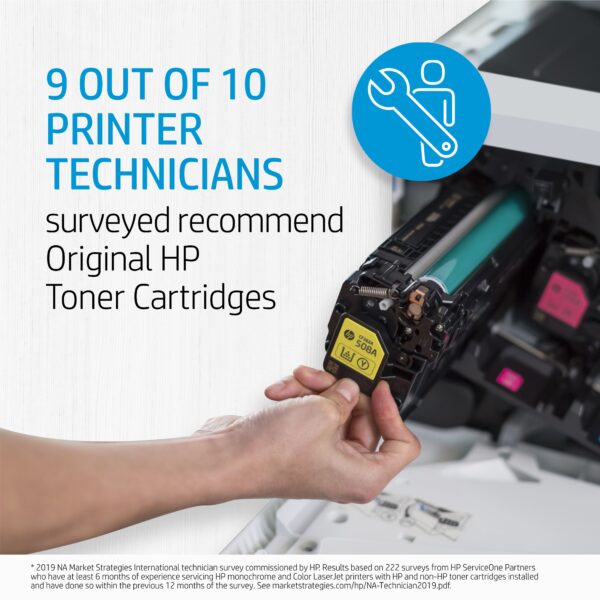
printer technicians recommend hp oem toner cartridgesSometimes what looks like savings can turn into a hassle. If you are running aftermarket supplies in your print devices, reach out to see how we can help to convert you to OEM. We typically find that we can help our clients make the change to OEM without impacting the total cost of ownership and the monthly operational cost to run the print environment. If you are currently running OEM supplies and are thinking about trying aftermarket supplies to try and save some money, there may be a better way to save! Reach out to talk to one of our MPS experts.

HP OEM supplies provide the confidence you can rely on for everyday printing. HP is committed to the environment by using recycled materials in new cartridges and offering a free recycling program from one of the 100 most sustainable companies in the world. Supplies also meet eco-label emission criteria to help maintain the air quality. Trust is also provided from the packaging to the chips to use supplies that protect your printer and your data. Lastly, peace of mind is provided in knowing that you are using HP OEM supplies.

The Move to Hybrid Work Plans Positively Impacts Sustainability

I’m always mindful of how what we do in our lives affects our planet, and although I could never have imagined that we would experience the tragedies of a global pandemic in our lifetime it’s good that there are some areas of impact that have been positive; like the effect it has had on sustainability with reduced emissions worldwide. We expect this to continue long term with so many leading companies embracing hybrid work models for their teams. I’m also intrigued that the pandemic has increased our propensity to be more sustainable. Organic food product sales have dramatically increased, people are mindful about purchasing ethically/sustainably produced products,  and large companies are leading the way with changes to office space that supports hybrid work and sustainability. The transition to hybrid work is resulting in ongoing use of less fuel and energy for commuting while enabling a better work/life balance. The new focus that many have on the work/life balance has allowed our society to slow down a little. Many have found new hobbies, are spending more time outdoors and are experiencing new vacation adventures closer to home. The transition to hybrid work models is here to stay and this will have a lasting effect on reduced emissions that will positively support sustainability. 

Three years ago, prior to the pandemic, Microsoft had designed a new Canadian headquarters downtown Toronto. It has been built with a plan to optimize the space for a hybrid workforce with flex space for employees, partners and customers in mind. Eric Wand, head of IT at Microsoft Canada was tasked with implementing technology to support the team. There are dual large screens in each meeting room to enable content on one with a view of the meeting attendees on the other, state-of-the-art microphones, speakers and AI-powered cameras are in place to enable a similar meeting experience regardless of where the user is working. Many leading technology companies including Cisco are on a similar path, and they have productivity and sustainability in mind as they shift to their hybrid plans.

It seems that work is no longer a place to go to, but it is something we do and it’s clear that people want work to fit into their lives while having more control on the balance. Employers are more focused on productivity, efficiency and getting the work done on time and less focused on the hour of the day that the work is done.

My prediction is that companies will follow the lead of their peers and ensure that their employees have the tools they need to be successful with a hybrid model. Technology is playing a vital role in the hybrid transition. 

Here are some technology changes and investments we have seen companies complete in support of the transition:

  • Collaboration platforms supporting inclusive of in-office and remote, supporting balanced verbal and chat communication to enable involvement from different communication styles (extrovert vs. introvert)
  • Digitization applications are enabling flexibility to close the gap on proximity with mobile digital capture and workflow software, so that regardless of where the worker is they can complete their tasks with the automation and processing of departmental workflow with integrated approval processes, audit trail and repository connection, keeping the business flowing in a hybrid model
  • Thoughtfulness about when we need to collaborate live in the office and when we can save the expense of energy and fuel for travel and collaborate virtually while saving commute time supporting life balance and sustainability
  • Simplifying by standardizing a balanced deployment of print/scan devices for in-office access to printing with quick easy cloud connection for employees, partners, and customers (guests)

The SmartPrint team has a passion to help create a future that is more sustainable by improving the way that we operate our business and by helping our clients implement technology and software solutions that help to achieve a net zero future. I’m excited to see more successful sustainable office transition projects completed. The future of our planet depends on it.


printer technicians recommend hp oem toner cartridges

Sometimes what looks like savings can turn into a hassle. If you are running aftermarket supplies in your print devices, reach out to see how we can help to convert you to OEM. We typically find that we can help our clients make the change to OEM without impacting the total cost of ownership and the monthly operational cost to run the print environment. If you are currently running OEM supplies and are thinking about trying aftermarket supplies to try and save some money, there may be a better way to save! Reach out to talk to one of our MPS experts.

HP OEM supplies provide the confidence you can rely on for everyday printing. HP is committed to the environment by using recycled materials in new cartridges and offering a free recycling program from one of the 100 most sustainable companies in the world. Supplies also meet eco-label emission criteria to help maintain the air quality. Trust is also provided from the packaging to the chips to use supplies that protect your printer and your data. Lastly, peace of mind is provided in knowing that you are using HP OEM supplies.

Cybersecurity Risk Requires Print Equipment Upgrades, But Can You Get The Hardware?

print equipment in shipping containers​If a device has reached the “end of life” it must go. Closing the security vulnerability gaps is critical, and when firmware updates and patches are no longer available from the manufacturer because it is end-of-life, there is a real risk. How do you make that happen while the technology supply chain is in complete disarray? What’s the stopgap while you wait for hardware manufacturing and the supply chain to catch up? While you are thinking about that, it’s also important to note that buying print hardware that is available from an e-commerce giant or a big box store will not support a standardized, secure print infrastructure with equipment that can be properly managed by a managed print services (MPS) partner that can provide end to end coverage for your fleet of print equipment. It may surprise you that acquiring the right equipment, as recommended by managed print services experts will not only enable you to mitigate security risks but will also cost less in the long run. 

Top 5 reasons to upgrade your end-of-life print hardware now

  1. Security vulnerabilities
    • Cyber activity is continuing to increase, and a breach may have a huge impact on your business. If a device is around 5 years old, firmware patches may no longer be supported, and vulnerabilities can be exploited.
  2. Your users’ requirements have changed
    • Do you still need a big complex copier? Use this opportunity to give your users what they need with equipment that takes up half of the real estate.
  3. Sustainability
    • Lower your carbon footprint with equipment that uses less energy, while reducing the capital and operational costs.
  4. Print infrastructure optimization
    • Implement software tools to automate print device security with reporting, while saving IT time, with a stack of simple, yet robust software tools to enable consistent print infrastructure management. Don’t get caught with this risk again.
  5. Lower costs
    • Enterprise-level print equipment has a lower total cost of ownership (TCO). An MPS partner whose team has the technical depth to build a simple, world-class print infrastructure will deliver a strong return on the efficiency of your IT team. Partner with experts to mitigate risk and keep your team focused on their core competencies.

An MPS expert can help to secure your existing print infrastructure while building the right plan to upgrade the equipment when it becomes available. It’s important to get in the queue for new hardware.

Reach out to SmartPrint and we can provide a simple free assessment so that you can understand the risk of the current state of your print infrastructure.

Without central control of your print fleet, security settings are extremely difficult to manage, and entry points for cybercrime are more easily overlooked. It becomes even more complex supporting work from home employees and integrating equipment to workflow automation systems.  Your IT team could be focused on configuration settings and authentication rather than working on other valuable IT projects or support. Encryption and authentication can be accomplished universally with an integrated automated security management tool. We’ve had great success with HP JetAdvantage Security Manager, ask one of our experts to share best practices in this area.

SmartPrint Has Achieved a World Class NPS Service Level Again!

SmartPrint World Class for 2021 NPS

NPS (Net Promoter Score) is the world standard for measuring customer satisfaction levels. NPS is a simple loyalty metric that holds companies and their employees accountable for how they treat and support customers. SmartPrint uses the feedback to continually improve our customer-centric focus and overall business performance.

When I reflect on 2021 and what it takes to continually operate as a world class services company through the challenging times of a global pandemic, here are the 4 points that really stand out for me.

  • Our people – a dedicated, stable team
    • A deep bench of experts that continually deliver results for our clients. It takes dedication, knowledge and focus, from the front lines of our field technical team to customer service, sales and our back office.
  • Our systems and process
    • I can’t say enough about how our seamlessly integrated systems enable efficiency and operational excellence, which translate to improved uptime, data accuracy and enables predictive and proactive support for our clients.
  • Our creativity
    • Our account management and operations team treat each client as unique and focus on making it easier to do business with us, which saves time and money.
  • Our clients – Partnership
    • Our clients refer to SmartPrint as an extension of their team. We work together to solve business problems and we enable our clients to focus on their core.

So far 2022 has brought the technology industry significant challenges with the supply chain for hardware, supplies and replacement parts, and we have seen dramatic price increases across all manufacturers. I’m very grateful to have such a great organization with a team that will continue to be creative and do their best to support our clients through this challenging time!

Is your organization world class, or are you striving to be? Your employees deserve the best. If your business does value your employee’s time because you want to ensure that they are happy and highly productive, you should look to a truly world class MPS and workflow automation partner.

printer technicians recommend hp oem toner cartridgesSometimes what looks like savings can turn into a hassle. If you are running aftermarket supplies in your print devices, reach out to see how we can help to convert you to OEM. We typically find that we can help our clients make the change to OEM without impacting the total cost of ownership and the monthly operational cost to run the print environment. If you are currently running OEM supplies and are thinking about trying aftermarket supplies to try and save some money, there may be a better way to save! Reach out to talk to one of our MPS experts.

HP OEM supplies provide the confidence you can rely on for everyday printing. HP is committed to the environment by using recycled materials in new cartridges and offering a free recycling program from one of the 100 most sustainable companies in the world. Supplies also meet eco-label emission criteria to help maintain the air quality. Trust is also provided from the packaging to the chips to use supplies that protect your printer and your data. Lastly, peace of mind is provided in knowing that you are using HP OEM supplies.


HP Printer Vulnerability Announced November 30, 2021

As you may know, your office print devices are as vulnerable to cyber security threats as a desktop or laptop computer. All it takes is one opening for a hacker to exploit you and gain control of a compromised MFP. The hacker can quietly steal information, or they can penetrate deeper into your network.

On November 30th we were notified of security vulnerabilities within firmware associated with a number of HP Enterprise LaserJet and PageWide printers and MFPs. HP was able to immediately patch the potential vulnerability with a firmware update. SmartPrint advises that you take immediate action to protect your organization against any potential threats. 

Here are links to the two security bulletins released:  

CVE-2021-39238
https://support.hp.com/us-en/document/ish_5000124-5000148-16/hpsbpi03748

CVE-2021-39237
https://support.hp.com/us-en/document/ish_5000383-5000409-16/hpsbpi03749


The bulletins include a list of devices that are affected by each vulnerability, as well as a summary of what firmware version to use.


When SmartPrint is involved in hardware deployment with our clients we take steps to mitigate security risk by:

– Enabling EWS Password

– Disabling all protocols not in use

– Disabling USB port (printing)

– Recommending printers are deployed within VLANs


HP offers a free fleet management software that can help to streamline firmware updates with a one-to-many approach. It is called HP Web Jetadmin Software.

To download Web Jetadmin click on: https://h30670.www3.hp.com/portal/swdepot/displayProductInfo.do?productNumber=J6052AA&lc=EN_US


Many organizations’ standard security protocols include ensuring that print device firmware is kept at the most recent revision. SmartPrint can help if you need assistance, we offer 2 levels of firmware management services. 


  1. Firmware Advisory Service
    • We can rapidly provide a list of your devices that are out of date and the recommended firmware level, by completing a network scan of your print equipment
    • We can also recommend software to help you manage firmware on your own 
  2. Full Firmware Management Service
    • We can manage and maintain your fleet to the latest, tested firmware levels
    • Updates are scheduled and can be managed remotely
    • For highly secure environments on-site resources are also available


Firmware management services can be incorporated into a SmartPrint MPS program or can be completed as a separate service or one-time project. If this is something you would like to learn more about please contact us for a brief discussion.