 Printers are one of the most overlooked devices when it comes to cybersecurity. While people know to secure their computers––protecting them with firewalls and anti-virus software––they will overlook one of the most connected devices in their office, their printer.
With the continuous advancements in technology, printers now have a vast array of features, including connectivity to the cloud and to your mobile devices. They have become the hub for many offices, keeping remote teams connected and ensuring productivity doesn’t dip. Since all these devices are connected to your printer, not securing it could have devastating effects on your company.
Securing your printer is a necessity that shouldn’t be forgotten about. Cybercriminals know that it’s the last place you’ll look––and so it’s the first place they’re going to try to break in through.
The Dangers of Unsecured Printers
If a cybercriminal manages to get through your printer’s security (or lack thereof) then your company could be in big trouble! A team of experts at CyberNews devised an experiment to test just how lax people are with their printers’ security. As it turns out––extremely! They were able to hack almost 28,000 printers (CyberNews, 2020). But they could have targeted even more of those printers.
There were approximately 500,000 printers available to them as targets (CyberNews, 2020). Yet even after releasing this report and trying to encourage safer printing practices, companies didn’t seem to take it seriously enough.
Companies big and small are affected by cyberattacks, with cybercriminals able to sneak in through unchecked and unlocked printers. From there, they can crawl through to other devices––like a spider weaving its web. These attacks then become super costly for companies! A report released in 2022 by Statista said that 71% of companies around the world were affected by a ransomware attack (Statista, 2022).
With ransomware on the rise year-over-year since 2021 (Verizon, 2022), it’s time to start fighting back and securing all the possible routes for a cyberattack––including your printer!
How to Best Secure Your Printer
There are several steps you can take to ensure your printer is as secure as possible.
- We recommend first choosing a printer that comes with pre-installed security features: There are many options available on the market, but some stand out among the rest. Be sure to do your research and find the printer that will work best for your team that also comes with the latest in security features.
- Update your printer as soon as firmware patches are released: It might be tempting to put off your printer’s updates but trust us when we say it’s best to get the update out of the way. Most patches come with fixes to possible security vulnerabilities. As soon as you see an update, it is best deal with this right away. If you really don’t have time for it in that moment, be sure to set up a reminder to check back and install it, or you can work with external MPS experts like SmartPrint to manage this for you.
- Create a strong password: Printer passwords are often overlooked (or just not known about!) But they will offer your printer and all the devices connected to it that extra layer of protection. Try choosing a phrasal format password that includes both numbers and special characters in it.
- Check with experts that you’re doing everything right: Whether it’s your IT team or external experts (such as our team!), be sure that you double-check with security experts. You might think that you’ve installed everything correctly and left nothing to chance, but all it takes is one small mistake to unleash a wave of catastrophe for your team. Experts will be able to go one step further and can ensure that your printer’s security features and device configurations have all been updated and properly locked down.
Pairing these tips with other layers of added protection (such as follow-me printing) will keep your private data safe. Be sure to include printer security measures in your future briefings about cybersecurity and teach your team how to spot the subtle red flags that something could be wrong.
Want to learn more about how your team can update their printer security and outsource the firmware updates to your printer fleet? Reach out today to speak with our print experts. We can help you protect your data and teach you how to better secure your devices.
 documents based on your organization’s existing data needs. It helps to eliminate the tedium of manually sorting through documents one by one and will free up more time for your team to work on engaging tasks.
 Managing your print fleet has never been easier with the latest in predictive managed print services. With new cloud print tools, your printer fleet can be monitored from everywhere at any time. If your MPS provider has advanced predictive service capabilities these tools allow your MPS provider the ability to take a proactive approach to managing your devices. Cloud-based MPS can now predict with better accuracy when your toner is running out or when your devices need service. Not only will this alleviate stress for your team, but it will also remove interruptions to your workflow. So how does predictive managed print work?
 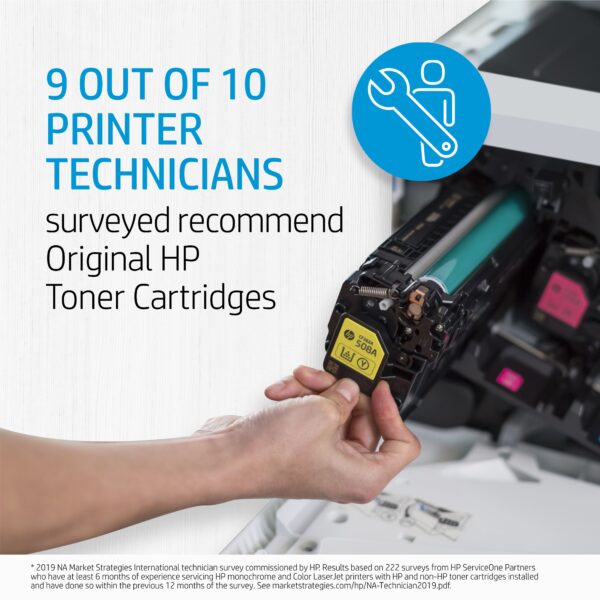 Sometimes what looks like savings can turn into a hassle. If you are running aftermarket supplies in your print devices, reach out to see how we can help to convert you to OEM. We typically find that we can help our clients make the change to OEM without impacting the total cost of ownership and the monthly operational cost to run the print environment. If you are currently running OEM supplies and are thinking about trying aftermarket supplies to try and save some money, there may be a better way to save!
  HP OEM supplies provide the confidence you can rely on for everyday printing. HP is committed to the environment by using recycled materials in new cartridges and offering a free recycling program from one of the 100 most sustainable companies in the world. Supplies also meet eco-label emission criteria to help maintain air quality. Trust is also provided from the packaging to the chips to use supplies that protect your printer and your data. Lastly, peace of mind is provided in knowing that you are using HP OEM supplies.
 Creating a work strategy that will enable your hybrid team with printing, scanning, and workflows is now easier than ever before! There are several devices and software tools on the market that can ready your team to work more collaboratively, wherever they may be. The hybrid work model doesn’t mean eliminating your current work processes––rather, it means your team has the chance to review and reorganize together to meet the needs of everyone.
 and decrease stress for your whole team. Your printer fleet is important for the completion of daily tasks. It’s often the central hub of an office, where all documents flow in and out. If not managed correctly, it can also be a drain on company resources. When team leaders sit down with managed print experts, they can clearly map out the exact costs of their printing. This will help you identify things such as cost-per-page and know who is printing what in your office.
 The decision to upgrade hardware isn’t always simple. As independent managed print services experts, SmartPrint’s goal is to keep good equipment running for an organization as long as possible, if it makes sense. In some cases, we manage print equipment that is more than a dozen years old. Beyond reducing your expenses, here are some of the reasons to stay current with print hardware.
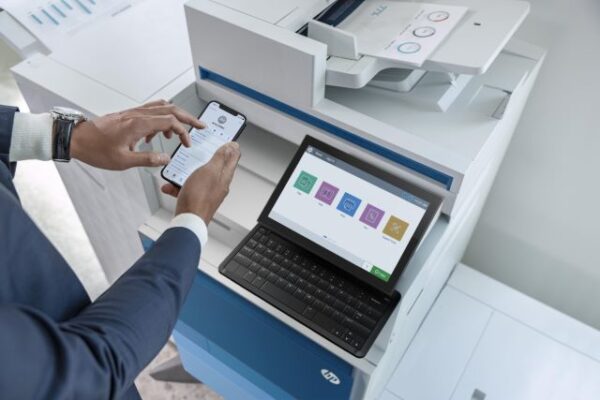 When SmartPrint engages in an MPS assessment with a prospective client our team has a thorough approach to assess the current state and build a future state that incorporates best practices in several different areas. One of the areas that can make a significant impact but doesn’t always get enough attention is our recommendations for print infrastructure best practices. Many organizations want to tackle print infrastructure changes in future project phases, but we believe it is important to tackle them as part of a full MPS implementation, or MPS partner change. I’ve put together the top 4 print infrastructure changes that are easy to accomplish, but also provide improvements for your users and your IT support team. Keep in mind that each solution below can be managed for you and can be included as part of our
  Cybersecurity has increased in priority for CIOs for several years and it is still a top 3 priority according to the top industry analysts. There have been several large-scale global cyberattacks that most companies were able to avoid with solid IT security plans and protocols, but there have been some changes in where and how employees work that has increased the number of cyberattacks. Remote and hybrid work can have some significant advantages for companies and employees, although there are potential unforeseen IT issues that could impact an organization.
 have focused on optimizing processes across their business systems are the leaders in their specific industry because of their efficiency and the ease of doing business that their customers experience. Most of the business processes in an organization focus on moving digital and paper-based documents through the business to make things happen internally and externally. Well-oiled traditional systems, even when highly integrated, have gaps in business processes that need to be bridged by people (employees). The next level of optimization is embracing digital transformation. The Wikipedia definition of digital transformation is “the adoption of digital technology by an organization to digitize non-digital products, services, or operations. The goal for its implementation is to increase value through innovation, invention, customer experience or efficiency”.