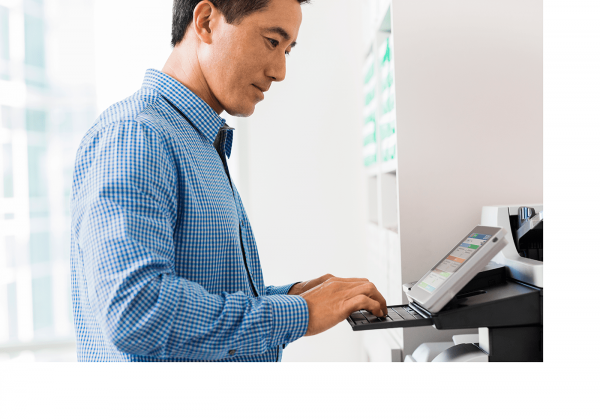
The Top 3 Benefits of Automated Security Management for Printers & MFPs

Two years ago, a Canadian company, TIO Networks, owned by PayPal at the time, exposed the personal and financial information of over 1.6 million customers. This led to the suspension of its operations, and a permanent stain on PayPal’s reputation, even though the two were separate entities and PayPal customers were not at all affected. 

Cybercrime remains a real threat to Canadian businesses, and printers & MFPs that are more than five years old are most at risk. No matter how good your IT Department is, they can’t do it all—and they shouldn’t have to! Not in today’s world. 

If your office print equipment is managed and secured one device at a time, how long does it take to properly harden a fleet of devices when there are up to 250 potential settings to adjust on every single printer or MFP? You’re probably looking at several days of work depending on the size of your organization. That may be fine for the initial setup, but when security policies and firmware are updated, you’ll have to do it all over again… and again, as rules and employees change, or new vulnerabilities become exposed.

Your IT time is valuable and shouldn’t be used up on tasks like this. 

Without central control of your print fleet, security settings are extremely difficult to manage, and entry points for cybercrime are more easily overlooked. Your IT team is focused on configuration settings and authentication rather than working on other valuable IT projects or support. Encryption and authentication can be accomplished universally with an integrated automated security management tool. We’ve had great success with HP JetAdvantage Security Manager, but options from other OEMs also exist.  

With an automated security management tool, you can:

  1. Use a single security policy for all of your devices—never secure one device at a time again!
  2.  Easily add printers or MFPs to your fleet that instantly meet the requirements of your security policy with configuration settings applied automatically.
  3. Meet compliance requirements with full reporting capabilities. 

Automated security management is not only a more effective way to secure your printers & MFPs, but it is also a significant timesaver that your IT Team will praise you for. It is especially powerful when combined with other print management tools in an all-inclusive agreement like SmartPrint 360. If you’re interested in learning about the best in class application of a fully integrated print infrastructure to protect your firm and save IT time, reach out, we would be happy to share! We stay up-to-date on print security so you don’t have to. 

Why You Need to Care About Uncollected Pages

There is sensitive information on the administrative documents printed at your office. The obvious are pages containing your employees’ salary, tax, and insurance details. Then there are medical and legal records, and benefits and severance packages to consider. The not-so-obvious are things like customer invoices including billing details, contacts and account numbers. 

That’s not all. There is sensitive information on your business documents too. Think about competitive data, upcoming project details that are under wraps, and records of large company decisions like an acquisition or buyout. It’s not just your data either. Client work is usually bound by an NDA, and there could be serious repercussions for exposing information there.

But you protect your documents with software! We’re sorry to say that your software becomes irrelevant the second a job is sent to a printer. The remaining (and overlooked) threat is pages that are left uncollected at print stations, and these account for 30% of all office printing and represent a real information risk.


So how do you protect yourself? It’s simple—don’t allow your documents to be forgotten.

What would this require?

  • Users to authenticate their output before printing occurs
  • The ability to implement company-wide policies that restrict “free-for-all” printing
  • Works with printers from any manufacturer
  • Adaptable to an existing print environment  

What would also be nice?

  • Centralized control to save management time
  • Tracking and reporting to understand costs
  • Reduced paper waste

A print queue can do all of the above, and alleviate the risk of sensitive information being exposed. Employees can send a job from any device, but printing doesn’t start until the user authenticates it at their chosen print station. Most of our customers choose proxima ID cards, but pin-codes and other authentication methods exist as well. There is no productivity loss because new printers are so fast (between 40 and 100 pages per minute) that you aren’t waiting on jobs to finish.


There are several options when it comes to protecting your information with a secure print queue. We’ve had great success with FollowMe by Ringdale. It works especially well with print environments that have a large installed base of HP devices. If you’re interested in learning more, feel free to reach out—we’d be happy to help.  

Pourquoi une transformation numérique est la meilleure décision à pendre

person using hp mfp to assist with digital transformationArrêtez de vous concentrer sur le coût de production d’un document et commencez à réfléchir au coût de sa recherche.

Les entreprises se demandent souvent quel est le coût de création d’un document: combien de cent par page? Devez-vous imprimer en couleur ou en noir et blanc? En tant que spécialistes de l’impression gérée, nous en sommes également coupables. Certains pourraient même dire que nous sommes obsédés par cela. Bien que le coût par page soit important, il s’agit du début du cycle de vie du document, et existe quelque chose d’évident à laquelle vous n’avez pas pensé: le coût de la recherche de cette page imprimée une fois qu’elle a été sauvegardée.

Pour calculer ce coût pour votre organisation, tenez compte des éléments suivants:

  • Vitesse de récupération
  • Nombre d’employés impliqués
  • Taux de réussite
  • Exactitude de l’information

Regardons les deux premiers points. L’année dernière, les employés à temps plein ont été interrogés et 49% d’entre eux ont déclaré « avoir du mal à localiser les documents » (Nintex). C’est presque la moitié des employés! Combien de temps pensez-vous avoir dédié à la recherche de documents dans votre organisation? Si votre employé ne parvient pas à trouver ce qu’il cherche, la prochaine étape logique consiste à impliquer un collègue. Vous avez maintenant deux employés qui ne travaillent pas et qui recherchent le document. Vous doublez vos coûts.

Ce qui est pire? Ils ne réussissent pas toujours à récupérer le fichier. Vos employés peuvent trouver une ancienne version ou une autre incomplète. Le temps qu’il leur faille pour combler les manquements augmente encore vos coûts. Cha Ching!

La précision des informations trouvées devrait également être une source de préoccupation, car 33% des employés interrogés ont déclaré « avoir de la difficulté avec la gestion des versions de documents » (Nintex). Comment vos employés déterminent-ils actuellement si le document examiné est la dernière copie? Est-ce la V3? Ou existe-t-il une V4 dont ils ne sont pas au courant? Et à qui doivent-ils demander pour obtenir la réponse? Et ça continue, encore et toujours.

Vous en avez assez? Une transformation numérique devrait être votre prochain geste.

keyboard with a key displaying cloud storage for digital transformation

En quoi consiste exactement une transformation numérique? En bref, il s’agit d’un tout nouveau flux de travail numérique qui s’intègre à vos processus d’entreprise et qui permet à vos documents de circuler de manière transparente, sans interruption ni retard. Il n’est pas limité comme son équivalent papier: tous les problèmes ci-dessus peuvent être résolus avec le bon logiciel et le bon partenaire. Avec l’aide de fabricants tels que HP, vous pouvez établir des connexions de flux de travail automatisées et sécurisées grâce à une architecture ouverte.

De nombreuses organisations ont déjà entamé cette transformation numérique, mais cela ne se fait pas du jour au lendemain. Ne perdez pas votre avantage concurrentiel en résistant au changement. Adoptez une approche étape par étape et cela fera toute une différence dans votre productivité.

Contactez un spécialiste SmartPrint dès aujourd’hui pour en savoir plus sur les intégrations de la gestion de documents et sur les perspectives d’une transformation numérique pour votre entreprise.