SmartPrint Named as One of the 20 Most Promising Managed Print Solutions Providers Globally in 2019

We are very grateful to be recognized in the global top 20! A panel of industry
C-level executives, VC’s and Analysts as well as the editorial board of CIO Review selected the list of top providers

SmartPrint is staying on the cutting edge of software and print infrastructure solutions to complement our best in breed approach to delivering managed print services. Our SmartPrint 360  Print as a Service offering simplifies all aspects of MPS for our clients with a single bill while enabling consolidation to a single vendor.

SmartPrint has a continued focus of leading the market through our proactive approach of delivering account management, consulting, services and supplies management.

Thank you CIO Review, The Navigator for Enterprise Solutions. 

Why a Digital Transformation is Your Best Move Today

person using hp mfp to assist with digital transformationStop Focusing on the Cost of Producing a Document and Start Thinking About the Cost of Finding It. 

Companies often focus on the cost of creating a document: how many cents per page? Should you print in color, or in black and white? As managed print specialists, we’re guilty of this too. Some might say we even obsess over it. While cost per page is important, it’s the beginning of the document lifecycle, and there’s something obvious that you probably haven’t been focused on—the cost of finding that printed page once it’s been stored. 

In order to calculate this cost for your organization, consider the following:

  •   Retrieval speed
  •   Number of employees involved
  •   Success rate
  •   Accuracy of information

Let’s look at the first two points. Just last year, full-time employees were surveyed and 49% of them said they “have trouble locating documents” (Nintex). That’s nearly half! How much time do you think is spent searching at your organization? If your employee can’t find what he/she is looking for, the logical next step is to involve a co-worker—now you’ve got two employees searching, not working. Double your cost. 

What’s worse? They aren’t always successful in retrieving said file. Your employees may come across an older version or something with missing pieces. The time it takes them to fill in the gaps only further increases your cost. Cha-ching!

Accuracy of information found should also be a concern, as 33% of employees surveyed said they “struggle with document versioning” (Nintex). How do your employees currently determine if the document they’re looking at is the latest copy? Is V3 it? Or is there are V4 they don’t know about? And who do they have to ask to get the answer? It just keeps adding up. 

Had enough? A digital transformation should be your next move.

keyboard with a key displaying cloud storage for digital transformation

So, what exactly is a digital transformation? In short, it’s an entirely new digital workflow that integrates with your business processes and allows your documents to seamlessly flow without disruption or delay. It is not limited like its paper counterpart—all of the above issues can be resolved with the right software and the right partner. With the help of OEMs like HP, you can have secure, automated workflow connections thanks to its open architecture.

Many organizations are already in the process of a digital transformation, but it doesn’t happen overnight. Don’t lose your competitive edge because you’re resistant to change. Take a step-by-step approach and it will make all the difference in your productivity as a company, and ultimately, your bottom line.

Contact a SmartPrint specialist today to learn more about document management integrations, and what a digital transformation could look like for your business.

3 Things Your Print Infrastructure Needs

office worker scanning a document from an hp mfpYou wouldn’t build a sandcastle in a hurricane, but you may have set up your print infrastructure in the same, unmanageable, way.

We get it—the printers in your office are an afterthought given the workload of projects, support and maintaining systems, if you’ve given them any thought at all. But if your infrastructure isn’t dependable, secure, and scalable, it will inevitably fail, and you’ll find yourself asking for help in one of the following situations:

  • “I need tech support for an older device in the accounting department.”
  • “We ran out of toner and our users are freaking out because they can’t get their work done.”
  • “Our employees don’t know how to use OCR on the scanner (or even what it is!).”
  • “How can I eliminate all the uncollected printouts that pile up each week?”
  • “Our security has been breached, and IT security think it started at one of the old printers we have.”

The list goes on, but the problem is always the same: print infrastructure that wasn’t built for proactive management. The solution? You need these three things.

#1 Smarter Devices 

This one seems simple, and it is. Printers that have more sensors compute more data and allow you to fully understand your office print volume and service and supply needs. The components have a longer lifespan and are designed for service optimization unlike many of the devices in your current fleet (looking at you, old HP 4200/4250/4300 printers). While new equipment may sound like an expensive option, the costs may actually be much lower when you consider the above issues, especially when included in a managed print services agreement.

office working waiting for print from an hp mfp

#2 Systems Integrations

Automated device monitoring and management requires software, and with the right integrations, you never have to think about service, supplies, or security again. Tools like Remote Technician, RMS, scanning to ERP, and DCA can significantly improve your workflow, reducing downtime and employee frustration. Integration with security software is of particular importance because most older (4+ years) office equipment is not secure, and even newer devices need regular updates to fix potential  security vulnerabilities.

#3 Scalability 

With smarter devices and system integrations, your print infrastructure becomes scalable. Standardized technology means smoother transitions and less administrative headaches as your business grows. This is especially important for employees. As they learn how to send a job to a printer, then release the job(s) when they collect them, they do not need to relearn how to do it for other printers. Employees then teach improved workflow and cost reductions to others.  

Can your current print provider manage these issues, (hint: if you are having any of the above issues, they likely cannot)? At SmartPrint, not only can we do it, we can do it anywhere you have offices in Canada the U.S. and beyond. When you implement SmartPrint 360 (Print As A Service), you automatically get the SmartPrint 360 Stack covering all of your technical print infrastructure needs.

Contact a SmartPrint 360 specialist today to get started.

 

Managed Print Should Not Look Like This

You’ve heard the expression, “how many people does it take to screw in a lightbulb?” In our industry, it’s “how many vendors does it take to manage print?” Why? Many companies source their hardware from two or three different providers. Supplies often come from another source, and if a device breaks down, even more vendors enter the picture! As a result, the simple office function of printing can become a managerial nightmare for your users, IT Help Desk, and others. Multiply that across office locations and it can become a major frustration and waste of valuable time. If this is your current situation, and you don’t think there’s a problem, you should ask yourself these five questions…

  1. If something goes wrong with a device or supply, who will cover the repair?
  2. If you’re spending too much, who do you call to lower your costs?
  3. Who makes sure the print infrastructure is up-to-date to protect against security threats?
  4. How many unique invoices are you paying every month?  
  5. Does it have to be this complicated?

The answer to #5: an astounding no! You could have everything covered under one bill, for one price, in all of your operating regions. 

SmartPrint 360 is an expert designed MPS solution with advanced infrastructure and high-level security that provides hardware and software to support your print volume in the most efficient and cost-effective way: the consumption model. This model covers all required hardware, software, supplies and services, and includes the page volume you need for a flat monthly fee. If your needs grow, the adjustments are taken care of for you.


You will save 30-50% on average with the best in breed standardized infrastructure. With SmartPrint’s fully integrated monitoring system, you get real-time alerts and proactive management of service and supplies, significantly reducing printer downtime. Standardizing your technology also strengthens security, which is increasingly important as print devices and software are a favourite entry point for cybercriminals.

40% of Canadian companies experienced security breaches in 2016, and 54% of those were due to unsecured printers. (IDC: Print Security – The Overlooked Threat)

SmartPrint will detect vulnerabilities in your devices and harden endpoints before infiltration. The technology is advancing, and will soon enable real-time reporting on the status of security threats. We’re on top of it, so you don’t have to be. 

Print is our business; let us help you focus on yours. Contact a SmartPrint specialist today to learn more about SmartPrint 360.

Protect Your Intellectual Property, Data Loss Prevention and Detection

How important is your company’s dataprotect your ip (customer information, intellectual property, employee information, etc.)? If you could easily secure that information with a cost-effective solution, would you?

We are often talking about the cybercrime and theft of company information through the world wide web. There is another side to protecting your data internally. Most employees will do the right thing, but some of the biggest challenges are from internal information leaks or theft. One of our financial clients recently successfully stopped an employee who had resigned and then tried to steal intellectual property and a customer list. They were able to catch this and take action with the help of a software solution that we architected and implemented for them. We also manage and support the software solution for them to ensure it is always running and ready for the next issue.

The fact is that paper can’t report unauthorized access if an employee or visitor has access to sensitive information and they print, copy or take a picture of it they can typically take that information out of the office and it’s gone. Some solutions track what document are being printed by the name of the document; this easily can be changed.  Securing your print devices with Secure Access software ensures nothing is printed without the owner of the document being at the device to retrieve it.  But how do you know if sensitive information was printed, scanned or copied?

Data loss detection (DLD) – identifying the transfer of sensitive data

Data loss prevention (DLP) – ensuring sensitive or critical information does not get shared

Here’s how a simple Data Loss Prevention and Detection system can work.

With SmartPrint recommended solutions, at the print stream level: 

Monitor and secure paper documents to prevent the loss of valuable or confidential information. Dynamically discover, monitor and protect documents and print jobs in motion or at rest, throughout the printing process to mitigate data loss of sensitive information.

Simplified Paper Data Loss Prevention (DLP)

Discover – analyze meta data of documents and print jobs to discover sensitive information, using dictionary and pattern matching content analysis

                      Monitor – transparent monitoring avoids user interaction, enforcing compliance and enabling auditing and                reporting

                     Prevent – stop printing of restricted documents to stop breaches before they happen, with the ability to notify or archive content where required.

This covers the printed document but how do you ensure confidential information is not copied or scanned?

We recently deployed and integrated a system, using HP Enterprise Multi-function print devices because of their open architecture and self healing security capabilities, securing access of the users by having them tap their security badge to use any of the capabilities of the multi-function devices, even to make a simple copy. If a user needs to make a copy, they tap their badge, which authenticates them against active directory. The system does a real time scan of the document and looks for key words or document numbers that are logged in the DLD system.  If the system detects an issue IT Security is automatically notified and can act.  

If locking down your intellectual property is important, reach out to get in touch with an MPS Consultant who can help you learn more.

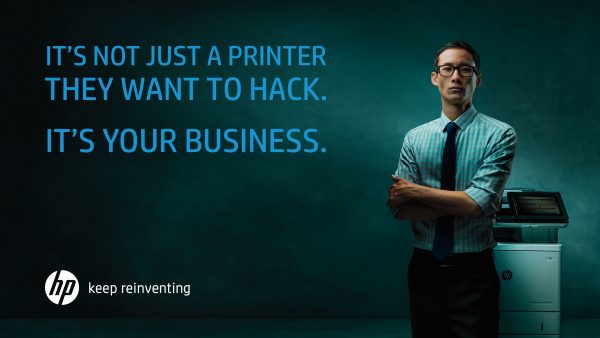
Protect Your Environment Against a DoS Attack – Are You Sure Malware Is Not Residing in Your Printer Bios?

Security is top of mind for IT departments in Canada for dos attack in printer biosgood reason. We had recently supported a situation where a client had escalated a service issue because of multiple service calls on a single print device. In this case, we found that a new HP Enterprise MFP that had recently been installed was in a constant reboot cycle, at some points of the day users could print to it, at other times it would constantly reboot on its own. Our client’s IT team thought that the device had a serious issue with the firmware or internal system because it was a new device. After further investigation, we found that a hacker had targeted the devices IP with a denial-of-service (DoS) attack which is an attack designed to bring a network to its knees by flooding it with useless traffic. Their standard device configuration left some holes that we helped them close, and the problem was gone.

We had another client that had an older large workgroup multi-function print device that seemed to be running slow on the network, taking forever to wake up for users to scan or copy and printing slow, which of course was frustrating the users. After some testing, we found there was malware loaded onto the hard drive of the device waiting to exploit or possibly shut down their network. The cybercriminal had most likely already done some damage or stolen some information. Many Canadian companies have been targeted by malware that locks down their network and the only way to get it back is to pay a hefty ransom to cybercriminals.

We can’t stress enough that it’s time to take a serious look at your print infrastructure, the security capabilities of your current print devices and firmware and how to manage the environment moving forward to stay current on the best.

We have helped many of our clients upgrade their equipment to HP Enterprise print devices that can protect themselves against cyber attacks, and we have layered on HP JetAdvantage Security Manager as the print security console to manage device configurations and reporting. Watch this quick video to see an overview of the self-healing security features. Even with the investment in hardware and software to mitigate risk the business case from their current state costs to the future state has always been positive. More security protection with a lower cost of operation and better user experience is great management win.

Reach out for a free print fleet assessment and we will educate you on your risk and provide a simple plan to close the gap. With your MPS experts at your side, updating and securing the print infrastructure can all be accomplished with a simple as a service model, leaving your IT team to focus on other critical areas of the organization.

HP Has the Most Secure Printers in the World, Why Is This Important?

Is it time to look at investing in your print environment to protect your business?

Here are six questions to think about:man standing by an hp printer which is the most secure in the work

  1. Does it matter that you have print devices on your network that are more than 7 or 8 years old?
  2. Are all manufacturers the same when it comes to security?
  3. How important is it to have hardened print endpoints to protect your organization from cybercrime and ransomware?
  4. Are your data and intellectual property safe?
  5. Do you know the gaps/risks of your print environments current state?
  6. How much would you have to invest, or would you actually save money if you closed the risk gap of your print environment?

Print security is a bit of a murky space and frankly, most manufacturers will tell you they have it covered, and you have nothing to worry about. We’ll try and provide some of the answers and direction if protecting your company from cybercrime is important.

In this space, HP has recently been acknowledged as having the most secure print devices in the world. The industry analysts that we keep in touch with say they are well ahead of the rest and are continuing to increase their lead in technology. HP has technology in their enterprise level print devices to protect you below, at, and above the operating system so that hackers have no way in. They are focused on staying ahead of the game by providing software tools to automate locking down or hardening your print devices. The software also provides reporting which gives visibility to the potential areas of risk in your print infrastructure. This is really positive and helpful, but the fact is, if you have devices that don’t have the smarts in them (old print/copy devices, some brands of hardware) on your network, you may have some serious openings that put your organization at risk.

Without closing all the ports and protocols that aren’t required and consistently keeping the firmware up to date with the latest patches, you may be at risk.

Many organizations we talk to think that they won’t be a target of cybercrime and ransomware. We hear things like, “Why would we be a target?; Our data isn’t that important”.

The reality of the situation is that what we’re talking about here is cheap. It doesn’t even have to be a capital investment! Protect your company’s data and ensure that malware or ransomware doesn’t shut the doors of your business. I’m not trying to scare you here but many companies that get attacked and lose their data and systems can’t come back from a full shutdown fast enough and are at risk of going out of business or taking a major hit to their financials. Again, the opportunity cost of not future proofing your print infrastructure may save you money from your current state, and the opportunity cost of doing nothing could be significant. Further, according to IBM Security and Ponemon Institute in the 2017 Cost of Data Breach Study: Canada, for 27 Canadian companies that participated in the study incurred an average total loss of $5.78 million.

Reach out for a free print fleet assessment and we will educate you on your risk and provide a simple plan to close the gap. With your MPS experts at your side, updating and securing the print infrastructure can all be accomplished with a simple as a service model, leaving your IT team to focus on other critical areas of the organization.

Request your no-obligation print infrastructure security assessment


Vendor Consolidation with MPS and Software Support

4 Reasons to Take Vendor Consolidation to the Next Level with MPS (Managed Print Services) and ECM (Enterprise Content Management).

I find that more and more, our clients are askingvendors on a scale us to expand our offering to support more functions around office printing, scanning, and digital workflow/content management, as part of their strategy to consolidate IT vendors. At first glance, some may think, it’s just office printing, document storage, simple document workflow etc.; however, to integrate the technologies and make it all work takes knowledge and expertise that is not found inside of an IT team. SmartPrint has partnered with HP Inc. to provide best in breed HP printers and copiers to support integration with open architecture to enable an integrated complete document workflow, digitized solution to be always on and highly scalable. There are some compelling reasons to look at taking vendor consolidation to the next level in this space beyond obvious cost saving.
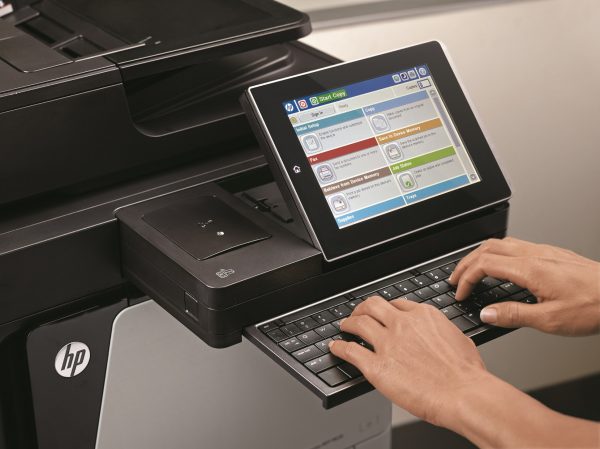
To provide a high-level example, we have a manufacturing client that relies on SmartPrint to manage all of their print devices at 7 locations across Canada. We have integrated a workflow engine that enables users to capture and categories important structured and unstructured documents in a simple document management system with the ability to search and quickly find them again in the future. This sounds simple; however, it was very important for this client to have their data and intellectual property safe and secure, while the integrated solution is drastically reducing the time their employees spend searching for important documents in their customer service and finance departments. Prior to implementation, they estimated 100’s of employee hours monthly spent searching through file cabinets, boxes of paper and uncategorized digital documents. All hardware, software, MPS, solution support and professional services are integrated into a SmartPrint 360 program with an as a service flat monthly fee.

Top 4 reasons to look to your trusted MPS experts for vendor consolidation beyond basic MPS offerings

  1. Don’t get stuck with a print infrastructure that won’t support your vision.
  • Work with experts to ensure success for your future projects. Your MPS experts should have the experience to recommend agnostic hardware and software solutions to be sure you have the foundation in place to build on. With the right foundation (printing and imaging infrastructure) in place, you can ensure that your organization continues to successfully develop and implement digitization of business processes and automated workflow. It is amazing how many times we engage with a company with a great vision for solutions and have to indicate that they need to invest heavily in the foundation due to bad technology decisions.

      2. Change from how it’s always been done.

  • Automating workflow for users and departments can be embedded long term if the electronic content management system is integrated into the users’ work processes, whether paper-based or digital. If your trusted MPS experts are working to implement and support the print infrastructure and integrations to the related software (print security software, workflow engine, document management, and content management systems) you will have the support you need when there is an issue with any of the solution components. When these solutions are architected, implemented, and supported long-term by the experts that also support all connected devices, your partner is in place to ensure that the system stays in place with consistent training, support and future development.

      3. More productive employees

  • Your organization can rely on your MPS partner to help make the correct decisions on best in breed hardware and software for the future with expertise that cannot be insourced. An MPS expert partner that is in control of the whole printing and imaging infrastructure and workflow is the best choice.

     4. Simplify IT Helpdesk processes

  • With one partner responsible, no finger pointing will occur and the expertise and responsibility to deal with issues lie with your dedicated partner. The IT Help Desk is simplified, and user uptime is managed at an optimal level.

If it’s time to simplify your business and look at the next level of vendor consolidation we recommended that you work with an independent MPS expert that provides recommendations of agnostic hardware and software solutions to ensure scalability and flexibility to future proof your print infrastructure.

Contact us if you would like to learn more.

Upland AccuRoute, Enterprise Class Workflow Software

User at an HP Flow MFPUsing the Upland AccuRoute solution, users can flow important business documents of all types internally and externally to support automating business processes. The AccuRoute Web Apps allows users to build new business process automated workflows quickly and efficiently. Workflows can easily be integrated to support the distribution of content through to business applications like ERP software, Document Management, and Records Management software, as well as simple working groups or destinations like network folders, printer devices, fax, email and basically any other destination you can imagine.

Working with an AccuRoute Integrator

When working with an AccuRoute integrator, the application can be integrated with your existing network office printing devices to enable a distributed content capture strategy so the solution can be pervasive across the departments and location of your organization. AccuRoute allows you to capture the content from paper-based documents, convert to digital and flow through to complex workflows. With smart consulting to transform workflow, a user can place paper-based documents in a scanning device or use a multi-functional printer,  touch the screen to select the appropriate workflow and they are done. The automated business process takes over and finishes all of the tasks.

All of your business content can become available across your organization. Documents can be converted into your required format, the file size is compressed, metadata can be extracted, the solution can work with and read barcodes, and all workflows can be integrated into your back office software. The solution can scale to support the largest enterprise, but also works well in mid-sized organizations. Once implemented it provides a bullet-proof business workflow platform.

This solution can enable workflow of any file format with complete security. It integrates with all leading document/content management and archive systems and when the document gets to its destination,  we can ensure that it is fully searchable so no content is lost.

Three key values of the AccuRoute solution

  1. Extract content easily
    Convert business content from any source, whether the current format is digital documents, paper, digital data streams like fax, email, or other applications into secure and useful business content.
  1. Automated workflow getting your content to the right place

    All documents are captured, analyzed, and delivered to the correct destination and/or recipients.

  1. Searchable and safe content storage

    Ensure compliance requirements are met and secure your content with logging, backup and data loss prevention.

How does this all come together?  Your office printing devices are the on-ramps and off-ramps of your organizations content. Your Managed Print Services experts can be the integrator to help build a digital workflow that makes your business more efficient and more organized. On another very important note, given that your content can be sensitive client information, intellectual property, critical business information etc., ensuring that your print devices are secure is extremely important. A lot of sensitive data is flowing through the print devices. Also, scanning capabilities and open architecture to support simple integrations are important. We recommend HP enterprise print devices because of their superior security and scan workflow capabilities with their patented Flow MFP and scanning devices.

SmartPrint has helped companies in all verticals implement simple integrated scalable and powerful business process workflow solutions to make the business go faster.

Reach out to talk to an expert about content workflow solutions.

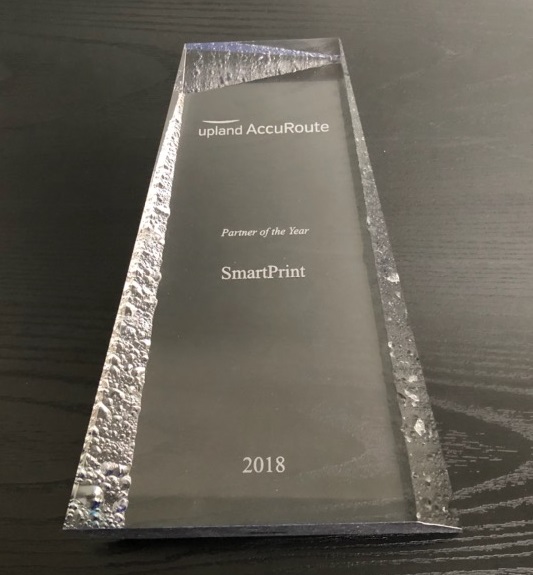
SmartPrint Inc. Wins the Upland Partner of the Year Award for the 2nd Consecutive Year!

On August 21st 2018 at the ILTA (Information picture of smartprint upland awardLegal Technology Association) event, held in National Harbor, MD, Upland awarded SmartPrint as “Partner of the Year” because of our successful efforts in developing and implementing creative, custom projects that engage and challenge the Upland team while improving our client’s workflow. The SmartPrint Content Integration team, headed up by Chris Kirby, VP of Content Integration, works very closely with the Upland team to implement Upland Accuroute software for secure document capture and routing to solve business problems and simplify business processes for the users.

The SmartPrint MPS Consulting team has been challenging our clients to innovate and streamline their business processes with intelligent and completely integrated document workflow solutions that power digital transformation. The simple results of these projects improve user efficiency, content retention/availability and intellectual property security through automation. A consequence of these solutions is often reduction office printing, which also benefits the environment. The SmartPrint content workflow solutions team manage all aspects of our software solutions projects from solution architecture, proof of concept, through to implementation, user training and 1st and 2nd level support moving forward.

We are very excited to be recognized with this award for the second year in a row! Thank you Upland for your great partnership!

About SmartPrint:

SmartPrint is Canada’s most recognized independent MPS provider, helps organizations make sense of complex print environments. SmartPrint’s team of Managed Print Services (MPS) consultants leverage the markets best tools and systems offering best in breed office printing equipment and software to help simplify printing, scanning and document workflow. Our clients experience dramatic improvements in user efficiency, reduced costs of 30% to 50%, reduced helpdesk calls by 25% and significant administrative efficiencies through vendor consolidation. SmartPrint’s solutions are not about printers and copiers, they’re about people.

To find out more about SmartPrint, please explore our website: www.smartprint.com.